Is Smartsheet Worth It in 2026?
Is Smartsheet worth it in 2026? Compare pricing, features, and cheaper Smartsheet alternatives like Stackby. Discover better value. Start free.
Let’s not sugarcoat it. If you’re Googling “is smartsheet worth it”, something already feels off. Usually, it’s one of these:
- “Why is Smartsheet so expensive?”
- “Am I overpaying for basic features?”
- “Is there a cheaper Smartsheet alternative?”
And honestly, you’re not wrong to question it. In 2026, tools like Smartsheet still dominate enterprise workflows. But the pricing-to-value ratio? That’s where things get blurry.
This guide breaks it down with zero fluff:
- Real Smartsheet pricing
- What you actually get
- Hidden costs
- Where it falls short
- And smarter alternatives like Stackby
Is Smartsheet Worth It?
Short answer:
👉 Yes: for enterprises with project management workflows
👉 No: for startups, SMBs, or flexible teams
Why?
Because Smartsheet is:
- Powerful
- Structured
- But expensive and rigid
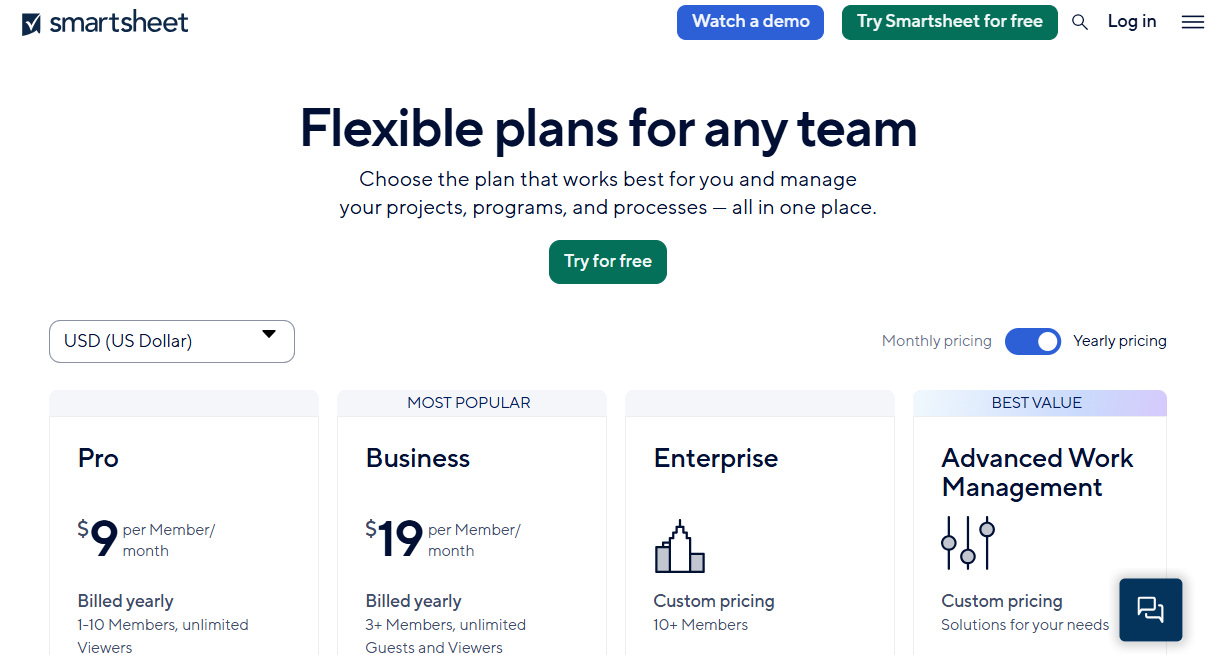
Smartsheet Pricing in 2026 (Reality Check)
Let’s break down actual pricing tiers.
Hidden Costs (Where it hurts)
- Automation limits
- Integration add-ons
- Premium connectors
- User-based pricing
👉 Realistically, most teams end up paying:
$25–$40 per user/month
Now multiply that across a team of 20.
That’s ₹40,000–₹70,000/month equivalent for many Indian teams.
Why People Think Smartsheet Is Expensive
Let’s validate your frustration.
1. Per-User Pricing Model
You pay for every seat—even if usage is low.
2. Paywalls Everywhere
Key features are locked behind higher tiers.
3. Add-On Culture
- Want integrations? Pay more.
- Want automation? Pay more.
What You Actually Get With Smartsheet
To be fair, Smartsheet delivers.
Strengths:
- Spreadsheet-like interface
- Project tracking
- Gantt charts
- Enterprise workflows
But here’s the catch:
It’s optimized for structure, not flexibility.
Where Smartsheet Falls Short
This is where most users start looking for cheaper Smartsheet alternatives.
- Limited Flexibility
- Hard to customize workflows
- Rigid structure
2. Weak Database Layer
Compared to modern tools:
- No true relational database
- Limited data linking
3. Automation Constraints
- Rule-based only
- Not dynamic
4. Poor API Utilization
- APIs exist
- But not deeply integrated
Smartsheet vs Stackby: Pricing & Value Comparison
Let’s get real, here's a no-nonsense comparison between Smartsheet & Stackby - a true Smartsheet alternative.
Why Stackby Is a Better Value (Not Just Cheaper)
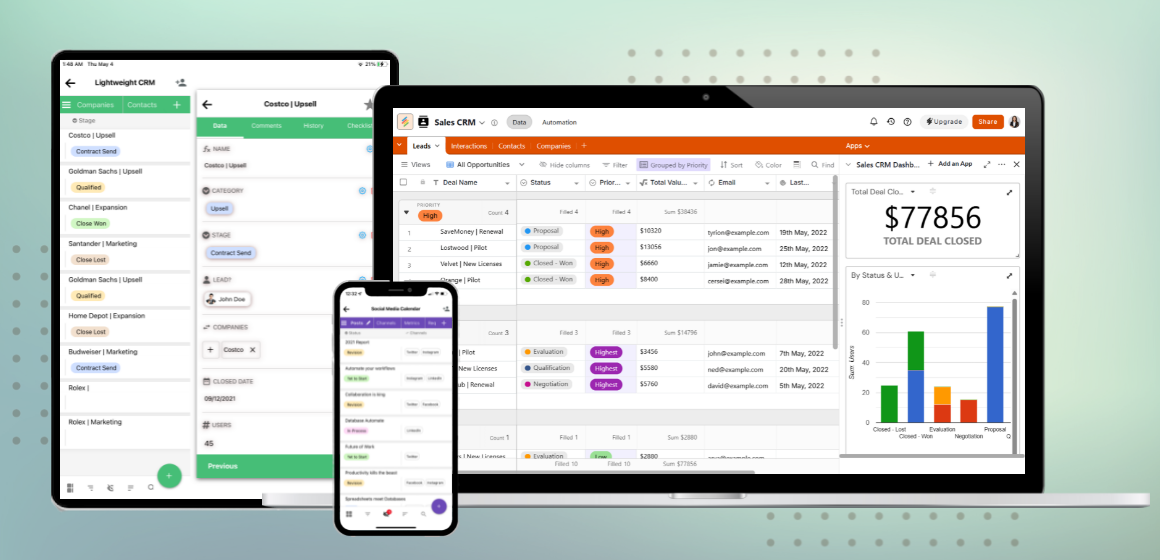
Stackby isn’t just another tool. It's a no-code platform started in 2018.
It solves the exact pain points Smartsheet users complain about.
- Pricing that scales with you
- No aggressive per-user pricing
- Flexible plans
- Free tier available
2. Built-In Database Power
Stackby combines:
- Spreadsheet
- Database
- Workflow + Automation system
- AI field agents and co-builder
3. Automation + API Layer
You don’t just automate tasks—you build workflows.
Example:
- Pull API data from native column linked API connectors
- Process with logic with automations
- Trigger actions - from webhooks
- Use internal apps like Dataflow.to to bring data from any API right into Stackby tables.
4. Multiple Views
- Grid
- Kanban
- Calendar
- Gallery
- List
- Timeline
- 2 types of forms: Normal and Updatable
AI Capabilities: Smartsheet vs Stackby (2026 Reality)
This is where things get interesting.
Smartsheet AI
- Basic automation suggestions
- Limited intelligence
Stackby AI
- Bring your own AI API key
- AI field agents, choose your own models
- AI formulas
- AI attachment analysis
- API + AI combination
- Data enrichment with web search
Example Use Case:
- Pull leads from an API
- Enrich using AI
- Assign to sales
- Trigger email
👉 All inside one system.
Real Cost Comparison (Example Scenario)
Let’s say you have a team of 15.
Smartsheet Cost:
- $30 × 15 = $450/month
- ₹37,000+/month
Stackby Cost:
- Much lower
- More features included
When Smartsheet Is Worth It
Be fair, there are cases.
Use Smartsheet if:
- You’re enterprise-heavy
- You need strict workflows
- Budget isn’t a concern
When Smartsheet Is NOT Worth It
This is where most readers land.
Not worth it if:
- You want flexibility
- You need integrations
- You care about cost
Best Cheaper Smartsheet Alternatives
1. Stackby (Best Overall)
- Combines spreadsheet + database
- Strong automation
- API-first
- Cost effective for teams of all sizes
2. Airtable
- Good UI
- Expensive scaling within teams
3. Notion
- Good for docs
- Weak for structured workflows
FAQs
Is Smartsheet worth it for small teams?
Usually no—it’s too expensive for the value.
Why is Smartsheet so expensive?
Per-user pricing that's steep + add-ons.
What are cheaper Smartsheet alternatives?
Stackby is one of the best:
- More flexible & customizable
- Better pricing for teams
- Better automation workflows
Can Stackby replace Smartsheet?
Yes—and often with better ROI. Just export your Smartsheet tables into CSVs and import it to Stackby to build your custom databases and workflows.
Is Stackby free?
Yes, with a generous free plan.
Final Verdict
Let’s answer the question again:
Is Smartsheet worth it?
👉 Yes—for enterprise structure
👉 No—for flexibility and cost
Switch to Stackby for free. Stop overpaying for rigid workflows.
👉 Explore Stackby templates: https://stackby.com/templates
Smartsheet is powerful—but expensive. Stackby is powerful—and practical.