Best No-Code Databases Apps in 2026: Your Data, Simplified
Discover the best no-code databases apps in 2026. Simplify your data management + app building with top tools like Stackby, Airtable, and more. Find your perfect fit!
Forget wrestling with complicated spreadsheets or waiting around for developers. In 2026, managing your data is getting way simpler thanks to the rise of no-code databases. These tools let you build and organize your information like a pro, without needing to know a single line of code. Whether you're a small business owner, part of a growing team, or just someone who likes things tidy, a no code database can seriously change how you work with information.
Key Takeaways
- No-code databases let you build custom data systems without writing code, making data management accessible to everyone.
- These tools offer more structure than spreadsheets, allowing for better organization, connections between data, and a single source of truth.
- Many no-code databases now include AI features to help with building, data enrichment, and analysis, speeding up your workflow.
- When choosing a no-code database, consider ease of use, how flexible the data modeling is, and if it can connect with your other tools.
- The future points towards even smarter, more integrated no-code database solutions that adapt to your specific business needs.
What is a No-Code Database Software?
Remember wrestling with spreadsheets, trying to make them do things they just weren't built for? Or maybe you've looked at custom software solutions and thought, 'Yeah, that's way out of my league.' Well, there's a middle ground now, and it's called no-code database software. These tools let you build sophisticated data management systems without writing a single line of code. Think of it as giving you the power to create your own custom apps for handling information, but with a visual interface instead of complex programming languages. It's a big shift, making data management accessible to pretty much anyone, not just developers. This approach is gaining serious traction, with many businesses adopting it to streamline their operations. Explore its functionalities.
Key Features of No-Code Databases
So, what makes these tools different from, say, a giant Excel file? They offer a structured way to handle your data, which is a game-changer for many. Here are some of the main things you can expect:
- Structured Data Models: Unlike spreadsheets where data can get messy, no-code databases use defined tables and relationships. This means your customer list can be properly linked to their orders, and their support tickets, all without you needing to be a database architect.
- Visual Interface Builders: You get to design how you see and interact with your data. This could mean creating custom forms for data entry, dashboards to see key metrics at a glance, or specific views for different team members. It's all done through drag-and-drop tools.
- Automation Capabilities: Many no-code databases come with built-in tools to automate repetitive tasks. Think sending an email when a new order comes in, or getting a notification when a project deadline is near. This saves a ton of time and reduces errors.
- Collaboration Features: Teams can work together on the same data in real-time. Multiple people can update records, add new information, and view changes as they happen, making teamwork much smoother.
- Integration Options: These platforms often connect with other apps you already use, like email marketing tools or accounting software. This helps create a more connected workflow across your business. For example, you can use online form builders that connect directly to your database.
The core idea is to take the complexity out of building and managing data systems. It's about giving people the tools to organize their information effectively, automate processes, and build applications that fit their specific needs, all without needing a background in computer science. It really democratizes the ability to create custom digital solutions.
- Scalability: As your data grows, these systems are designed to handle it better than traditional spreadsheets, which can become slow and unmanageable with large amounts of information. You can manage thousands of records without performance issues.
- Security and Permissions: You can control who sees what. Set up different access levels so that, for instance, your sales team only sees sales data, while your support team sees customer service information. This is super important for keeping sensitive data safe and relevant to the user.
Why Use a No-Code Database App?
Remember wrestling with spreadsheets, trying to make them do things they just weren't built for? Yeah, me too. It felt like trying to fit a square peg into a round hole, especially when things got complicated. That's where no-code databases really shine. They offer a way to manage your data with actual structure, without needing a degree in computer science.
Benefits for Businesses and Individuals
Think about it: you can build custom systems that actually fit how you work. No more bending your processes to fit some rigid software. These tools let you create databases with relationships between different pieces of information, which is a huge step up from flat spreadsheets. This means less data duplication and a single source of truth for everyone involved.
- Organize Data Better: Move beyond simple lists. Create linked records for customers, projects, inventory, you name it. This makes finding and using your information much easier.
- Improve Collaboration: Multiple people can work with the data at the same time, seeing the most up-to-date information. Permissions can be set so everyone sees only what they need to see.
- Automate Tasks: Many no-code databases let you set up automatic actions. For example, when a new customer record is added, an email could be sent automatically. This saves a ton of time.
- Build Custom Interfaces: You can design screens or forms that make data entry and viewing simple and intuitive for your specific needs. This is a big deal for teams that don't have developers on hand.
The real magic is in the flexibility. You're not stuck with pre-defined fields or workflows. You build what you need, when you need it. This adaptability is a game-changer for small businesses and individuals trying to stay organized and efficient.
These platforms are also great for creating custom applications, like a simple CRM or a project tracker, without the usual headaches. They bridge the gap between basic spreadsheets and complex custom software, making powerful data management accessible to more people. For those looking for more advanced capabilities without deep coding knowledge, exploring low code database solutions can be a smart move. They offer a middle ground, providing visual interfaces with the option to add custom code snippets when necessary, which is perfect for growing teams or more complex projects. It's about getting the job done without the steep learning curve of traditional development, allowing you to focus on your actual work. Many of these tools, like Stackby, offer a free trial, so you can test them out before committing.
How we evaluated no-code database apps
When we look at these no-code database tools, we're not just ticking boxes. We're trying to figure out what actually works for real people trying to get stuff done. It's about more than just a fancy interface; it's about whether you can actually build something useful without pulling your hair out.
First off, ease of use is a big one. Can someone who isn't a tech wizard actually use this thing? We look for intuitive interfaces and clear workflows. A good visual database builder should feel natural, not like you're fighting the software. This includes how simple it is to set up relationships between different pieces of data and manage your information day-to-day. We want easy database management tools that don't require a manual the size of a phone book.
Then there's flexibility. Can you actually model your business processes, or are you forced into a rigid structure? We check for things like different field types, how well it handles connections between data, and if you can create custom views for different team members. It's also about how much you can customize the look and feel. We're talking about creating an app builder without coding that actually looks and works the way you want it to.
Here’s a quick rundown of what we focus on:
- Interface Simplicity: How intuitive is the drag and drop database creation? Can you build without a steep learning curve?
- Data Structure: Does it support complex relationships and varied data types, or is it just a glorified spreadsheet?
- Customization Options: How much control do you have over the look, feel, and functionality of your app?
- Integration Capabilities: Does it play nice with the other tools you already use? We checked for native integrations with your essential tools and verified the depth of these integrations, ensuring they support full CRUD (Create, Read, Update, Delete) operations, not just read-only access [6caa].
- Scalability: Can it handle your data as it grows, or will it choke when you have thousands of records?
- Permissions and Security: Can you control who sees what, especially for external users?
We also consider how well these platforms help you make sense of your data. It's not just about storing it, but about being able to analyze it and make decisions. Tools that offer features for data analysis and dashboard creation are definitely a plus, helping you get more out of your information [a83b].
Ultimately, we're looking for tools that genuinely make building and managing databases accessible and effective for everyone, not just the tech-savvy crowd.
Top No-Code Databases to Consider in 2026
Alright, so you've decided to ditch the spreadsheet chaos and step into the world of no-code databases. That's a smart move, honestly. Spreadsheets are fine for, like, tracking your personal movie collection, but when things get serious with business data, they just fall apart. You end up with duplicate files, broken formulas, and nobody really knows which version is the right one. No-code databases fix all that by giving you structured data that actually talks to itself, all without needing a developer on speed dial. Plus, a lot of these tools are now packing some pretty neat AI features to make things even smoother. Let's look at some of the heavy hitters for 2026.
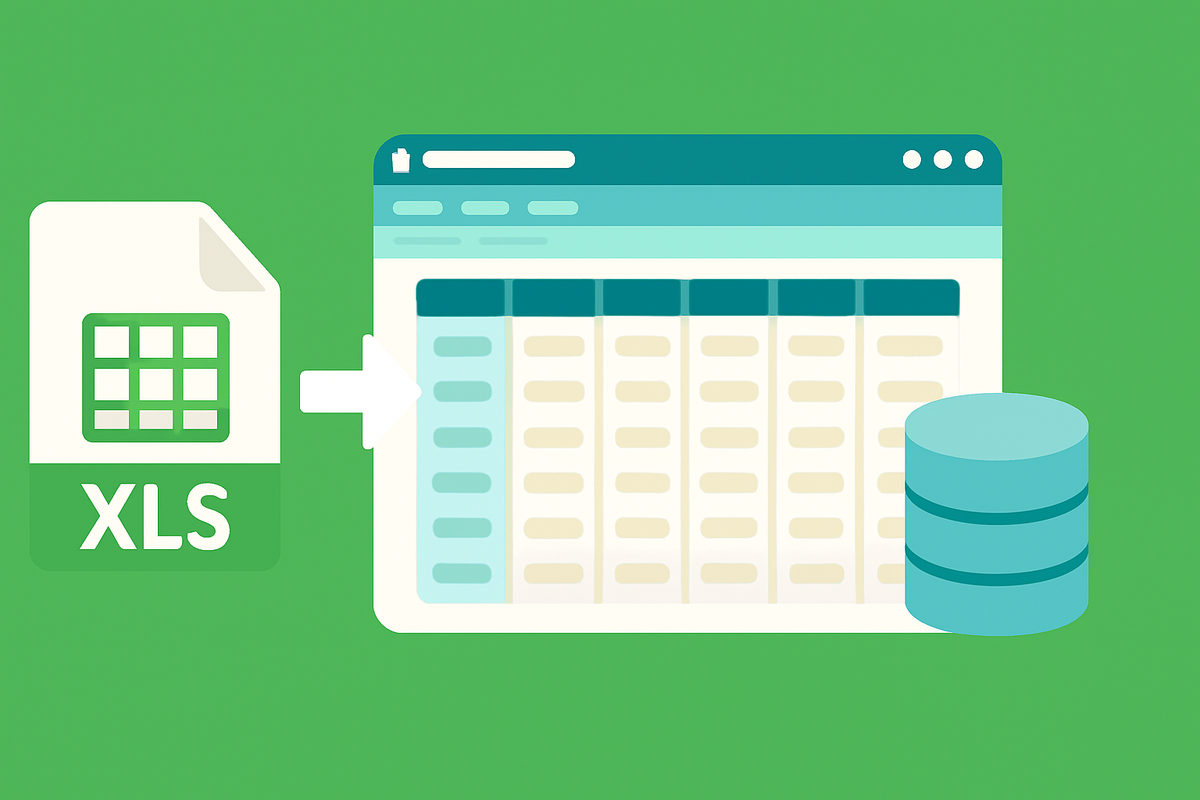
Stackby: The Versatile & Cost Effective All-Rounder
Stackby is a really solid option if you want something powerful but don't want to break the bank. It's like a hybrid between a spreadsheet and a database, which makes it super intuitive if you're coming from Excel or Google Sheets. You can link up different tables, automate tasks, and even use AI to help manage your data. They've got tons of templates to get you started, and it's pretty easy to import your existing spreadsheets. It's a great choice for teams that need a flexible system without a hefty price tag. They also boast over 50 API connectors, which is pretty handy for linking up with other apps you use. If you're looking for a unified platform for data management and automation, Stackby is definitely worth a look for streamlining operations.
Airtable: The Enterprise Focused One
Airtable has been around for a while and is a popular choice, especially for larger teams or businesses that need more robust features. It's known for its flexible data modeling and a wide range of integrations. Think of it as a super-powered spreadsheet that can handle complex relationships between your data. They've also been adding more AI features, like AI agents and document extraction, to help with data tasks. While it can get a bit pricey, especially for larger teams, its focus on enterprise needs and advanced schema management makes it a strong contender for businesses that require a bit more polish and control.
Retool: Low Code Database for Engineers
Retool is a bit different. It's more on the 'low-code' side, meaning it's geared more towards developers or people who are comfortable with a bit of technical tinkering. If you're an engineer or have an IT department that needs to build internal tools quickly, Retool is fantastic. You can connect to pretty much any database or API and build custom interfaces for your team. It’s powerful, but probably not the first stop for someone completely new to databases who just wants a simple solution.
AppSheet: Spreadsheet Data Sources
Google's AppSheet is an interesting one because it really shines when your data is already in spreadsheets, like Google Sheets or Excel. It lets you turn those spreadsheets into functional apps without any coding. You can create forms, add workflows, and build custom views. It's pretty straightforward if your data structure is already set up in a spreadsheet format. It's a good way to get more out of your existing data without a huge learning curve.
Xano: Building a No-Code Backend
Xano is a bit of a powerhouse if you're thinking about building a backend for your application without code. It handles your database, API, and business logic all in one place. This is more advanced than just managing data; it's about creating the engine that runs your app. If you're planning to build a custom web or mobile app and want to avoid traditional backend development, Xano is a serious contender. It's designed for scalability and allows for complex logic, making it suitable for more ambitious projects.
Coda: Document Meets Database
Coda is pretty cool because it blends documents and databases together. Imagine having your notes, project plans, and actual data all in one place, and they can all talk to each other. It's really flexible and great for teams that want a unified workspace where information is connected. You can build custom workflows and views that fit how your team works, making it more than just a place to store data. It's a good option if you're looking to organize a lot of different types of information in a connected way.
Notion: Productivity Focused Workspace
Notion is probably the most well-known all-in-one workspace, and its database features have gotten really good. It's fantastic for personal use or smaller teams who want to manage projects, notes, and data all in one spot. You can create inline databases within documents, link tables, and use AI features for writing and data autofill. While it might not have the deep relational capabilities of some dedicated database tools, its integration into a broader productivity system makes it incredibly convenient for many users. It's a great place to start if you're already using Notion for other things and want to centralize your data.
Choosing the right no-code database really depends on what you need it to do. Are you building a customer portal? Managing internal projects? Just trying to get your messy spreadsheet data organized? Think about who will use it and what kind of data you're working with. Don't be afraid to try out a few free plans to see what feels right for your workflow. The goal is to simplify things, not add more complexity.
There are a lot of great no-code app builder platforms out there in 2026, and the best one for you will depend on your specific needs. Whether you prioritize cost-effectiveness, enterprise features, developer-friendliness, or a seamless integration with your existing documents, there's a tool that can help. Stackby, for instance, offers a compelling blend of features and affordability, making it a strong choice for many businesses looking to streamline their data management and team collaboration with powerful integrations.
How to Choose the Right No-Code Database for You
Picking the right no-code database can feel like a lot, right? It’s not just about picking the one with the prettiest interface, though that helps. You really need to think about what you're trying to do with your data. Are you just organizing a personal project, or are you building something for a whole company with different people needing different access levels?
First off, consider who will be using it. If it's just you, maybe something simpler will do. But if you have a team, or even clients, you'll need to think about permissions. Can you control who sees what? Some tools are better at this than others. For instance, if you need to give clients access to a specific part of your data without them seeing everything, that's a big deal. Stacker, for example, is pretty good at setting up secure portals for external users.
Then there's the data itself. Spreadsheets are fine for small lists, but they get messy fast. You'll want a tool that can handle relationships between different pieces of data. Think about how your sales records connect to your customer list, or how your inventory links to your orders. This is where a true relational database structure comes in handy, something you won't find in basic spreadsheet apps. Building no-code data pipelines can also be a consideration if you need to move data around automatically.
Here’s a quick rundown of things to think about:
- Ease of Use: How quickly can you and your team get up to speed? Look for intuitive interfaces and good documentation.
- Data Structure: Does it support relationships between tables? Can you create custom fields easily?
- Permissions: Can you control access for different users and groups?
- Integrations: Does it play nice with other tools you already use?
- Scalability: Can it handle your data as it grows?
Don't just pick the first tool you see. Take some time to actually try out the free versions. Build a small, real project with it. See if it feels right for how you work. It’s better to spend a little extra time upfront than to switch tools later because the first one just wasn't cutting it.
Ultimately, the best tool is the one that fits your specific needs and workflow. It should make managing your data easier, not add another layer of complexity. For a deeper look at how these platforms are assessed, you might find articles comparing no-code AI app builders useful, as many of the evaluation criteria overlap. Remember, the goal is to simplify your data, not complicate it further. You can find more detailed evaluations of no-code database applications to help guide your decision.
Feature Comparison Table for No-code Databases and Apps
Tool Name | Key Features | Best For | Pricing Model |
Stackby | Hybrid spreadsheet-database, AI features, 50+ API connectors, templates, automation. | Versatile, cost-effective all-rounder for teams needing flexibility and integration. | Freemium, tiered paid plans. |
Airtable | Flexible data modeling, robust features, AI agents, document extraction, enterprise focus. | Larger teams and businesses needing advanced schema management and polish. | Freemium, tiered paid plans, enterprise options. |
Retool | Low-code platform, connects to any database/API, custom interface building. | Developers and IT departments needing to build internal tools quickly. | Free for individuals, tiered paid plans for teams. |
AppSheet | Turns spreadsheets into apps, form creation, workflows, custom views. | Users with existing spreadsheet data needing to create functional apps. | Freemium, tiered paid plans. |
Xano | No-code backend builder, database, API, business logic. | Ambitious projects requiring a scalable, custom backend without traditional development. | Freemium, tiered paid plans. |
Coda | Document-database hybrid, unified workspace, custom workflows. | Teams wanting a connected workspace for documents, projects, and data. | Freemium, tiered paid plans. |
Notion | All-in-one workspace, inline databases, AI features, project management. | Personal use and smaller teams needing an integrated productivity system. | Freemium, tiered paid plans. |
The Future of No-Code Databases
It feels like just yesterday we were all figuring out spreadsheets, and now we're talking about no-code databases. Things move fast, right? Looking ahead, it's pretty clear that these tools are going to get even smarter and more integrated into how we work. We're already seeing AI pop up everywhere, and databases are no exception. Think about it: AI could help you build your database structure just by describing what you need, or even automatically clean up your data. It's like having a helpful assistant for your information.
By 2026, it's predicted that AI-assisted development platforms will be used for a huge chunk of new enterprise apps. This means tasks like setting up databases and creating applications will get way more automated. It's not just about making things easier; it's about making powerful tools accessible to more people. We're talking about platforms that can reason and remember, like Oracle's new AI Database 26ai, which is a big step towards more intelligent data management.
What does this mean for you? Well, expect your no-code database to do more heavy lifting. It might:
- Help you design your database tables and relationships based on simple text prompts.
- Automatically find and fix errors or inconsistencies in your data.
- Generate reports or summaries from your data without you needing to build complex queries.
- Connect with other tools more intelligently, anticipating your needs.
The trend is definitely towards making these platforms more autonomous and intuitive. The goal is to remove as many technical hurdles as possible, allowing users to focus purely on managing and utilizing their data effectively. This shift will likely blur the lines between different types of software, making data management feel more like a natural part of any workflow.
We're also going to see better ways to connect these databases to other services. Tools like Stackby are already showing how versatile this can be, and that's only going to grow. The idea is that your data won't be stuck in one place; it'll flow where it's needed. It's an exciting time for anyone who works with data, whether you're a business owner, a marketer, or just someone trying to keep track of a project. The future looks less like wrestling with software and more like simply getting things done.
Wrapping It Up
So, we've looked at a bunch of ways to handle your data without needing to be a coding wizard. It's pretty clear that spreadsheets just don't cut it anymore when things get busy. These no-code database tools, especially the ones with smart AI features like Stackby, are changing the game. They let you build systems that actually work for your business, whether that's for your team internally or for customers outside. You can build custom apps, manage information better, and get things done faster, all without a developer on speed dial. It’s about making your data work for you, not the other way around. Give one a try and see how much simpler things can get.
Frequently Asked Questions
What exactly is a no-code database?
Think of a no-code database as a super-organized digital filing cabinet. It lets you store and manage information without needing to know any computer coding. You can create tables, link different pieces of information together, and build custom ways to view your data, all through a simple, visual interface. It's like building with digital LEGOs instead of writing complicated instructions.
Why would I use a no-code database instead of a spreadsheet?
Spreadsheets are great for simple lists, but they get messy fast as your information grows or when many people need to work with it. No-code databases are built for more complex needs. They help you keep related information connected, prevent mistakes, and make sure everyone is looking at the most up-to-date info. They offer more structure and power than a basic spreadsheet.
Can anyone use these no-code database tools?
Absolutely! These tools are designed specifically for people who aren't programmers. Whether you're a small business owner, a student, or part of a team that needs to manage data, you can use them. They use visual tools and plain language, so you don't need a computer science degree to get started.
What kind of information can I manage with a no-code database?
You can manage almost any kind of information! Think customer lists, project details, inventory, event planning, employee records, or even your personal collections. If you can organize it into categories and lists, a no-code database can likely handle it, especially when different pieces of information need to be linked together.
Are these databases secure?
Yes, most reputable no-code database platforms take security very seriously. They often have features like user permissions, so you can control who sees what. They also use secure servers to protect your data, similar to how online banking or other secure websites work. Always check the specific security features of the tool you're considering.
Will I get locked into one platform if I start using a no-code database?
That's a great question! Some platforms make it easier to move your data out than others. It's wise to look for tools that offer ways to export your data if you ever need to switch. Some even let you export the code or structure of your app, giving you more freedom down the road.
![13 Best Business Management Software for your Work [2026]](/blog/content/images/size/w960/2024/03/stackby-business-blog-image-1.jpg)
![10 Best Free Database Templates for Marketing Agencies in [2026]](/blog/content/images/size/w960/2024/03/stackby-Database-templates-for-marketing-agencies-1-blog-post-2.jpg)