Airtable Free Plan Limitations: What You Can't Do (And What to Try Instead)
Airtable's free plan limitations are tighter than they look. See exact caps on records and automations, and discover a better, free alternative.
Airtable's free plan looks great on paper. And for about three days, it feels that way too.
Then reality kicks in. You hit 1,000 records in your first base. A teammate tries to join and you're already at the collaborator limit. Run a few automations and your 100 monthly runs are gone before Friday. Sound familiar?
The airtable free plan limitations are real, specific, and honestly kind of aggressive for a tool that markets itself as accessible to everyone. This post lays out exactly where the walls are, which features get cut off completely, and why platforms like Stackby.com are worth a serious look if you want more room to work without immediately opening your wallet.
What Airtable's Free Plan Actually Includes
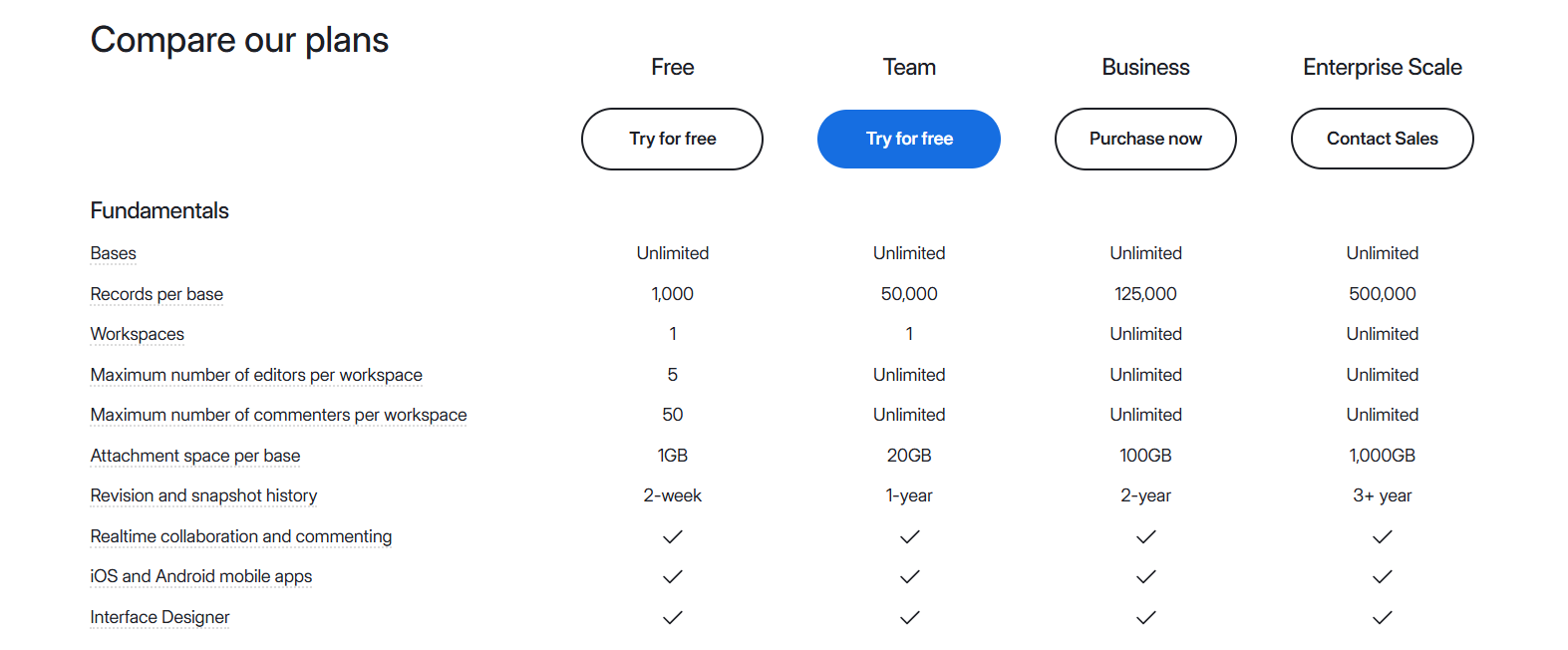
To be fair: the free tier isn't nothing. Here's what you actually get:
- Records per base: 1,000
- Attachment storage: 1 GB per base
- Automation runs: 100 per month
- Revision history: 2 weeks
- Collaborators: Up to 5 editors per workspace
- API calls: 1,000 per month
That's workable for a personal project or a very small team doing something simple. Solo freelancer tracking client contacts? Fine. A 3-person startup building a product roadmap and running automations across multiple bases? Not so much.
Airtable's marketing emphasizes the interface, the beautiful views, the app-like feel. What gets less airtime: how quickly those 1,000 records disappear when you're actually using the tool.
The Free Tier Limits That Actually Hurt
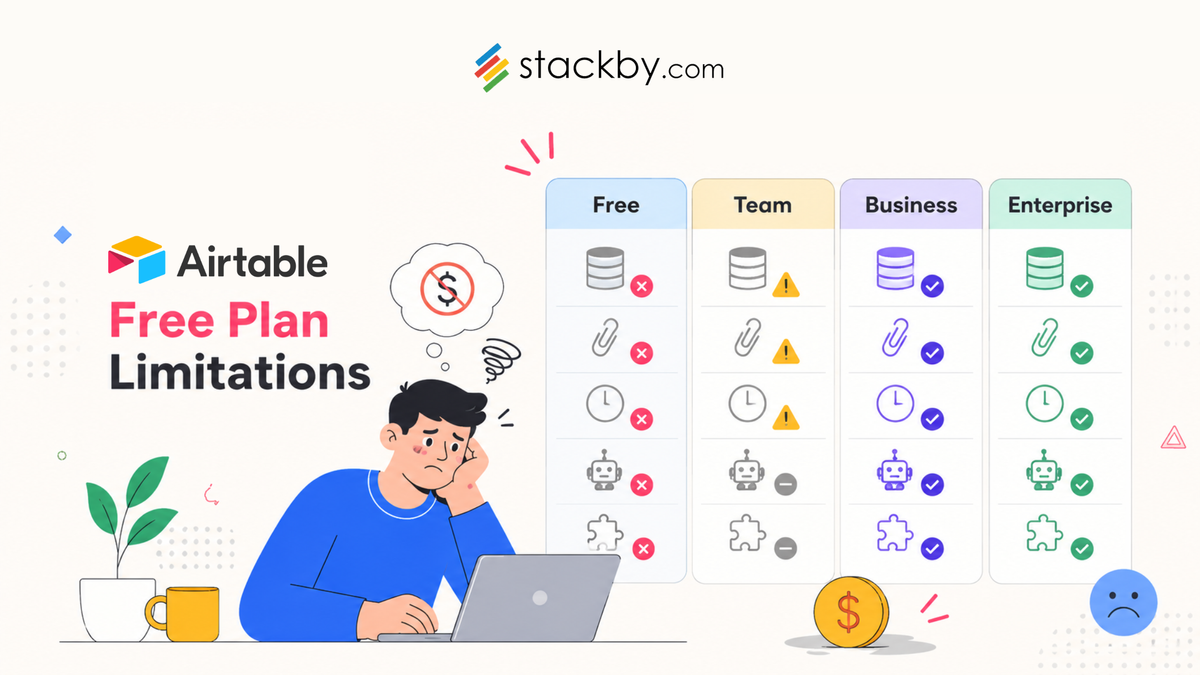
The airtable free tier limits look manageable on a spec sheet. In practice, three of them cause real problems fast.
Records. A thousand rows sounds like a lot until you're building a real database. Marketing campaigns, support tickets, a product backlog with subtasks - any of these fill up faster than you'd expect. And when you hit the cap, Airtable doesn't archive old records automatically. You delete things manually or you upgrade. That's genuinely annoying.
Automation runs. This one stings. A hundred runs a month is barely enough for one active workflow on a normal business week. If you're routing form submissions, sending Slack pings, or keeping a CRM synced through automations, you'll blow past that number fast. The Pro plan jumps to 25,000 runs per month. That's a massive gap with nothing in between on the free side.
Revision history. Two weeks. If something corrupts in your base on day 12 and you don't catch it until day 17, that data is gone. For anything mission-critical, this is a dealbreaker.
Two views also disappear entirely on the free plan: Gantt and Timeline. Which, not coincidentally, are the two views most useful for project management - the thing most teams use Airtable for in the first place.
Features Locked Behind Paid Tiers
Beyond the caps, some things simply don't exist on the free plan regardless of how you work around them:
- Gantt and Timeline views (Pro only at $20/seat/month)
- Field-level and table-level permissions (Pro only)
- Customizable branded form pages (Pro only)
- Sync integrations between Airtable bases (Plus and above)
- Extended formula support in certain contexts
- Priority support (paid tiers only)
If any of those land on your must-have list, you're looking at $10-20 per seat per month minimum. A 5-person team at the Pro tier pays $100/month or $1,200/year. That's a significant commitment before you've even validated whether Airtable is the right tool for your workflow.
Airtable Free vs Paid vs Alternatives: A Real Comparison
The airtable free vs paid gap is big. But it's also worth seeing how the free tier stacks up against what else is out there.
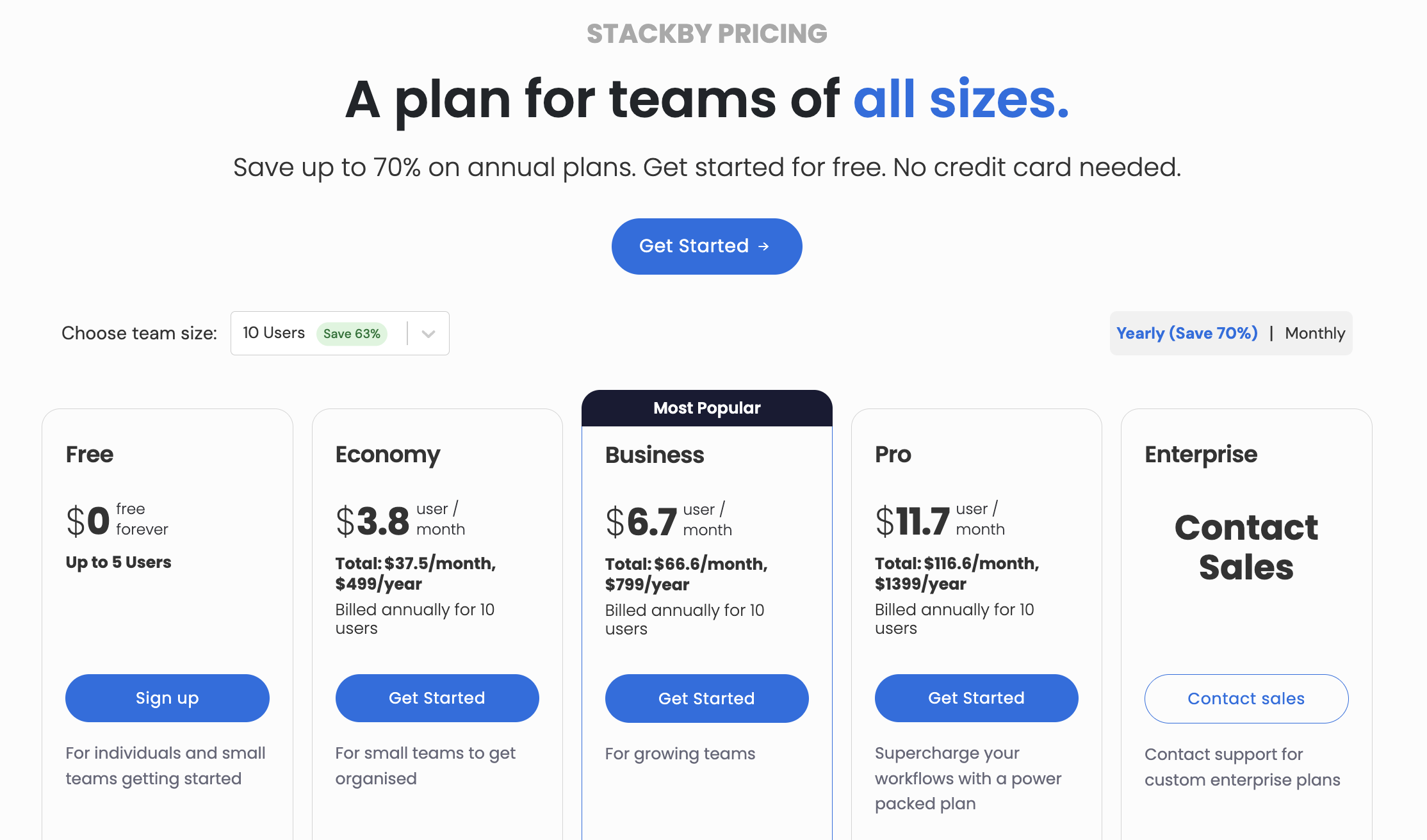
Monday's free plan is restrictive in its own way - no automations at all. Smartsheet has largely moved away from a proper free tier for new users. The airtable free plan restrictions and Stackby's free tier are probably the fairest comparison here, and Stackby covers more ground on records, views, automations, project management & CRM features and field types.
How Stackby.com Helps With Airtable Free Plan Limitations
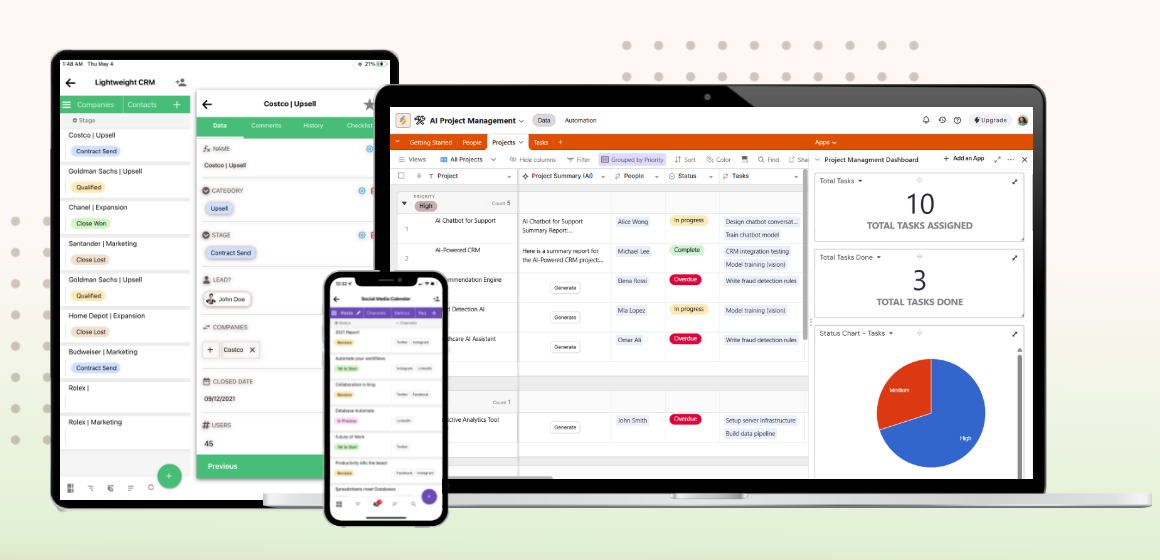
Stackby is built as an AI-native database and app creation platform. Not just a spreadsheet with a nicer interface - that distinction matters when you're actually trying to build something useful.
The platform comes with over 1,000 templates, 30+ field types, 8 views (including ones Airtable gates behind Pro), formula support, an interface builder, automation tools, and an apps marketplace. For non-technical teams who want real power without calling a developer, that's a lot to work with from day one.
On the free tier, Stackby gives you more breathing room than the airtable free plan restrictions allow. More records per stack, access to field types and views that Airtable treats as paid features, and automation runs built in. If you're comparing options before committing to a paid plan anywhere, that gap is worth taking seriously.
The other thing that sets it apart: Stackby is designed for building actual business apps - databases, reporting dashboards, workflow automations, AI agents - working together as one system rather than patched together. That's a broader scope than what most alternatives target.
Ready to try it? Start your free trial on Stackby.com and see how far you get before hitting a ceiling.
When the Free Plan Is (and Isn't) Enough
There are real cases where Airtable's free plan works fine. Solo projects. Learning the interface before committing. A simple static tracker that won't grow and doesn't need automations.
But if you're building something for a real team - even a small one - you'll probably find the walls within a month. The airtable free plan limitations aren't designed to give you a sustainable taste of the product. They're designed to convert you to paid. That's fair enough, but go in with eyes open.
If the free tier starts feeling cramped, the question isn't just "should I pay for Airtable?" It's whether Airtable is the right tool at all. The Stackby vs Airtable comparison is worth making before you hand over a credit card.
Conclusion
Key Takeaways:
- Airtable's free plan caps you at 1,000 records per base, 100 automation runs/month, and 2 weeks of revision history
- Gantt views, Timeline views, field permissions, and sync integrations are all locked to paid tiers
- The jump from free to Pro is $20/seat/month - there's no cheap middle ground for growing teams
- Stackby.com offers a more generous free tier with 1,000+ templates, 30+ field types, 8 views, and built-in automations
If the airtable free plan limitations are already slowing your team down, you don't have to pay $20/seat to get more room. Stackby covers more ground on the free tier and is built for teams that want to create real workflows, not just store rows in a table. Start your free trial at Stackby.com - worth seeing how much further you can get before hitting a wall.
Frequently Asked Questions
What are the main airtable free plan limitations?
The biggest restrictions: 1,000 records per base, 100 automation runs per month, 1 GB attachment storage, and just 2 weeks of revision history. Gantt and Timeline views are also unavailable on the free tier, along with field-level permissions and base sync integrations.
How many people can use Airtable's free plan?
Up to 5 editors per workspace. But without field-level permissions (a Pro feature), you can't control who edits what - everyone has the same access level by default, which creates real problems on any collaborative project.
Is 1,000 records enough for a real project?
For a personal tracker or a small static database, maybe. For anything actively growing - a CRM, a task tracker, a content calendar - 1,000 records will run out faster than you expect. Many teams hit the cap within the first few months.
What's a good free alternative to Airtable?
Stackby is one of the stronger options for teams who want more room without paying immediately. It offers more records on the free tier, 30+ field types, 8 views, and automation runs built in. It's designed specifically for non-technical teams who want to create business apps and databases without developer involvement.
Can I export my data from Airtable if I decide to switch?
Yes, Airtable supports CSV export, so getting your data out isn't technically painful. The harder part is recreating your views, formulas, and automations in a new tool. Plan for a few hours of migration work at minimum.
Does Airtable's free plan include API access?
It does, capped at 1,000 API calls per month. For teams building integrations or syncing data between tools regularly, that ceiling is low enough to cause real issues quickly.