Airtable vs Notion: The Ultimate Showdown for Your Team in 2026
Airtable vs Notion: which is better for your team? This 2026 showdown compares features, pricing, and use cases, and introduces a powerful alternative.
The modern workplace is a digital labyrinth. We juggle spreadsheets, documents, project boards, and a dozen other apps just to keep things moving. In this chaotic landscape, two platforms have emerged as potential saviors: Airtable and Notion. Both promise to be the all-in-one solution that tames your workflow and brings order to your data. But which one is actually right for you? It's the ultimate Airtable vs Notion debate.
Choosing the wrong tool can lead to frustrated teams, clunky processes, and wasted resources. You need a platform that not only fits your current needs but can also scale with your ambitions. This guide will cut through the noise. We'll dissect Airtable and Notion, comparing their core strengths, weaknesses, and ideal use cases. More importantly, we'll reveal a powerful third contender that might just be the perfect hybrid you've been searching for.
What is Airtable? The Spreadsheet-Database Hybrid
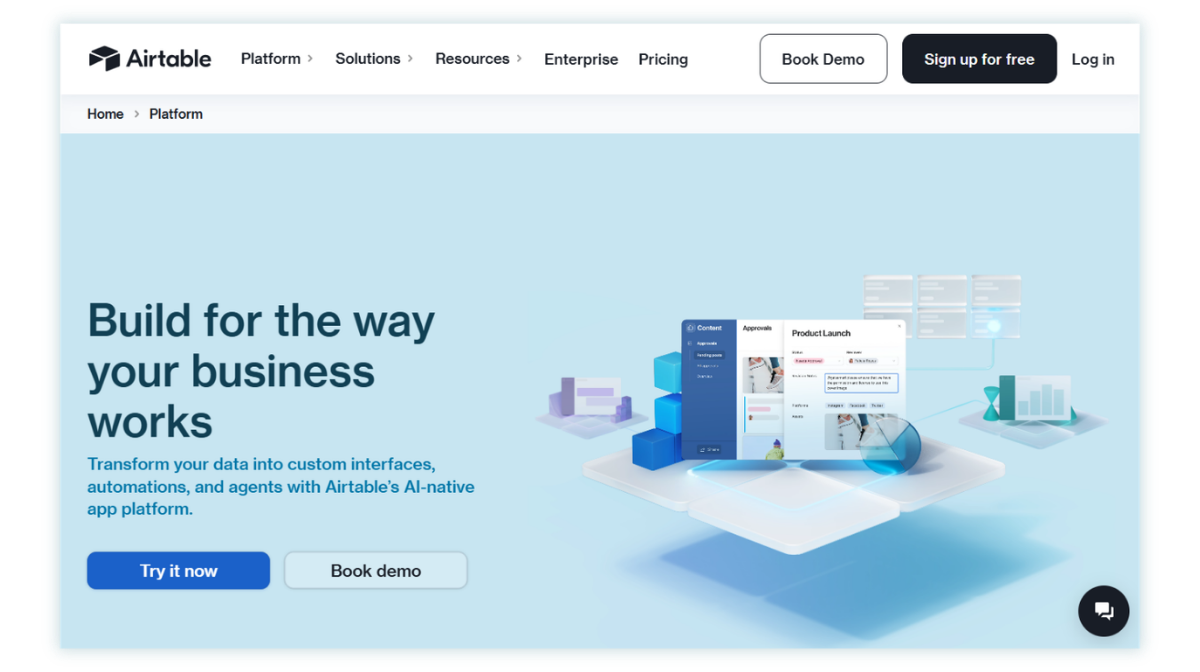
Imagine if Google Sheets and a powerful SQL database had a baby. That baby would be Airtable. At its core, Airtable takes the familiar, friendly interface of a spreadsheet and injects it with the robust capabilities of a relational database. You don't just have cells; you have powerful, customizable fields that can hold everything from checkboxes and dropdowns to file attachments and linked records from other tables.
This structure makes it a powerhouse for managing structured data. Think of it as building with LEGOs—each piece has a specific function, allowing you to construct complex and interconnected systems with precision.
Key Airtable Features:
- Advanced Views: Go beyond the standard grid. Visualize your data as a Kanban board, a calendar, a gallery of cards, a timeline, or even a Gantt chart. This allows different teams to look at the same data in the way that makes the most sense to them.
- Relational Databases: This is Airtable's superpower. You can link records between different tables (e.g., link a
Clientstable to aProjectstable) to create a single source of truth and avoid duplicate data entry. - Automations: Build custom, no-code workflows. You can set up triggers (like a new record being created) that kick off a series of actions (like sending a Slack notification and creating a calendar event).
- Interface Designer: Create custom, interactive dashboards and interfaces for your team or clients. This allows you to present data in a clean, focused way, so users only see what they need to see.
Pros:
- Unmatched for Structured Data: If you're managing inventories, CRMs, content calendars, or any process that relies on organized, interconnected data, Airtable excels.
- Powerful Customization: The ability to create custom views, fields, and automations means you can tailor it to almost any specific workflow.
- Scalability: It can handle large and complex datasets with ease.
Cons:
- Steeper Learning Curve: Understanding concepts like linked records and lookup fields can be challenging for beginners.
- Less Ideal for Documents: While you can have long-text fields, it's not designed for writing articles, wikis, or free-form notes.
- Pricing: The cost can add up quickly as you add more users and need more records or automation runs.
What is Notion? The All-in-One Digital Workspace
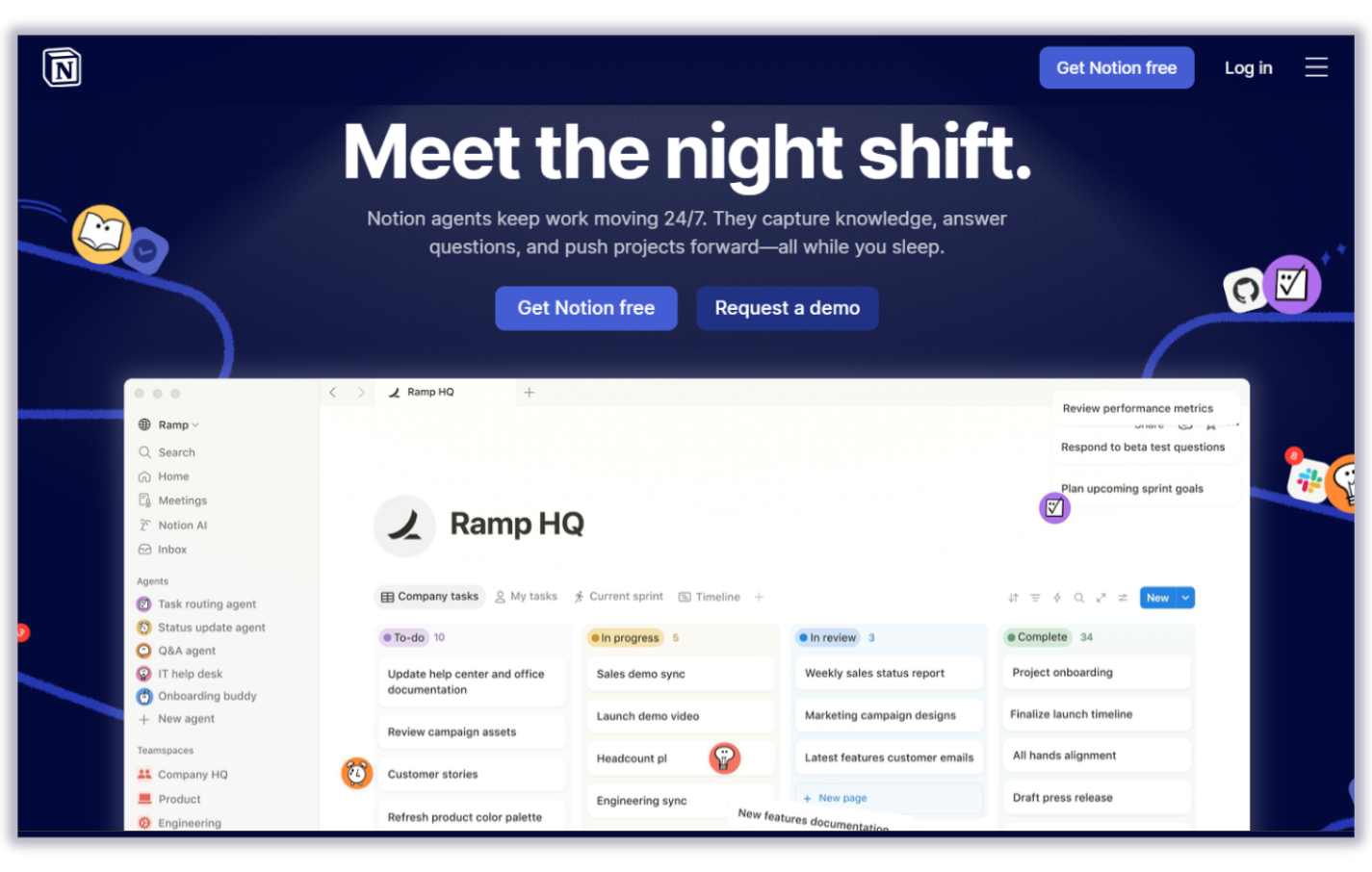
If Airtable is a set of precision LEGOs, Notion is a bucket of digital clay. It starts as a blank page, a completely free-form canvas where you can build almost anything you can imagine. Notion's philosophy is built on the concept of "blocks." Everything is a block: a piece of text, an image, a checklist, a heading, or even a full-fledged database.
This flexibility makes it an incredible tool for knowledge management, company wikis, note-taking, and documentation. You can start writing a document, then drop a simple task list in the middle of it, and then add a gallery of images below that. It's the ultimate digital notebook.
Key Notion Features:
- Block-Based Editor: The intuitive drag-and-drop interface lets you build pages exactly how you want them.
- Flexible Databases: Notion also has databases, which can be viewed as tables, boards, lists, calendars, and galleries. They are simpler than Airtable's but perfect for many use cases like task lists or simple content trackers.
- Nested Pages: You can create pages within pages within pages, ad infinitum. This makes it incredibly easy to build a deep, organized knowledge base or company wiki.
- Templates: A massive library of community and official templates helps you get started with anything from a meeting notes doc to a full project management system.
Pros:
- Incredible Flexibility: The blank canvas approach means you're not constrained by any particular structure.
- Excellent for Text and Documents: It's a fantastic writing tool and the go-to for building knowledge bases.
- Generous Free Plan: The personal pro plan is free, making it highly accessible.
Cons:
- Weaker Database Functionality: Lacks the true relational power of Airtable. Linking between databases is possible but less robust.
- Can Get Messy: The same flexibility that makes it powerful can also lead to a disorganized mess without a clear system in place.
- Performance Issues: Large databases or pages with lots of content can sometimes feel slow and laggy.
Airtable vs Notion: A Head-to-Head Comparison
So, when it comes to the airtable or notion decision, which one comes out on top? It depends entirely on what you're trying to build.
Database Capabilities: Airtable or Notion?
When we talk about an airtable vs notion database, there's a clear winner for pure power. Airtable is a true relational database. Its ability to create complex links, use lookup and rollup fields to perform calculations across tables, and manage data with strict field types is far superior.
Notion's databases are more like supercharged tables. They are fantastic for organizing information within your workspace but lack the deep relational features needed for complex systems like a custom ERP or a multi-faceted inventory manager.
Winner: Airtable (for power and structure)
Project Management
Airtable's Gantt and Timeline views, combined with its powerful automations, make it a formidable project management tool, especially for complex projects with many dependencies. Notion is better for simpler, more collaborative projects where tasks are closely tied to documents and notes.
Winner: Tie (depends on the complexity of your projects)
Ease of Use and Flexibility
Notion is arguably easier to pick up and start using for simple tasks like note-taking. Its free-form nature is liberating. Airtable's spreadsheet interface is familiar, but unlocking its true potential requires a mindset shift towards database thinking.
Winner: Notion (for initial ease of use and free-form creativity)
The Elephant in the Room: Is There a Better Way?
Choosing between Airtable's rigid structure and Notion's sometimes-chaotic flexibility feels like a compromise. What if you didn't have to choose? What if you could have the powerful, structured database of Airtable combined with the flexibility of a modern workspace, and then add something neither of them truly offers: seamless, no-code API integrations?
Enter Stackby.
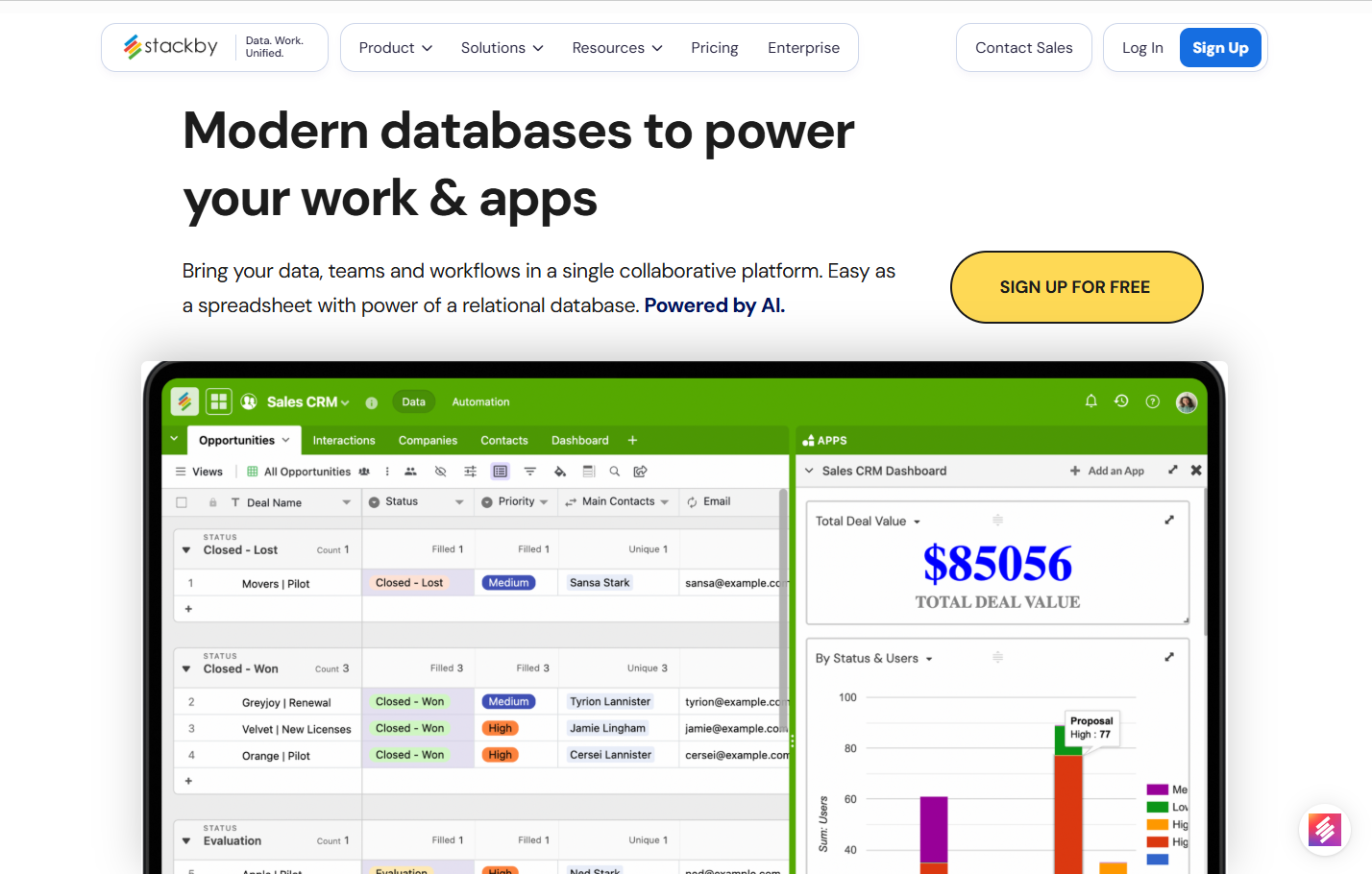
Stackby is the dark horse in this race, a powerful airtable alternative designed from the ground up to solve this exact problem. It combines the best of spreadsheets, databases, and business APIs into a single, collaborative platform. It gives you the structure of Airtable, the usability of a modern tool, and a unique superpower that sets it apart.
The Ultimate Airtable Notion Comparison (with Stackby!)
Let's see how they stack up in a direct airtable notion comparison that includes our third contender.
Feature | Airtable | Notion | Stackby |
|---|---|---|---|
Core Concept | Spreadsheet-Database Hybrid | Doc style workspace | Spreadsheet-Database + API Connectors |
Database Power | Advanced, fully relational | Basic, good for organization + wikis | Advanced, fully relational |
API Integrations | Requires automations or code | Basic integrations | Native, no-code API connectors |
Flexibility | Highly structured | Highly free-form | Combines structure and flexibility |
Project Views | Grid, Kanban, Gantt, Calendar, Gallery, Timeline | Table, Board, List, Calendar, Gallery, Timeline | Grid, Kanban, Gantt, Calendar, Gallery, Forms, Update Forms |
Automations | Robust native automations | Basic automations, relies on integrations | Robust native automations + API-driven data refresh |
Best For | Complex, data-heavy projects, CRMs | Knowledge bases, wikis, note-taking | End-to-end automated workflows |
Pricing | Expensive | Generous free plan | Most cost-effective |
AI Features | Integrated AI features with credits | AI - content creation | AI field agents, co-builder, AI formulas, Bring your own AI API key |
Interfaces | Yes | Yes | Coming soon |
Why Stackby is the Game-Changer Your Team Needs
Stackby isn't just another alternative; it's an evolution.
The Power of Native API Connectors
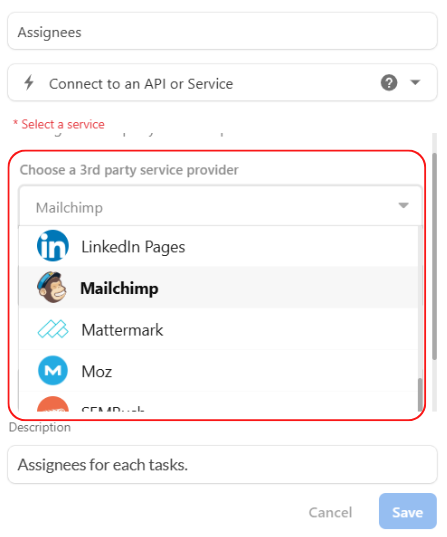
This is Stackby's secret weapon. Imagine you're running a marketing campaign. With Airtable or Notion, you'd have to manually copy-paste performance data from Google Analytics, YouTube, Facebook Ads, and Ahrefs. With Stackby, you can connect directly to those services. Pull in your YouTube video stats, your keyword rankings, or your ad spend automatically. You can even set it to refresh the data on a schedule. This transforms your database from a static record into a dynamic, self-updating dashboard.
Unmatched Flexibility and Power
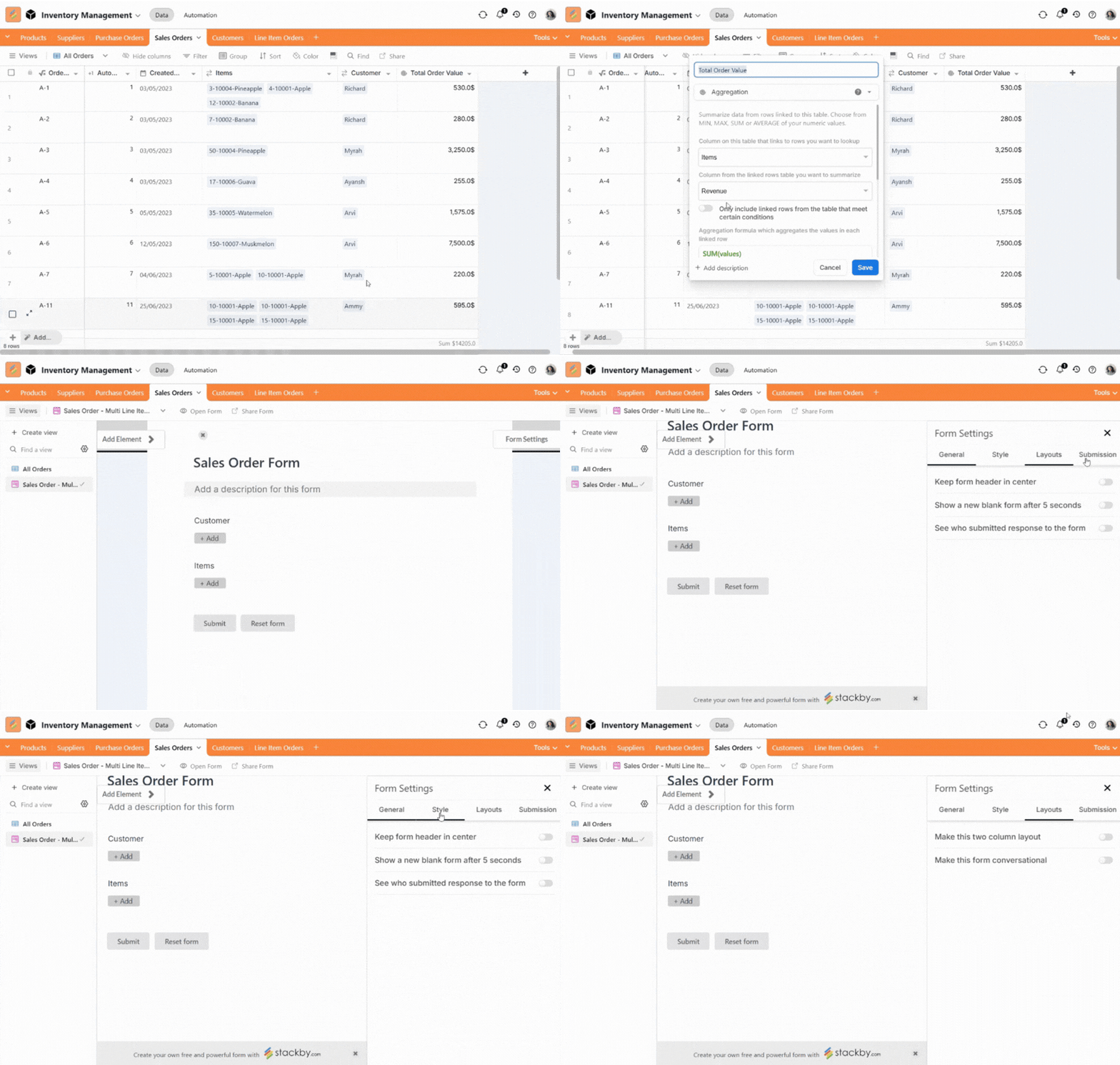
Stackby gives you all the powerful database features you love in Airtable—linked records, lookups, rollups—but presents them in an intuitive way. You get the structure you need without sacrificing ease of use. Plus, with unique features like Stackby Forms with conditional logic, you can build even more sophisticated workflows for data collection and management.
A True All-in-One Platform
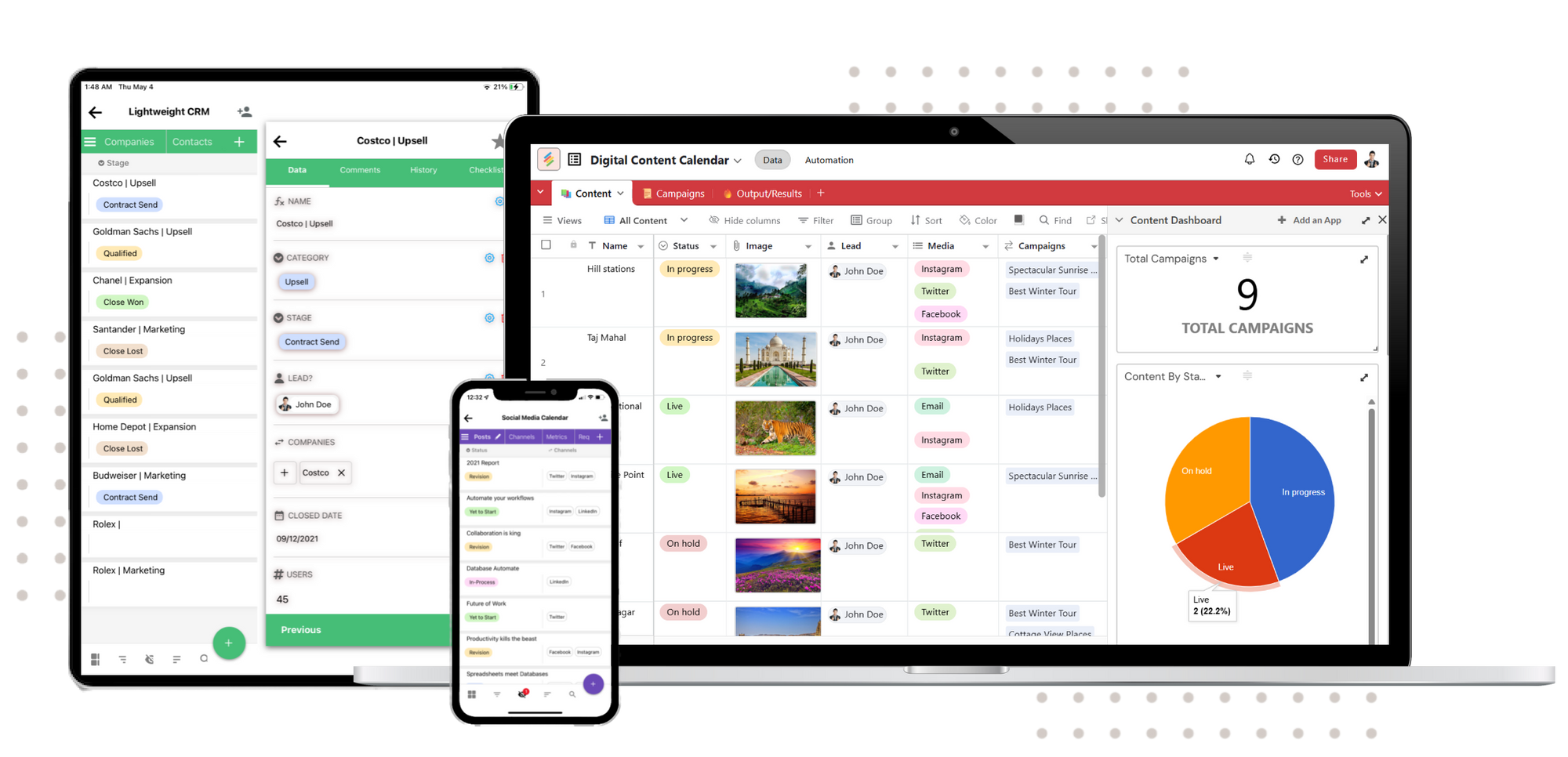
Stop choosing between a database and a document editor. With Stackby, you can manage your complex data, plan your projects on a grid, collaborate with your team, and automate the flow of data from your most critical business tools, all in one place.
The Final Verdict: Airtable, Notion, or Stackby?
After this deep dive, the choice becomes clearer. It's not about which tool is objectively "best," but which tool is best for your specific needs.
- Choose Airtable if: Your entire world revolves around complex, structured data. You're building a custom application, a detailed inventory system, or a multi-layered project tracker, and you need the most powerful relational database features available in a user-friendly package.
- Choose Notion if: Your primary need is a home for knowledge. You're building a company wiki, a documentation hub, a team collaboration space, or a personal notebook. You value flexibility and free-form creation above all else.
- Choose Stackby if: You want the best of both worlds and more. You need the database power of Airtable, the collaborative ease of a modern workspace, AND the game-changing ability to connect to your favorite business apps to automate your workflows without writing a single line of code.
Ready to Upgrade Your Workflow?
Stop juggling tools and compromising on features. It's time to build a workflow that actually works for you, not against you. See how you can bring all your data together, automate your repetitive tasks, and manage your projects from a single source of truth.
Sign up for a free trial of Stackby today and experience the future of work.
Frequently Asked Questions (FAQs)
Can I migrate from Airtable or Notion to Stackby?
Yes! Stackby makes it easy to import your data. You can import CSV files directly from Airtable, and for Notion, you can export your tables as CSV and bring them right into a Stackby stack.
Is Notion a good replacement for Airtable?
For some use cases, yes. If you primarily need a tool for knowledge management and light task tracking, Notion is excellent. However, if you need to manage complex, structured data with true relational capabilities, Notion will fall short. That's where an airtable vs notion database comparison shows Airtable's strength.
Which is better for a personal CRM, Airtable or Notion?
Both can work, but Airtable's structured nature and ability to link contacts, companies, and interactions make it a more robust choice for a CRM. However, Stackby is even better, as you could connect to API services like Clearbit or Hunter via API to enrich your contact data automatically, and even add AI field agents to research about your prospects.
Check our in-house AI-native Personal CRM product - usecrm.ai. Built by the Stackby team.
How does Stackby's pricing compare to Airtable and Notion?
Stackby offers a very competitive pricing structure, including a generous free plan to get you started. Its paid plans are designed to be more affordable and offer more value, especially when you consider the built-in API connections that would require expensive third-party tools like Zapier in Airtable or Notion.