Stackby Interfaces: Turn Your Database Into a Real Working App
Build custom apps and interfaces on top of your Stackby data.
Most teams hit a familiar wall. They've got data - organized, reasonably clean data - stuck inside spreadsheets or databases with no practical way to surface it for the people who actually need it. A client portal. A project tracker. A status board that doesn't require someone to manually update a slide deck every Friday afternoon.
Stackby Interfaces was built to close that gap.
Stackby.com has quietly assembled something worth paying attention to: a platform that lets you take structured data and wrap a functional, interactive app around it - without a developer, without learning to code, and without waiting months for IT to build something that may or may not match what you actually needed.
Over 125,000 companies globally are already using Stackby to manage workflows. The Interfaces builder is the layer that turns all that data into something the whole team - and even your clients - can interact with directly.
This post covers what Stackby Interfaces actually does, how it compares to Airtable Interfaces, and whether it makes sense for your team's specific workflow.
What This Builder Actually Does (And Why It's Different)
Let's start from scratch, because "interface builder" gets used loosely.
An interface, in Stackby's context, is a custom front-end layer built on top of your existing database. You choose which fields display, how they're arranged, and who can see what. The output looks and behaves like a real application - not a spreadsheet with conditional formatting rules slapped on top.
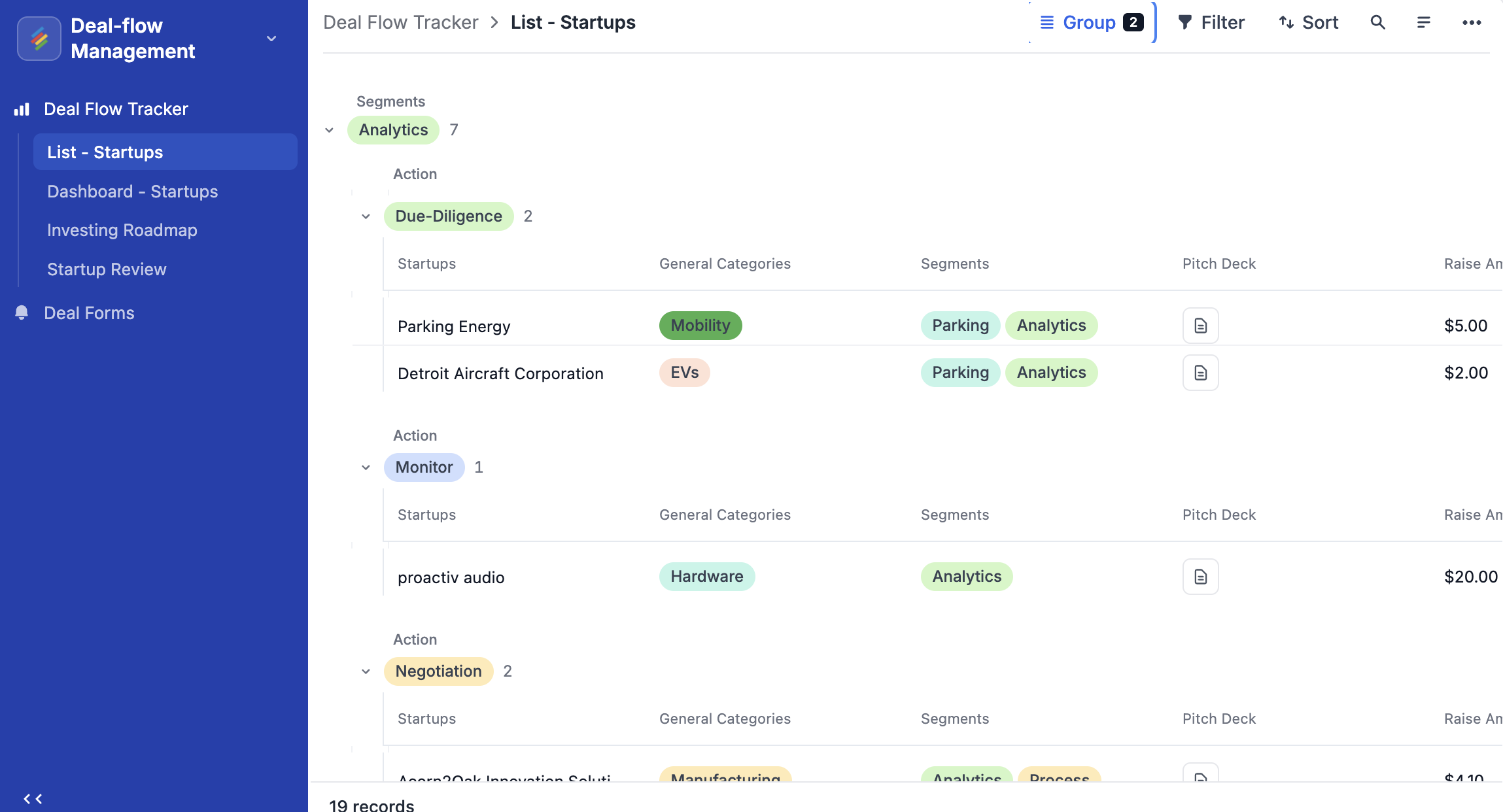
So if you've got a product database with 400 SKUs, you can build a clean search view for your sales team showing only what they care about: product name, pricing tier, current availability. Your internal IDs, vendor notes, and operations data stays in the back end. They never see it.
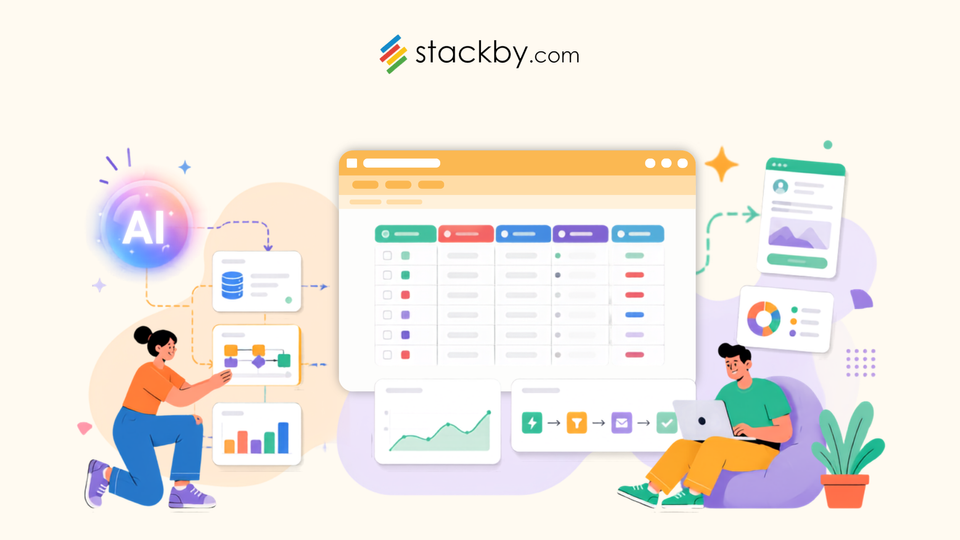
That's the core concept. But the platform pushes further with the Co-builder - an AI-powered feature that scaffolds apps faster. You describe what you want, and it structures both the database and the interface together. Not as two separate steps you have to wire up manually. Both at once.
This is where the Stackby App Builder starts to feel genuinely different from older no-code tools. You're not dragging components around blindly. The AI understands your data type and suggests layouts that actually fit how that information works. A product catalog doesn't get the same scaffold as a task tracker. And that contextual awareness saves real setup time.
All that you can do with Stackby App Builder
Stackby Interfaces lets you turn your database into purpose-built applications using different page layouts. Each layout is designed for a specific workflow—from executive dashboards and data-entry forms to client portals and visual workflows.
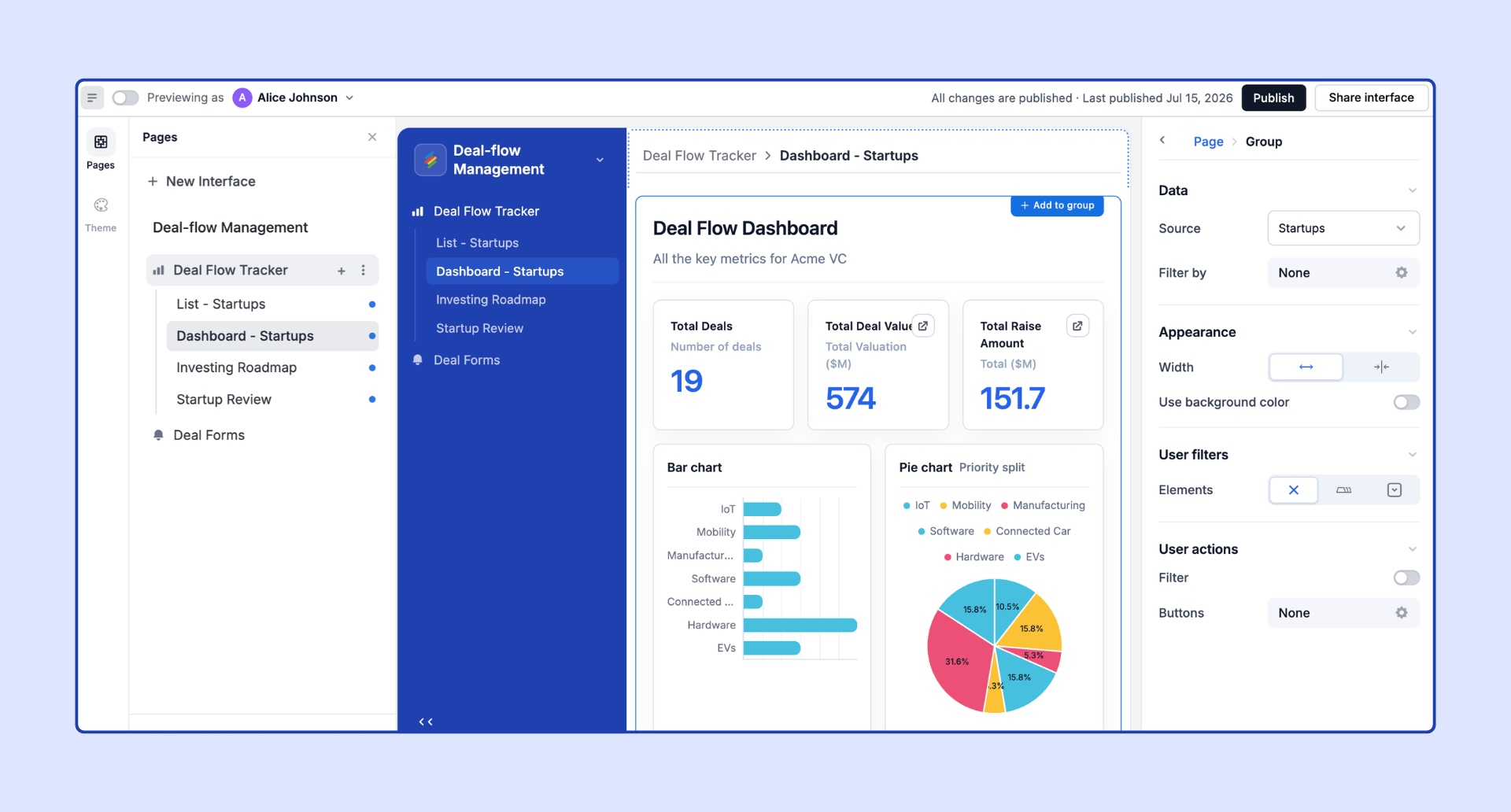
1. Dashboard
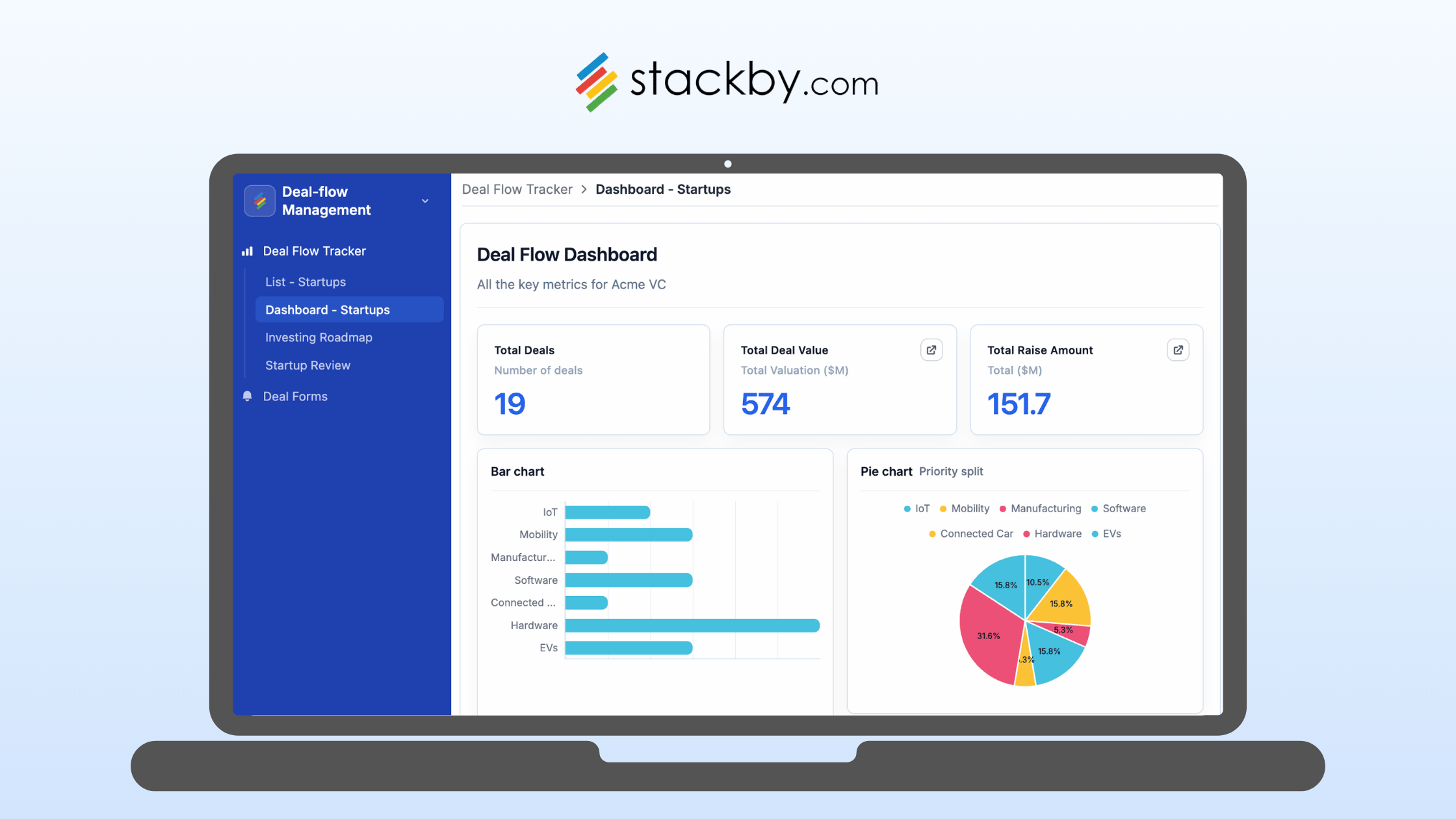
Create interactive dashboards to monitor KPIs, metrics, charts, and business performance in one place. Ideal for executives, managers, and teams that need a high-level view of important data.
2. Overview
Build a visually organized landing page or navigation hub for your application. Use Overview pages to introduce users to an app, highlight key information, and guide them to different sections or workflows.
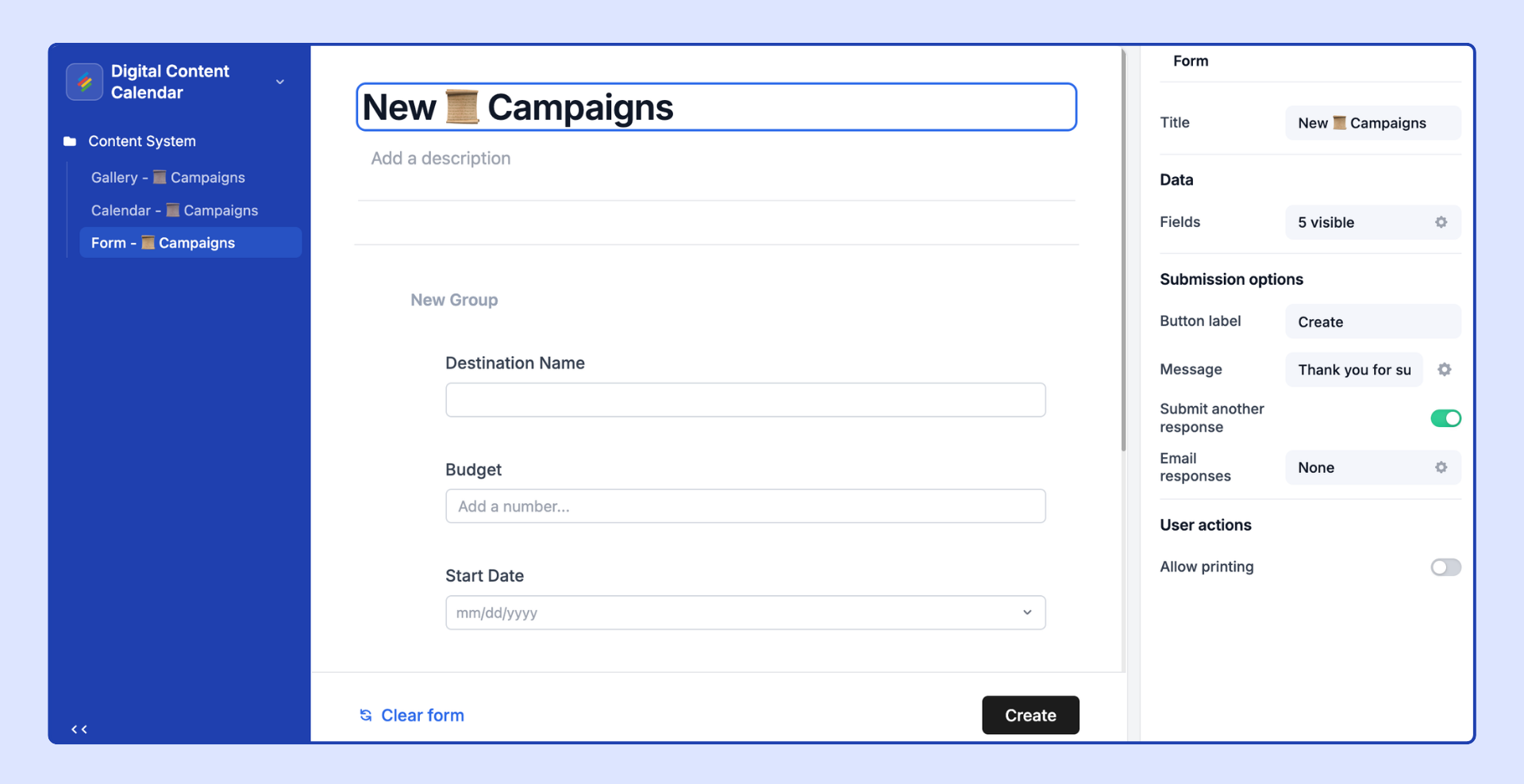
3. Form
Create structured data-entry experiences that allow users to submit information directly into your Stackby database. Forms support customizable fields, conditional visibility, required fields, sections, default values, and flexible layouts.
4. Record Review
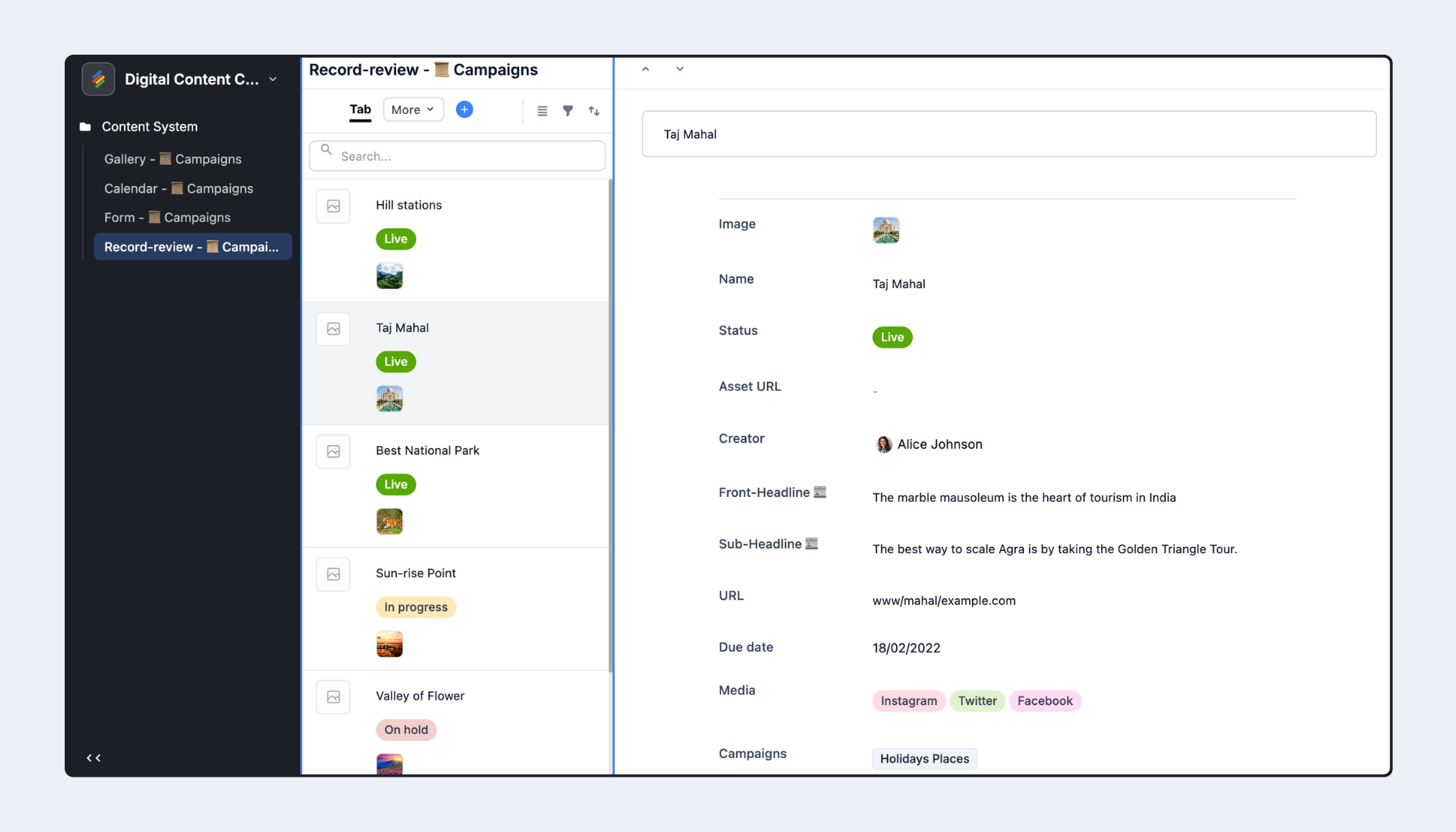
Review records one at a time in a focused interface. This layout is ideal for approval workflows, candidate reviews, content moderation, quality checks, and any workflow where users need to review and take action on individual records.
5. Grid Visualization
Display records in a familiar spreadsheet-style format within your Interface. Grid layouts are ideal for operational workflows where users need to view, scan, edit, and manage structured data efficiently.
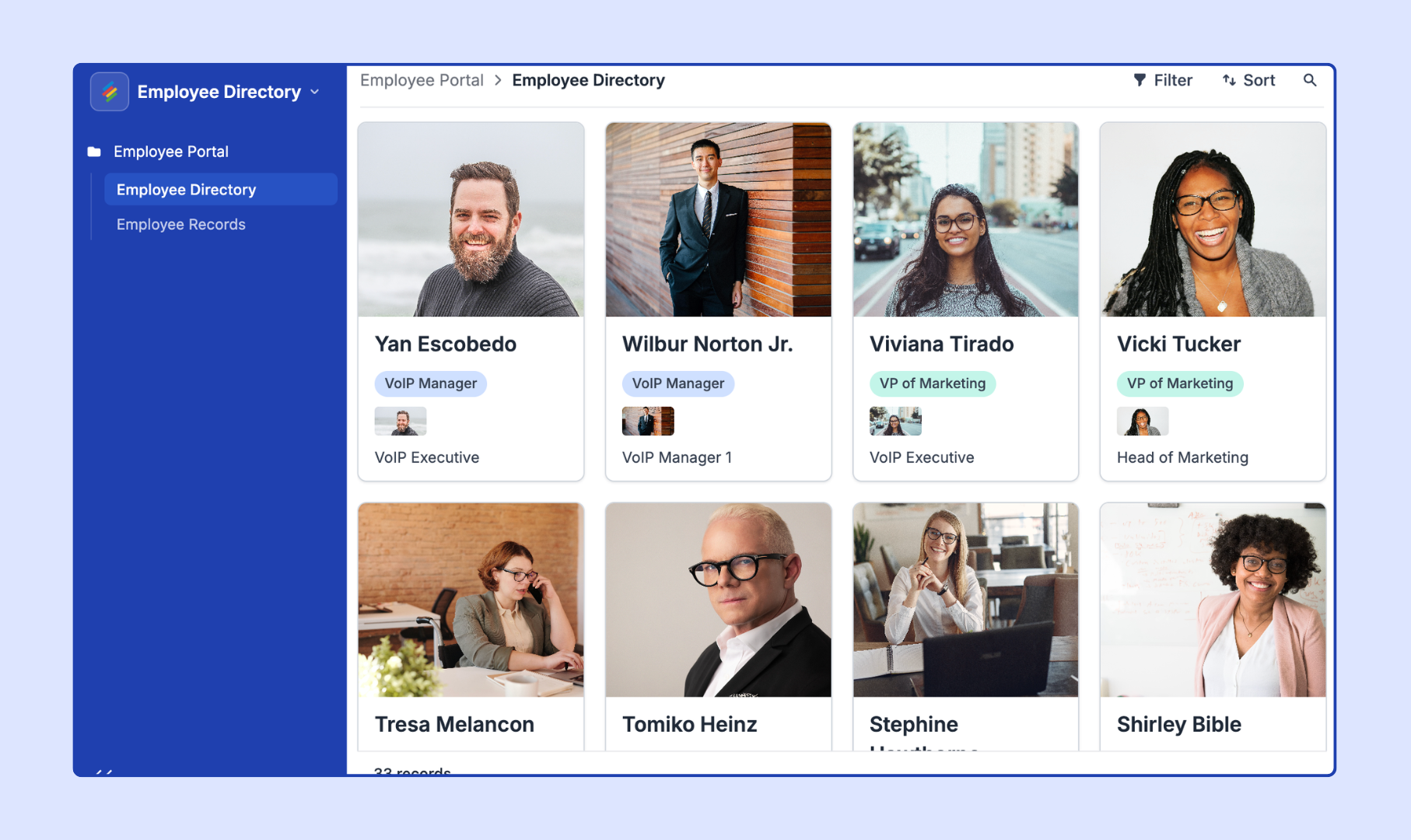
6. Gallery Visualization
Display records as visual cards in a responsive grid. Each card can include an image, title, and selected fields, making it ideal for product catalogs, digital assets, directories, portfolios, property listings, and content libraries.
7. Kanban Visualization
Organize records as cards across different stages or categories. Perfect for project management, sales pipelines, content workflows, support tickets, and any process that moves through multiple stages.
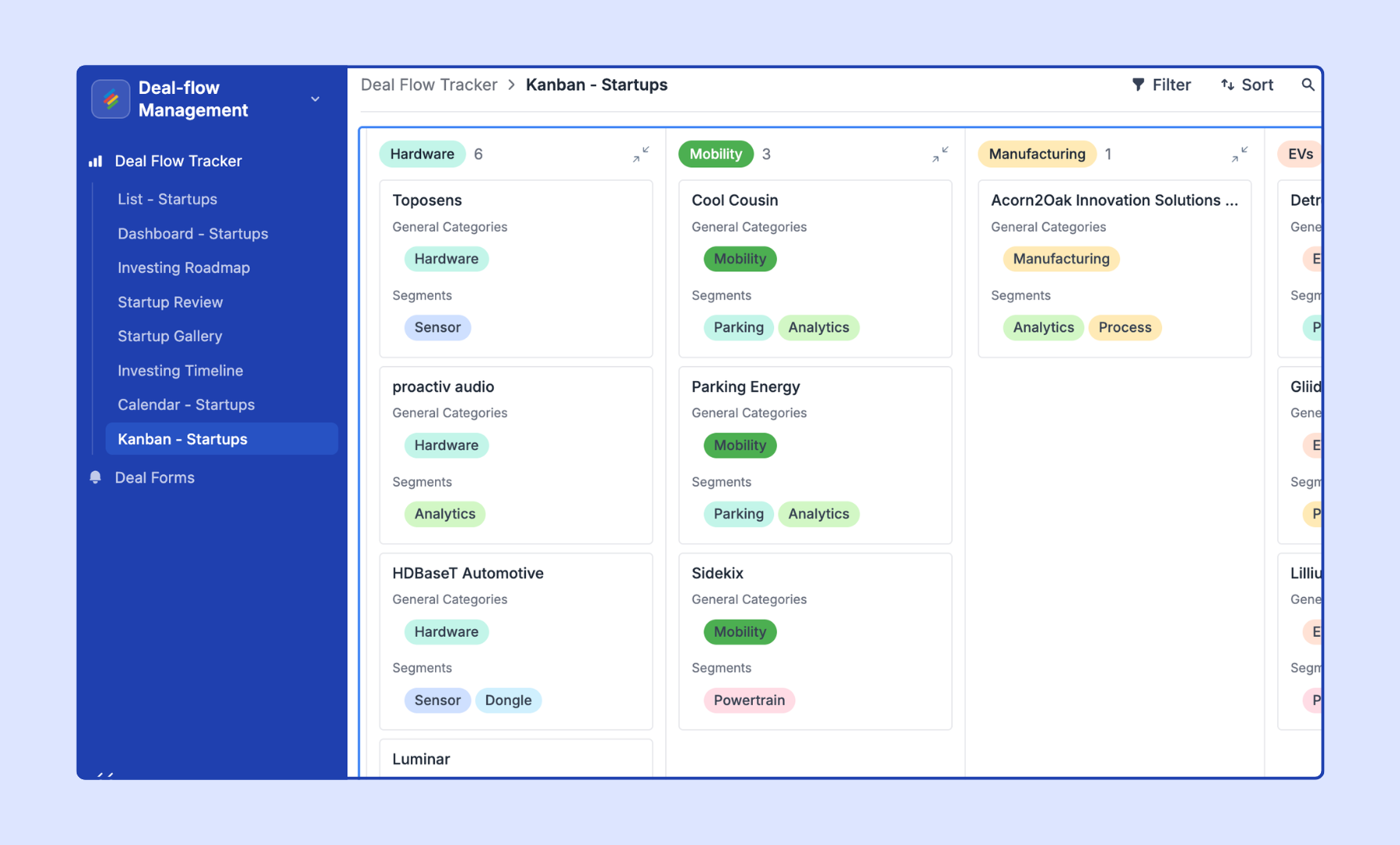
8. Calendar Visualization
Visualize records based on dates in a calendar format. Use it for event planning, content calendars, campaign schedules, bookings, deadlines, and team planning.
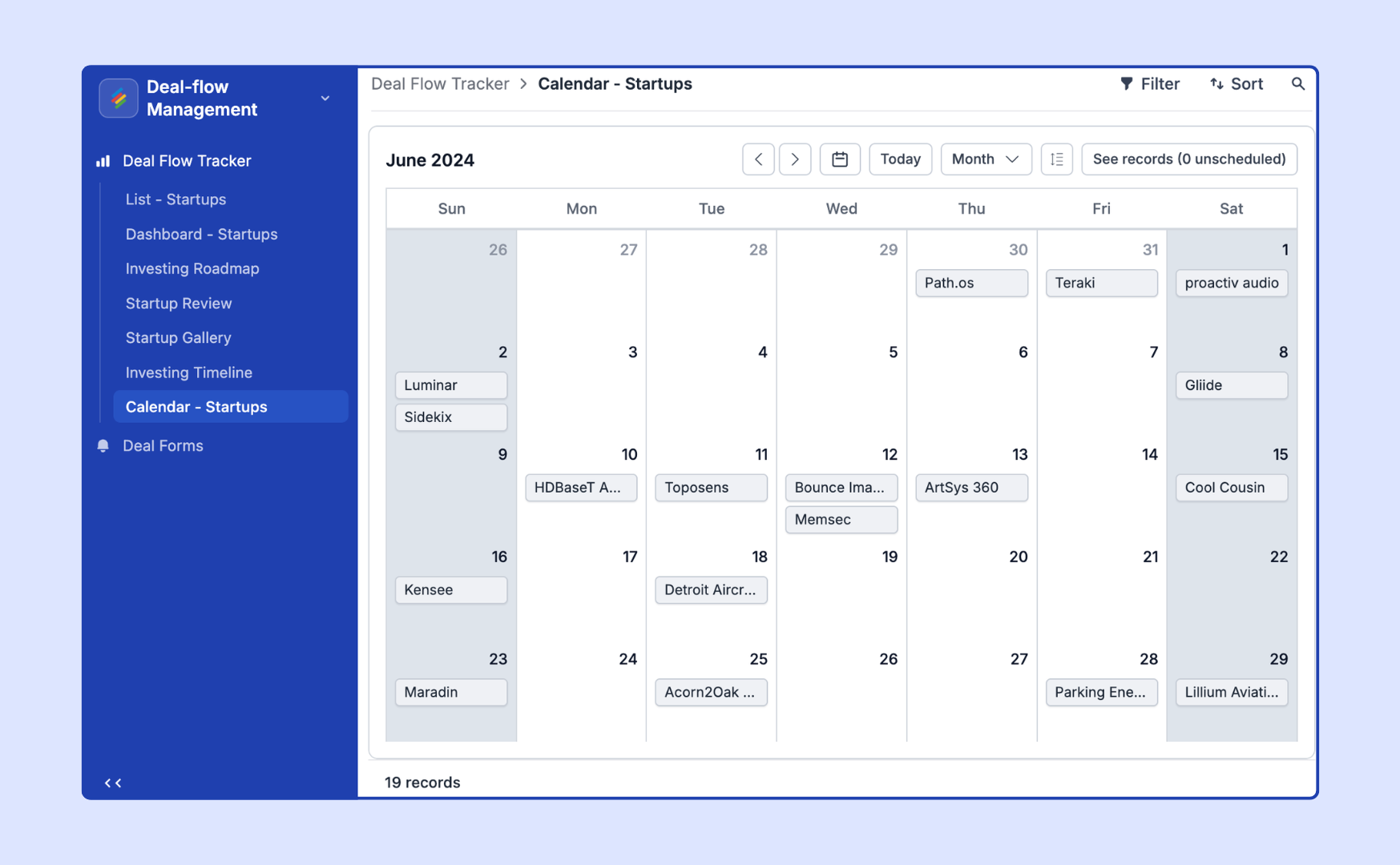
9. Portal
Build secure, external-facing applications for customers, clients, partners, or communities. Portals provide a branded experience with controlled access, allowing external users to interact with data without exposing the underlying database.
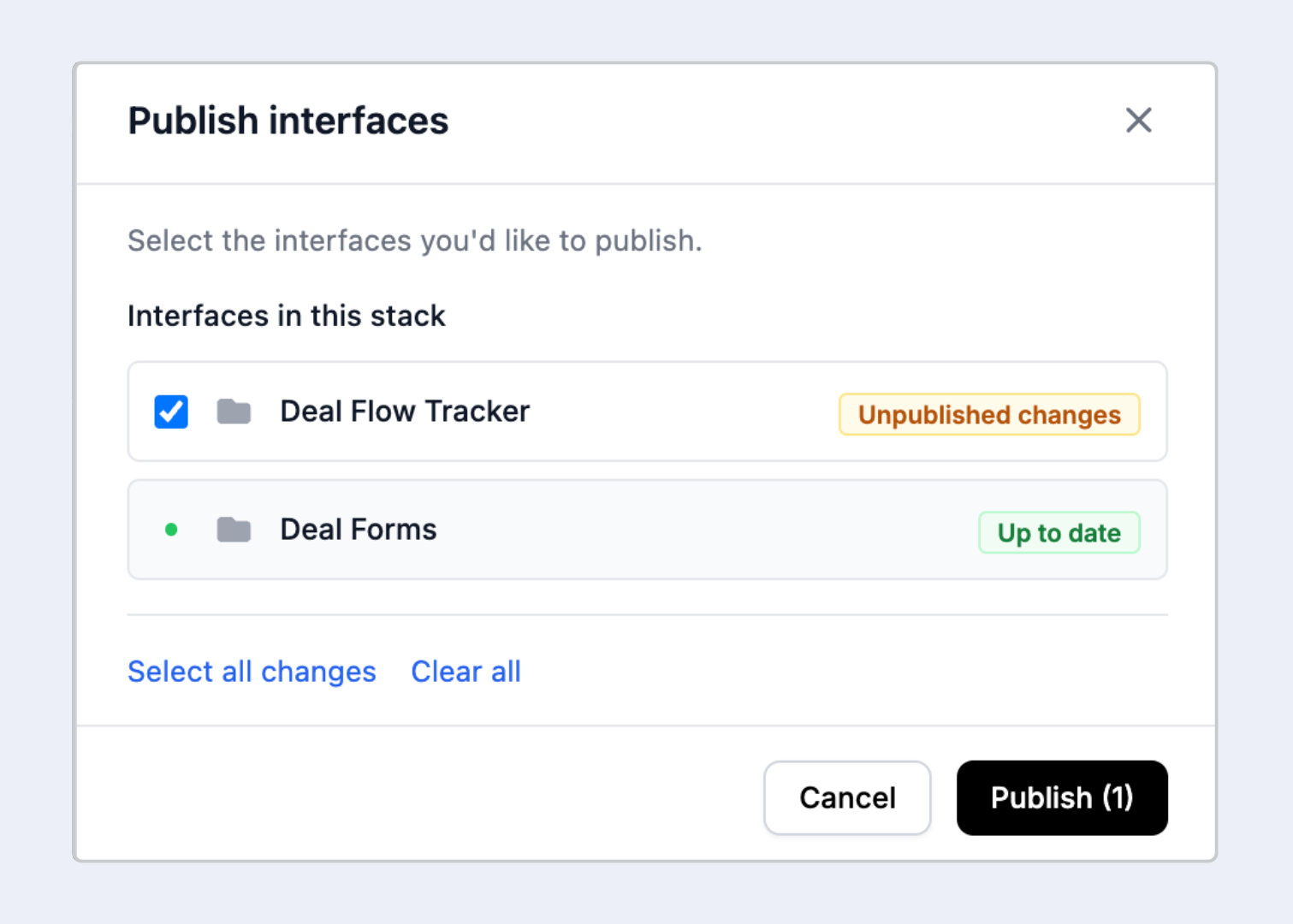
In short: Stackby Interfaces gives you the flexibility to combine multiple layouts within a single application—allowing you to build everything from internal operational tools and executive dashboards to client portals and custom workflow apps.
Stackby vs. Airtable Interfaces: The Honest Comparison
People ask about this comparison often, and it's a fair question. Airtable launched its Interfaces product in 2022, and it's solid - particularly if you're already embedded in the Airtable ecosystem. No argument there.
But the differences are real, and some of them matter more than feature lists suggest.
The pricing gap is where teams feel it most. Airtable's paid plans start at $20/user/month, and the features that make interfaces genuinely useful for client work - custom branding, external sharing without requiring paid seats for everyone - are locked behind higher tiers. For a 10-person team, that math gets uncomfortable fast.
Stackby comes in at a fraction of that cost. And for teams that need to share views with external users - clients, contractors, reviewers - that's not a minor footnote. It's a substantial practical difference.
The "Vibe Coding" App Creator That Isn't Really About Coding
There's a lot of hype around vibe coding app creators right now. Most of it overpromises.
Here's the honest version: most small teams don't need a custom-coded application. They need something that behaves like one. A clean interface, the right fields visible, some conditional logic. That's the whole requirement. They don't need a full development cycle to get there.
Stackby's AI App Creator is built specifically for that use case. You start with your data - from a Stackby database or imported from a spreadsheet - and the AI App Generator helps shape it into an interactive view. Want a kanban board for your editorial calendar? A gallery view for a product catalog? A form-based intake portal for client onboarding? The Co-builder handles the initial scaffolding.
Honest caveat: it won't build you a SaaS startup. If you need complex authentication logic, deeply custom user permissions, or pixel-perfect design control, you still need a developer. That's just true.
But for the majority of use cases teams actually encounter - internal tools, client and vendor portals, mini ERP systems, project trackers, approval workflows - this covers significant ground without any code required. And most teams spend weeks waiting on IT for exactly these kinds of builds. That's the time this saves, and it's not a small amount.
How Stackby.com Helps You Build Apps and Interfaces
Stackby.com started as a database platform. The Interfaces builder is what elevates it into something you'd genuinely call an application platform.
Here's what matters specifically for building interfaces and apps:
Co-builder (AI App Generator): Describe what you need in plain language. The AI App Generator structures your data model and interface layout together, not as separate tasks. Faster than starting from scratch, and considerably smarter than a generic drag-and-drop editor.
Role-Specific Views: Build different interfaces for different users. Your operations team sees one version. Your clients get a stripped-down, branded view. You control every detail - what's visible, what's editable, what's hidden entirely.
Forms and Portals: Form-based data collection feeds directly into your database. A client submits a project brief, it appears in your workflow automatically. No copy-paste, no manual entry, no "did you get my email?" messages.
Automation Layers: Layer automations on top of your interfaces. Trigger an email when a status changes, alert a Slack channel when a task goes overdue, update records automatically based on conditions you define.
Real-Time Collaboration: Everyone works from the same data source. Changes in the database appear in the interface instantly. No version conflicts. No "which file is current" conversations eating up Monday mornings.
Third-Party Integrations: Stackby.com connects with Slack, Google Workspace, Zapier, and more - so your interfaces plug into workflows you've already built, not alongside them.
Trusted by over 125,000 companies globally, the platform is flexible across team sizes. Whether you're three people running a small agency or a 50-person operations team, the builder scales in ways that most purpose-built tools don't manage.
→ Start your free trial at Stackby.com
Who Actually Gets the Most Out of This
Not everyone needs an interface builder. That's worth saying plainly.
If you're solo with one client and a simple task list, Notion or a basic spreadsheet probably handles things fine. You don't need this - and adding it won't help you.
But some specific situations change the calculus entirely.
Operations teams managing multi-step workflows. If you're tracking approvals, handoffs, or status changes across departments, a clean interface beats a shared spreadsheet by a significant margin. People see what they need. Nothing gets buried under columns they weren't supposed to touch.
Marketing teams running campaigns. Content calendars, ad creative databases, campaign trackers - all structured data that benefits from purpose-built views. Your copywriter doesn't need to see UTM parameters. Your paid media manager doesn't need editorial notes from the content team.
Agencies building client-facing portals. Probably the highest-value use case here. You build the database, you build the interface, you share a branded view with your client. They see deliverables, status updates, timelines. You maintain full control. No more "can you just export everything to a Google Sheet for me" conversations.
Teams looking for a Softr alternative. If you've been using Softr to build portals on top of Airtable, Stackby consolidates that into one platform. Your database and your interface live together, which simplifies the stack and removes one monthly subscription from the list.
Teams priced out of Airtable. If you've hit Airtable's limits and the next plan feels hard to justify, this is the clearest like-for-like alternative available right now. The interface functionality is genuinely comparable, and the pricing gap is hard to ignore.
Stackby vs. Airtable: The Version That Goes Deeper
The surface-level comparison - similar features, lower price - sells both platforms short.
The real difference between Stackby Interfaces and Airtable Interfaces is about who each tool is actually being built for. Airtable has been moving upmarket, visibly. Their pricing changes and feature gating over the past two years reflect a product increasingly aimed at enterprise teams with IT budgets, compliance requirements, and dedicated admins. That's not a criticism - it's a deliberate strategic choice. But it leaves a gap for everyone else.
Stackby has stayed closer to the working team. The AI Co-builder, the accessible pricing, the external sharing on non-enterprise plans - these decisions reflect a product built for people who can't afford to wait on IT and don't have a developer available on short notice.
Honestly, if you're running a 50-person organization with deep Airtable integrations already in place, switching to Stackby is still a breeze. Our Airtable Base Connector allows you to import your bases in minutes from Airtable to Stackby.
But for teams in the 2-30 person range - the ones actually building their own processes, managing client relationships, trying to move faster without adding headcount - this platform is worth a serious look. The AI App Builder alone removes a meaningful amount of setup friction that used to require either technical knowledge or a lot of trial and error.
Frequently Asked Questions
What are Stackby Interfaces?
Stackby Interfaces is the app-building layer within Stackby.com that lets you create custom views, portals, and interactive applications on top of your database. You control which data different users can see and how they interact with it, all without writing any code. It's designed to turn structured data into something that looks and works like a real app.
How does Stackby compare to Airtable Interfaces on pricing?
Core functionality is similar - both platforms let you build custom views on existing data without coding. The main pricing difference is significant: Stackby starts at roughly $10/user/month versus Airtable's $20/user/month for comparable plans. External sharing and custom branding, which Airtable gates behind higher tiers, are available on lower Stackby plans.
Can I use Stackby as an AI app builder without technical experience?
Yes, that's the point. The Co-builder is designed for people without a data modeling or development background. You describe what you need, the AI structures the database and interface layout together, and you refine from there. No code, no prior experience with databases required.
Is Stackby a good Softr alternative?
Depends on your setup. Softr is primarily a portal and website builder that runs on top of Airtable data. Stackby brings the database and interface builder together in one platform. If you want to reduce tool complexity and manage everything in one place - especially if you're not already locked into the Airtable ecosystem - it's a strong option to evaluate.
What does the free plan actually include?
Stackby.com offers a free plan covering core database and interface features without requiring a credit card. There are limits on records and collaborators, as with any free tier, but it's genuinely usable for small teams or for anyone testing whether the platform fits their workflow before committing to a paid plan.
Can I share interfaces with clients who don't have a Stackby account?
Yes. You can build a branded interface and share it with external users - clients, contractors, reviewers - without requiring them to create their own account. They see exactly what you allow them to see, nothing more. This is one of the features Airtable reserves for higher-tier plans that Stackby includes earlier.
Conclusion
Stackby Interfaces addresses a problem most teams know well: too much data, not enough ways to make it usable. Turning a database into something interactive and shareable has historically required either an expensive developer engagement or enterprise software with an enterprise price tag.
The Stackby App Builder narrows that gap meaningfully. The AI Co-builder handles the scaffolding. The custom views handle the access control. The pricing keeps it accessible for teams that aren't working with large budgets or dedicated technical staff.
Key Takeaways:
- Stackby Interfaces lets you build custom apps, portals, and views on top of your database without writing any code
- The AI Co-builder structures both the database and the interface layout simultaneously, removing a significant amount of setup friction
- Compared to Airtable Interfaces, the platform offers comparable core functionality at a substantially lower price - with external sharing available outside enterprise tiers
If your team is still maintaining spreadsheets that should be apps, or paying for Airtable features you rarely use, it's worth exploring what Stackby.com can actually do. Start with the free plan, build something real, and see where it takes you.