AI for Resource Planning: Stop Guessing, Start Allocating Smarter
Discover how AI improves resource planning by optimizing workforce allocation, project scheduling, and capacity management. Learn how to choose the right AI-powered resource planning tool to boost productivity, reduce costs, and make smarter planning decisions.
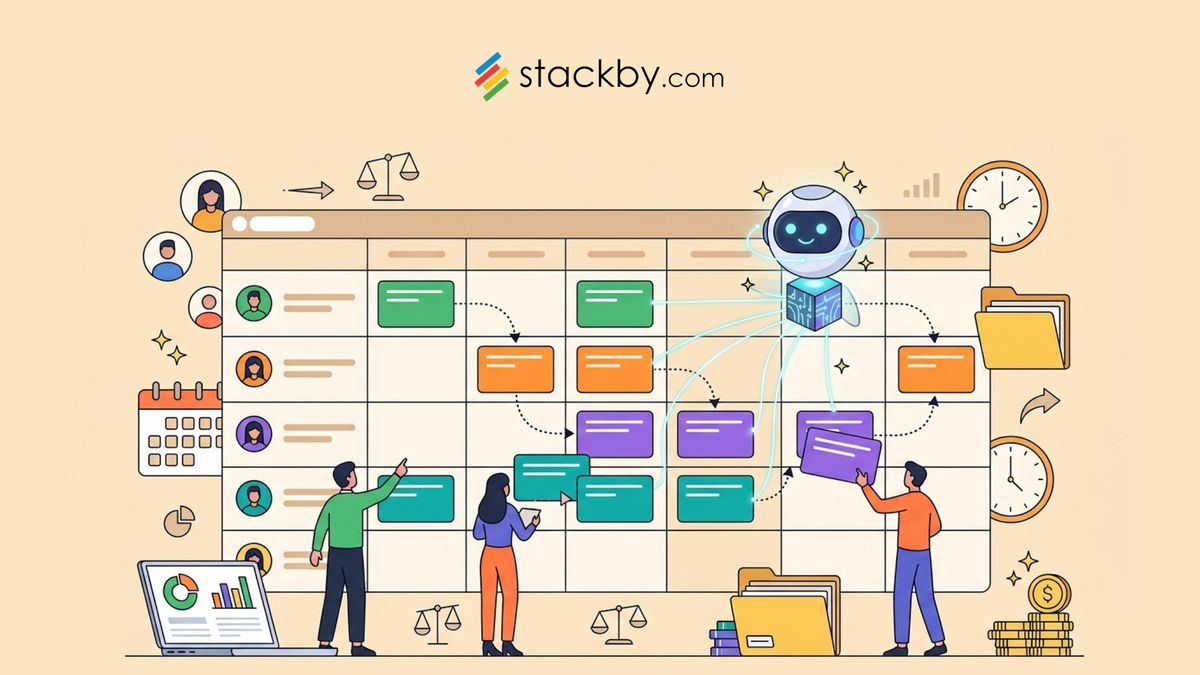
You've been there. A project kicks off with clean task assignments and confident timelines. Two weeks in, your senior developer is pulling 60-hour weeks while a junior designer sits waiting on approvals with nothing meaningful to do. Nobody planned for that. Nobody caught it early enough. And by the time you figure it out, you're already behind on delivery.
That's the fundamental problem with manual resource planning. It's reactive by design.
AI for resource planning flips that. Instead of waiting for burnout to surface in your retrospective, the right tools catch misalignment before it becomes a crisis - flagging overallocation, forecasting demand weeks ahead, and giving you actual capacity data instead of a manager's best guess from a spreadsheet that hasn't been updated since Tuesday.
This is a practical look at what AI-driven resource and capacity management actually involves, which tools do it well, and why platforms like Stackby are worth a serious look for teams that want this working without six months of setup or an enterprise contract. If you're already sold on the concept and want to see it in practice, go ahead and Schedule Demo Now.
The Real Reason Resource Planning Keeps Breaking Down
Spreadsheets aren't the villain here. People are genuinely creative with Excel and Google Sheets. But creativity only carries you so far when you're juggling six concurrent projects, 15 people, and three client escalations happening simultaneously.
Here's what actually breaks:
- Your data is always stale. Someone updates the resource tracker Monday morning. By Thursday, two projects have shifted scope, one person called in sick, and a client moved up their deadline by two weeks. That spreadsheet is now showing you a reality that no longer exists. You're making resourcing decisions based on information that's already wrong, and most of the time you don't even know it.
- There's zero visibility across projects. Your marketing team's allocation sheet doesn't talk to your product team's sprint board. The design capacity tracker lives in a completely separate document from the dev schedule. So when a new urgent request lands, you have no real sense of who's genuinely available, who's actually at capacity, or what saying "yes" to this project costs your existing commitments.
- Forecasting is basically guessing. You can make a reasonable estimate. But knowing how many engineers you'll need in six weeks - based on current pipeline, historical velocity, and incoming project scope - is something manual planning just can't do reliably. The honest answer from most resource managers is "we'll figure it out." That's not a plan.
And here's what's genuinely frustrating: most teams know their process is broken. They just assume fixing it requires an expensive enterprise rollout or months of configuration. That assumption is increasingly outdated.
What AI Actually Does for Capacity and Resource Management
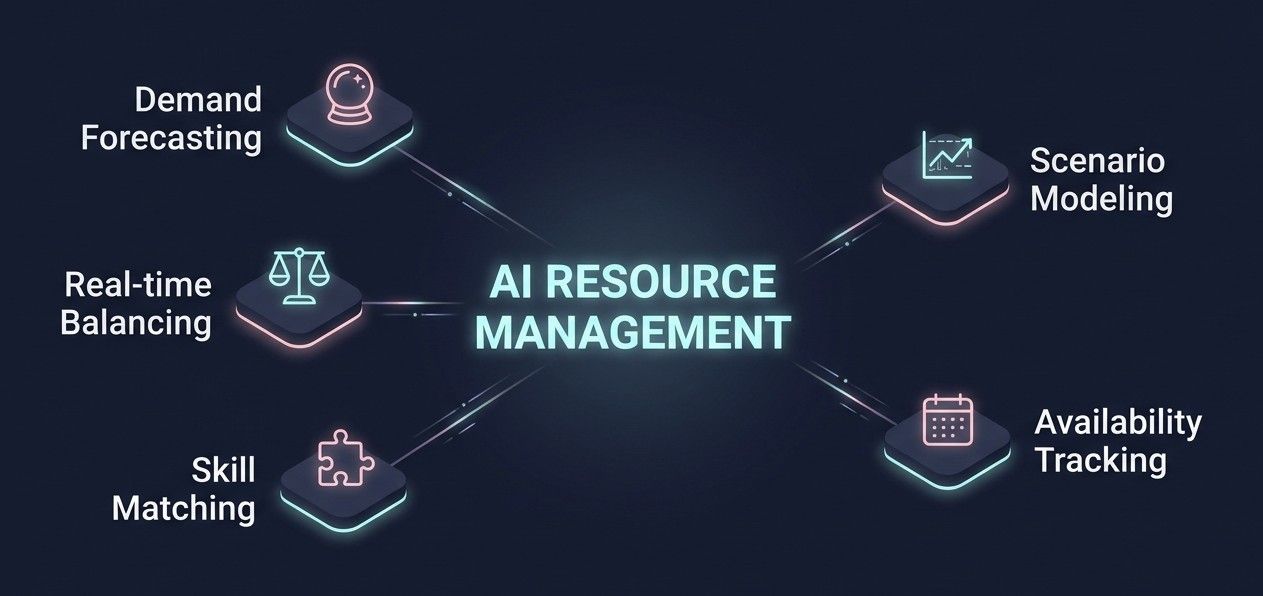
"AI helps with planning" is vague enough to mean almost nothing. Let's get specific.
AI capacity planning works through a few concrete mechanisms that are worth understanding before you pick a tool.
Demand forecasting.
AI tools analyze your historical project data - timelines, task volumes, team velocity, scope creep patterns - and predict what resources you'll actually need for upcoming work. It's pattern recognition across your own data. But it's dramatically more accurate than a project manager's gut feeling after a long Monday.
Workload balancing in real time.
Resource allocation AI flags when someone is at 140% capacity while their teammate is sitting at 60% with free cycles. That alert - the one most spreadsheet setups never actually fire - is honestly worth the tool switch on its own. Catching that imbalance two weeks early versus two weeks late is a completely different conversation with your team.
Skill-based task matching.
Some tools go further and recommend which team member is best suited for a task based on documented skills, current availability, and past performance data. This matters more than people realize. Assigning the wrong person to a task doesn't just slow things down - it creates rework, kills morale, and often costs more than the original delay.
What-if scenario modeling.
What happens to your team's capacity if you take on that new client? What if a key hire falls through next month? AI-driven scenario modeling lets you test those situations before you commit, so decisions are based on simulated outcomes rather than optimism.
Cross-project availability tracking.
This is where team resource management AI really earns its place. Real-time visibility across every active project, every team member's load - updated automatically, not when someone remembers to log in and update a spreadsheet.
None of this requires reorganizing your team or hiring a data analyst. It requires the right tool and reasonably clean data going in. That second part matters more than most vendors will tell you upfront.
Top AI Tools for Resource Planning: An Honest Comparison
There are a lot of options in this space right now, and the marketing copy is pretty indistinguishable between them. Here's a straight look at the ones actually worth evaluating.
Honest take: Mosaic is strong for agencies that bill by the hour and can directly tie ROI to better utilization rates. Forecast is excellent if your team will actually use it consistently - which, in reality, is often harder than the demo makes it look. People don't change their habits easily.
Float is probably the simplest visual planning tool on this list. If your team is mostly non-technical and just needs to see who's doing what and when, Float is genuinely easy to adopt. The pricing is also reasonable.
For teams that want flexibility without a large per-seat cost and without locking into a rigid workflow? Stackby sits in a genuinely competitive spot. And the free plan isn't crippled - you can actually build something useful before paying a cent.
How Stackby Helps With AI for Resource Planning
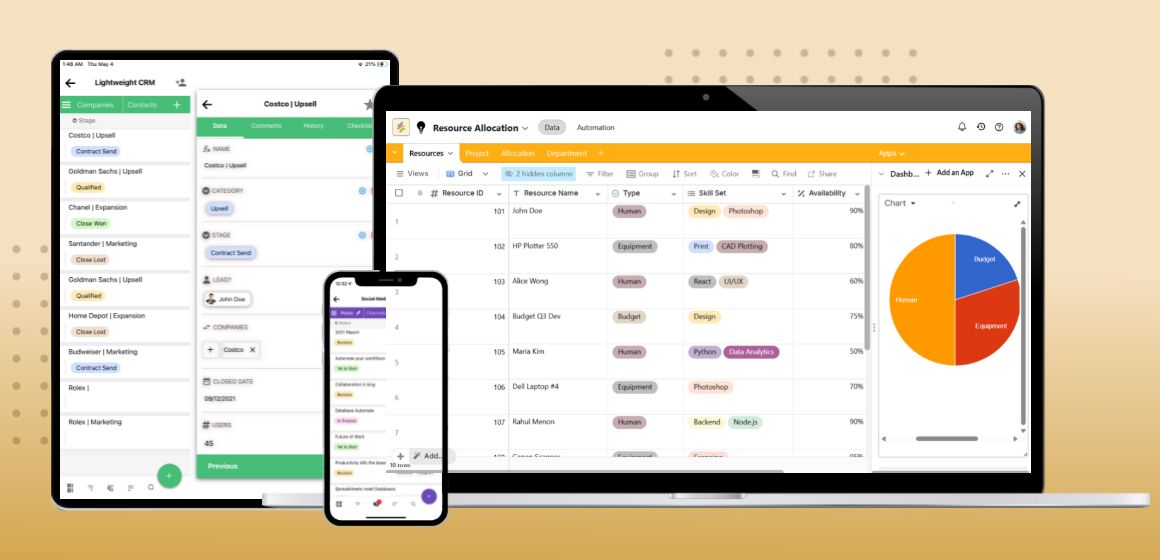
Stackby occupies an interesting position in this space. It isn't a single-purpose resource planning tool. It's a no-code platform that combines the familiarity of a spreadsheet with a proper relational database and live API connections - which means you build your planning setup to match how your team actually works, instead of reshaping your workflow to fit a rigid tool someone else designed.
Here's specifically where it delivers on resource and capacity planning:
1. Build a live resource database.
Create a master table of team members, their skill sets, current project assignments, allocation percentages, and availability dates. Link that table directly to your projects table. Every project now sees the same source of truth - no more tracking allocations in six different places and hoping they're in sync.
2. Set AI-driven capacity alerts.
Define rules that fire automatically when something crosses a threshold. When a team member hits 85% or 100% allocation, you get an alert before the problem compounds. That kind of proactive signal replaces the end-of-sprint "wait, who was supposed to handle that?" moment that costs your team half a morning.
3. Connect to the tools your team already uses.
Stackby's API integrations pull data from Slack, Google Sheets, Jira, Trello, and others. Your resource tracking doesn't live in isolation - it feeds in from wherever work is actually being logged.
4. Model scenarios without touching live data.
Using Stackby's linked views and duplicate-table feature, you can test "what if" scenarios before committing. Adding a new project? Clone your current resource table, make the adjustments, and see what breaks before you say yes to a client.
5. Pre-built templates to start immediately.
There are ready-to-use project and resource planning templates that have you up and running in a day, not a month. Your team doesn't need to build from scratch.
The no-code part is more important than it sounds, by the way. Most dedicated AI planning tools require IT to configure and maintain integrations. With Stackby, a project manager or team lead can set the whole thing up themselves - and adjust it whenever the process changes.
Free Signup and get your first resource plan running today. No credit card required.
Best Practices for Getting Real Results
Getting the tool is the easy part. Using it well is where most teams fumble.
- Fix your data before you automate it. AI is only as good as what you feed it. If your historical project records have inconsistent naming, missing time entries, or tasks that never got marked complete, fix those first. Garbage in, garbage out - and a garbage forecast is worse than no forecast because it creates false confidence.
- Pilot with one team. Don't roll out resource allocation AI across the whole organization on week one. Start with one team, one project type, one quarter. Learn what the tool actually surfaces. Adjust the alert thresholds. Then expand.
- Keep a human making the final call. The AI will tell you that someone has 20% available capacity this sprint. It won't tell you that person just went through something difficult and needs a genuinely lighter load for a few weeks. Judgment still matters. Use AI to surface information, not to replace the manager who has context the tool doesn't.
- Use honest availability numbers. Most teams dramatically overestimate how much of their team's time is actually available for focused project work. Meetings, admin tasks, Slack interruptions, context switching - these eat real hours every week. Feed your tool realistic numbers, not best-case ones. A 40-hour week is rarely 40 billable project hours.
- Review weekly, not monthly. Setting up a resource plan and checking it at the end of the month is almost useless. The point of real-time capacity data is catching problems early. Weekly reviews are the difference between a small adjustment and a full-blown escalation.
Conclusion
Manual resource planning isn't going to scale with you. It's too slow, too static, and too dependent on someone remembering to update a spreadsheet at the right moment. The teams consistently hitting their deadlines and keeping their people from burning out have figured out one thing: they know what their capacity actually looks like before problems escalate, not after.
That's what AI for resource planning delivers. Visibility, early warning, and forecasts built on real data - not instinct and hope.
If you're ready to stop flying blind on capacity, Stackby is worth a serious look. Schedule Demo Now and see how it fits the way your team actually works.
Frequently Asked Questions
What is AI for resource planning, and how does it work in practice?
AI for resource planning uses machine learning and pattern recognition to analyze your team's historical output, current workloads, and upcoming project demand - then provides forecasts, workload alerts, and recommendations instead of leaving you to guess from a spreadsheet. In practice, it means knowing three weeks in advance that your engineering team is about to hit a crunch point, rather than discovering it during standup when it's already too late to re-route work.
What are the best AI software options for resource planning right now?
For agencies and professional services: Mosaic is hard to beat on depth. For creative teams: Float. For dev-heavy workflows: Forecast. For small teams who want flexibility without heavy per-seat pricing: Stackby is the one worth trying first, especially since it has a real free tier. All of these have either free trials or free plans, so there's no reason to commit before testing.
How can AI improve resource planning efficiency across a business?
Faster detection of overallocation, more accurate demand forecasting, and reduced time in planning meetings. Teams that adopt AI capacity planning consistently report catching resource conflicts earlier and spending less time manually reconciling schedules. The efficiency gain isn't from working harder - it's from finally having clear visibility into what's actually happening across projects.
What are the core benefits of using machine learning for workforce planning?
The biggest one is predictive capacity. Instead of reacting to understaffing when it's already causing problems, you're anticipating it weeks ahead. Machine learning also surfaces non-obvious patterns over time - like which project types consistently run over scope, or which team combinations deliver fastest - that a human analyst would take months to identify by hand.
How does AI improve supply chain resource allocation?
In supply chain and operations contexts, resource allocation AI reduces waste by dynamically matching resource deployment to actual demand signals rather than fixed historical schedules. It adjusts when demand shifts - cutting excess capacity during slow periods and scaling it up before a crunch - so you're not consistently over or under-resourced at the wrong times.
Where can I find AI resource planning platforms with free trials?
Reclaim.ai has a limited free plan. Stackby has a genuinely functional free tier - enough to build and run a real resource management setup before you pay anything. Mosaic, Forecast, and Float all offer 14-day trials. If you want to start without a credit card, Stackby is the clearest path. Takes about two minutes to get started.