Stackby now has an MCP connector (Here's why that's a big deal)
Stackby now has an MCP connector. Now connect to Claude, ChatGPT and other AI assistants to do work in Stackby. Try for free.
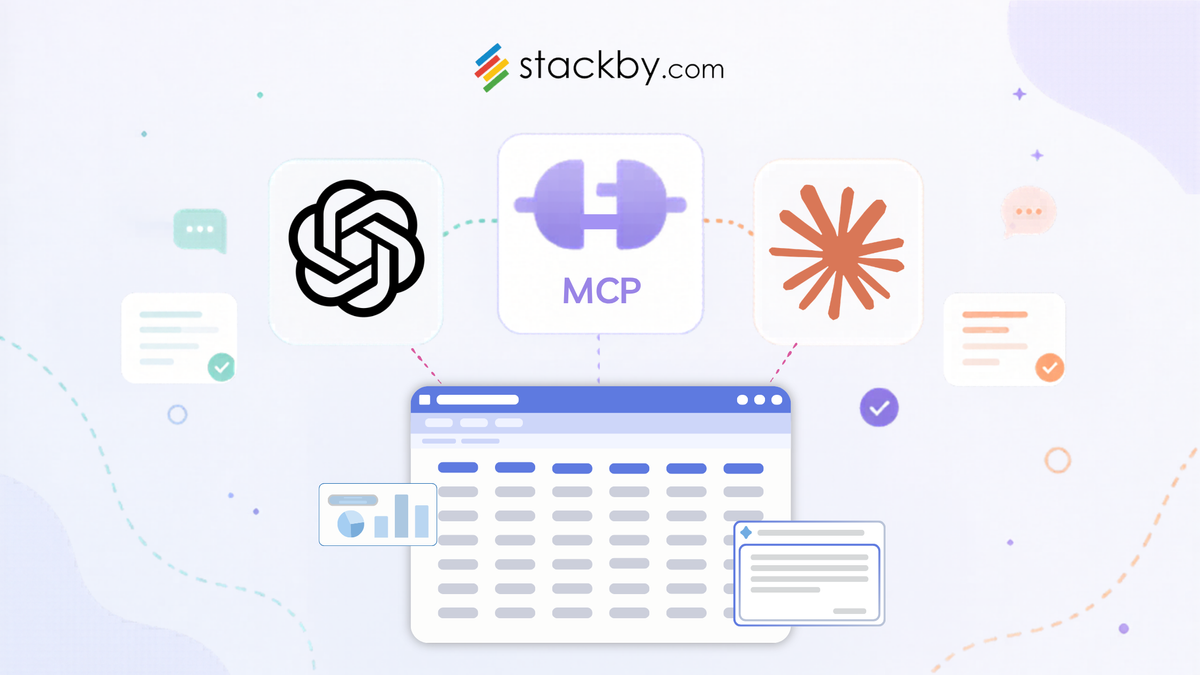
We've been quietly watching the MCP (Model Context Protocol) ecosystem grow over the past year, and we think it's one of the more genuinely useful things to happen to AI tools in a while. So we built a connector for it.
Starting today, Stackby works natively with Claude, ChatGPT, and any other AI tool that supports MCP. That means your AI assistant can read from your Stackby bases, write new records, update existing ones, and query across your tables — using plain conversation.
Here's what that actually looks like in practice.
What is an MCP?
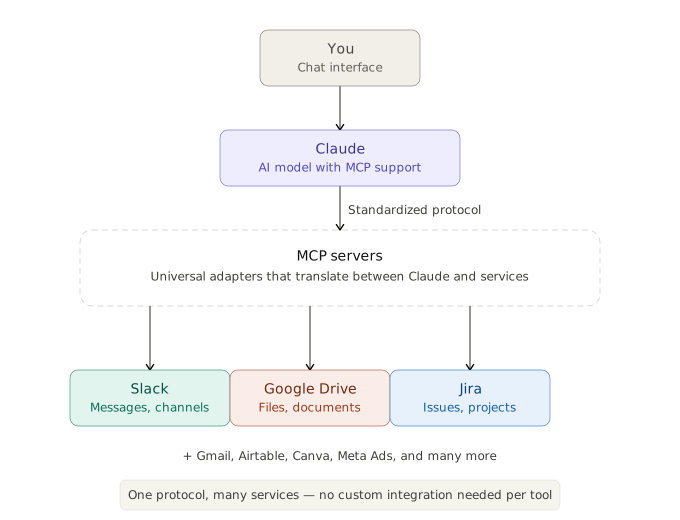
MCP stands for Model Context Protocol — it's an open standard developed by Anthropic that lets AI models like Claude connect to external tools and services. Think of it as a universal adapter that allows Claude to interact with apps like Slack, Google Drive, Jira, Gmail, and many others directly within a conversation.
How to add your Stackby MCP Connector (in Claude)
Step 1: Go to Settings → Connectors (or Customize → Connectors).
Step 2: Click the "+" button next to Connectors.
Step 3: Select "Add custom connector" (not "Browse connectors").
Step 4: Enter the name: Stackby
Step 5: Enter the MCP server URL: https://mcp.stackby.com/mcp
Step 6: Click "Add" and complete the authentication with your Stackby account. Click on 'Grant all resources' to give it access to all your workspaces and stacks.
Please note: You'll need a paid plan (Pro, Max, Team, or Enterprise) to add custom connectors, though free users get one custom connector.
Using it in conversations:
Once connected, you don't always need to mention Stackby by name. Claude can bring it into a conversation on its own when it fits what you're asking for. But you can also explicitly say things like "list my Stackby stacks" or "search records in my Stackby table" to invoke it directly.
Talking to your CRM instead of clicking through it
If you use Stackby to track leads or deals, you've probably felt the friction. You finish a sales call, open Stackby, find the right table, add a row, fill in eight fields, close the tab. It works, but it's not exactly fast.
With the MCP connector, you open Claude and type: "Add Sarah Chen from TechCorp to the leads table. Demo call today. Budget around $50K, decision in 6 weeks." Done. The record is in Stackby.
You can also go the other direction. "Which deals haven't had any activity in the last two weeks?" Claude reads your pipeline, figures it out, and tells you. No filter setup, no formula, just an answer.
Project tracking you can actually ask questions about
Project tables accumulate fast. After a few months, you've got 200 rows across multiple views and nobody quite remembers what everything means.
The MCP connector lets you ask: "What's still blocking the Q3 launch?" Your AI assistant scans the tracker, reads the task statuses, and tells you what's open and who owns it. If something looks off, you can say "mark that task as in progress and assign it to Priya" and it happens without leaving the conversation.
This is especially useful for async teams. Instead of writing a status update by hand, you can ask Claude to summarize what moved forward this week and paste the result into your standup doc.
Research that goes straight into a structured table
Researchers and analysts spend a lot of time copying things from one place to another. You find something useful in a report, you open your spreadsheet, you paste it, you tag it, you move on. Multiply that by 50 sources and a deadline.
With an AI agent connected to Stackby via MCP, you can describe what you're collecting ("competitors, funding stage, key product differentiators") and have the agent populate your table as it works. The structure is already there — the agent just fills it in.
The output is actually usable. Not a pile of notes in a doc — a table you can sort, filter, and share.
A content calendar that tells you what's missing
Most content calendars are glorified to-do lists. You can see what's scheduled, but spotting gaps or patterns takes effort.
Ask Claude to look at your Stackby content calendar and tell you what topics you haven't covered lately, or where you have three posts scheduled in one week and nothing the week after. It reads the table, reasons about it, and gives you a straight answer. You can then say "add a placeholder for a product deep-dive on the 14th" and it appears in your calendar.
Building AI agents that use Stackby as their memory
This one is more technical, but it's probably the most powerful use case.
If you're building an AI agent — a customer support tool, an internal knowledge assistant, anything that needs to remember things and take action — you need somewhere to store state. Stackby's MCP connector gives that agent structured read/write access to your bases. It can log what it's done, look up information, create records, and update statuses as it works through a task.
Stackby already has the flexibility most databases don't: linked records, custom fields, multiple views, API access. Pairing that with an AI agent that can actually use it opens up a lot of workflows that were annoying to build before.
Getting set up
You'll need an MCP-compatible client (Claude Desktop, any tool that supports the protocol), connector URL and your Stackby login. Point the client at our MCP server, and you're connected. Just follow the steps above.
If you run into anything, the usual channels work: support, community forum, or just reply to this post.
We're curious what people build with it!
![Best 14 HR Database Software for Recruitment Agency [Free+Paid] [2026]](/blog/content/images/size/w960/2024/04/stackby--hr-database-software-blog-post-5.3.jpg)
![A Simple Guide on Workflow Management Software [Updated 2026]](/blog/content/images/size/w960/2021/12/work-management-blog.png)
![Step by Step Guide on How to Build Forms in a Database [2026]](/blog/content/images/2022/03/form-database-blog.png)