AI for Small Business: The Complete 101 Guide for 2026
Discover how AI can help small businesses automate tasks, improve customer service, boost marketing, and make smarter decisions. This complete 2026 guide covers practical AI use cases, benefits, tools, and tips to help your business grow efficiently.
TL DR:
- Start with one specific problem, not an AI transformation. The businesses winning with AI right now went deep on one use case before going wide.
- Customer support, content creation, admin automation, and data management are where most small businesses see the fastest returns.
- Budget $100-200/month for a practical starter stack, and measure impact at the 60-day mark without exception.
- Data quality matters more than tool selection. Messy inputs produce confident-sounding garbage.
- Centralizing your AI workflows in a connected platform prevents your tools from becoming expensive silos.
Here's something that might surprise you: most small businesses adopting AI aren't doing anything technically sophisticated. They're automating follow-up emails. Summarizing client calls. Running chatbots that handle basic customer questions overnight. Simple stuff.
But that "simple stuff" is saving them 8-12 hours a week. Per person.
If you've been watching AI from the sidelines wondering whether it's actually useful for a business your size, this guide is the honest answer. It'll give you a clear breakdown of where AI for small business delivers real results, which tools are worth the money, and how to build a stack you'll actually use.
We'll also look at how Stackby helps small teams bring their AI-powered workflows together in one place without hiring a developer or spending a month on setup. But first, let's talk about where things stand right now.
The State of AI for Small Businesses in 2026
The adoption numbers are real and is no longer something only large enterprises are experimenting with. According to the U.S. Chamber of Commerce's 2025 Empowering Small Business Report, 58% of small businesses are already using generative AI, up from 40% just a year earlier.
What's shifted is how businesses are using it. In 2024, "using AI" mostly meant pasting things into ChatGPT. In 2026, it means automated customer support. Content pipelines running largely on autopilot. Bookkeeping software flagging irregularities before your accountant even logs in.
And the gap is widening fast. Teams that have figured out even two or three good AI use cases are pulling ahead of competitors who haven't started. For a 5-20 person business without spare headcount, that efficiency gap translates directly into margin.
The good news? You don't need a data team. You don't need six months and a consultant. Artificial intelligence for small business has matured to the point where a non-technical founder can get real value running in weeks, not quarters.
Where Small Businesses Should Actually Start
Most AI guides hand you a list of 40 tools. That's not a starting point, it's a trap.
The smarter move is this: pick one problem. Not AI broadly. One specific bottleneck your team hits every week. Maybe it's the time you lose writing individual follow-up emails. Maybe it's how long it takes to handle customer returns. Maybe it's manually updating your project tracker after every client call.
That's your entry point. Solve that one thing. Get comfortable. Then expand.
That's your entry point. Solve that one thing first. Get comfortable with the workflow. Then expand. A good first AI project usually has three characteristics:
- It's repetitive.
- It takes up more time than it should.
- It follows the same process every time.
If you're nodding your head to all three, you've probably found a strong candidate for automation.
Start with one. Don't try to automate your entire business before you've proven value in one area. Once you see the time savings, deciding what to automate next becomes much easier.
Top AI Use Cases for Small Business Operations
Here's where artificial intelligence for small business is genuinely moving the needle in 2026.
Marketing and Content Creation
This is where most teams start, and honestly, it makes sense. AI tools can produce blog drafts, social posts, product descriptions, and email sequences at a fraction of the time they used to take.
The honest caveat: AI content without real editing is obvious. Readers notice. Use AI to handle the first draft and structural outline, then add your voice, your specific examples, your actual opinions. The output after that process is genuinely better than what most small businesses were publishing before.
For teams running paid ads, AI is particularly useful for generating copy variants for A/B testing. Instead of paying a freelancer for each iteration, you're generating 10 variants in 20 minutes.
Customer Support and Service
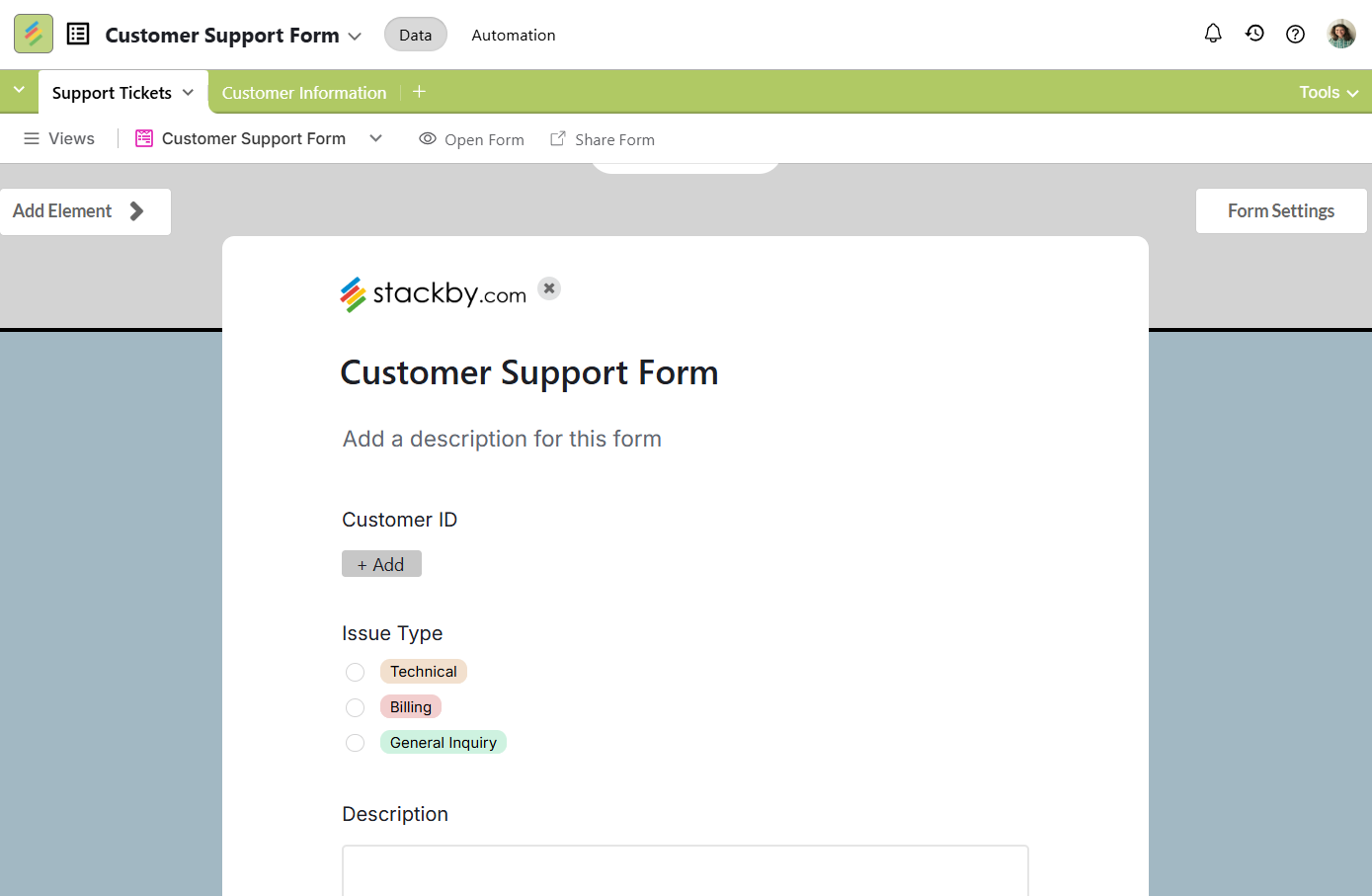
Probably the single highest-ROI starting point for ai tools small business owners should consider right now. A well-built chatbot can handle returns, shipping questions, appointment bookings, and standard FAQ queries around the clock, every day.
The frustration nobody mentions upfront: setup takes longer than the demo suggests. Expect 2-3 weeks of configuration and testing before it runs reliably. And if your knowledge base is disorganized or outdated, the bot will hallucinate answers. That's genuinely damaging when it happens in front of customers.
Get your FAQ content cleaned up before you launch a support bot. That's the actual prerequisite.
Finance and Bookkeeping
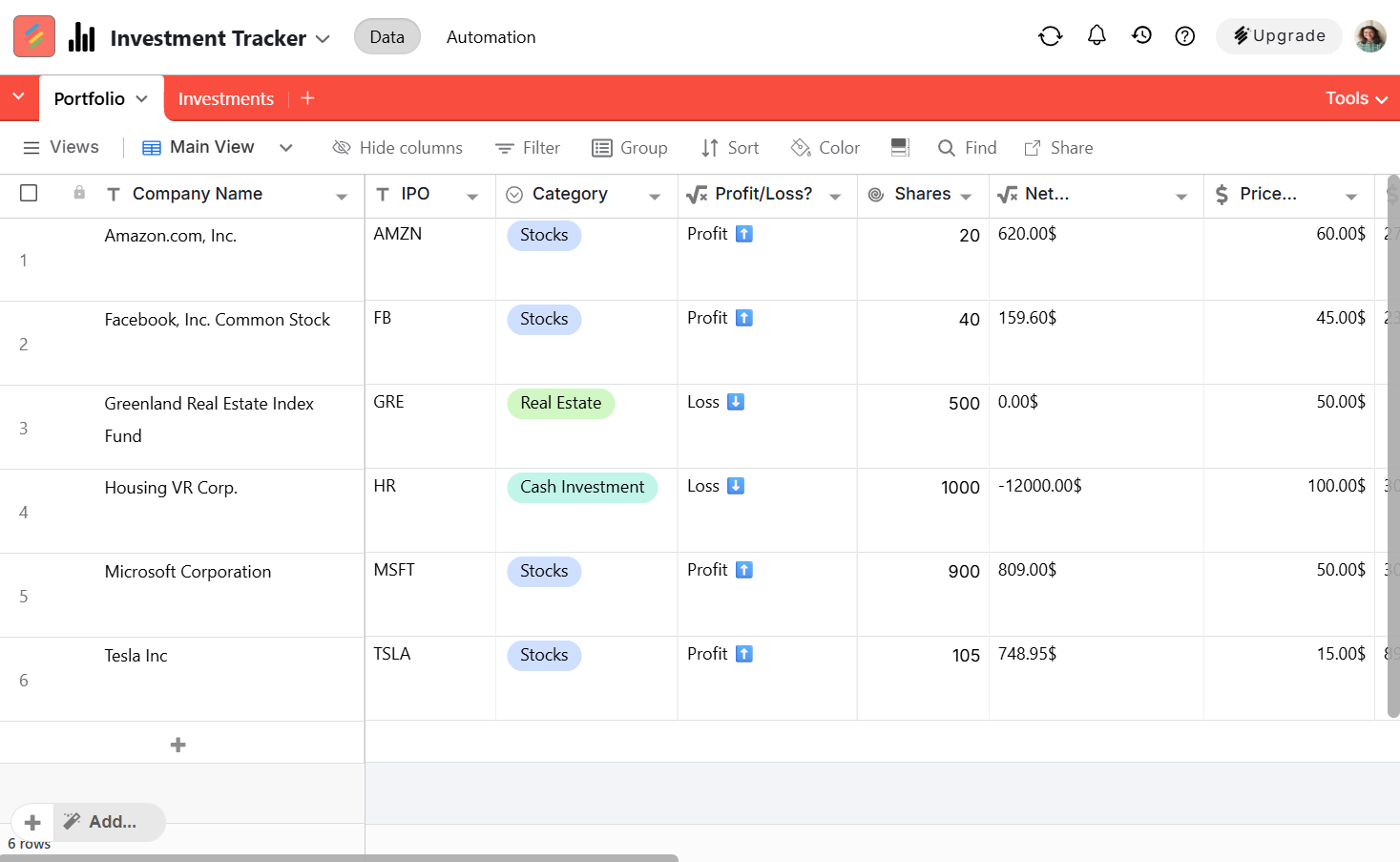
QuickBooks and Xero both have solid AI layers now. Automatic transaction categorization, anomaly flagging, cash flow projections. If you're still manually reconciling expenses every month, this category alone can save you 4-6 hours monthly.
Affordable AI software for small business accounting has genuinely matured. A few years back this space was clunky and unreliable. Today it works well enough that skipping it is leaving real money and time on the table.
Inventory and Operations
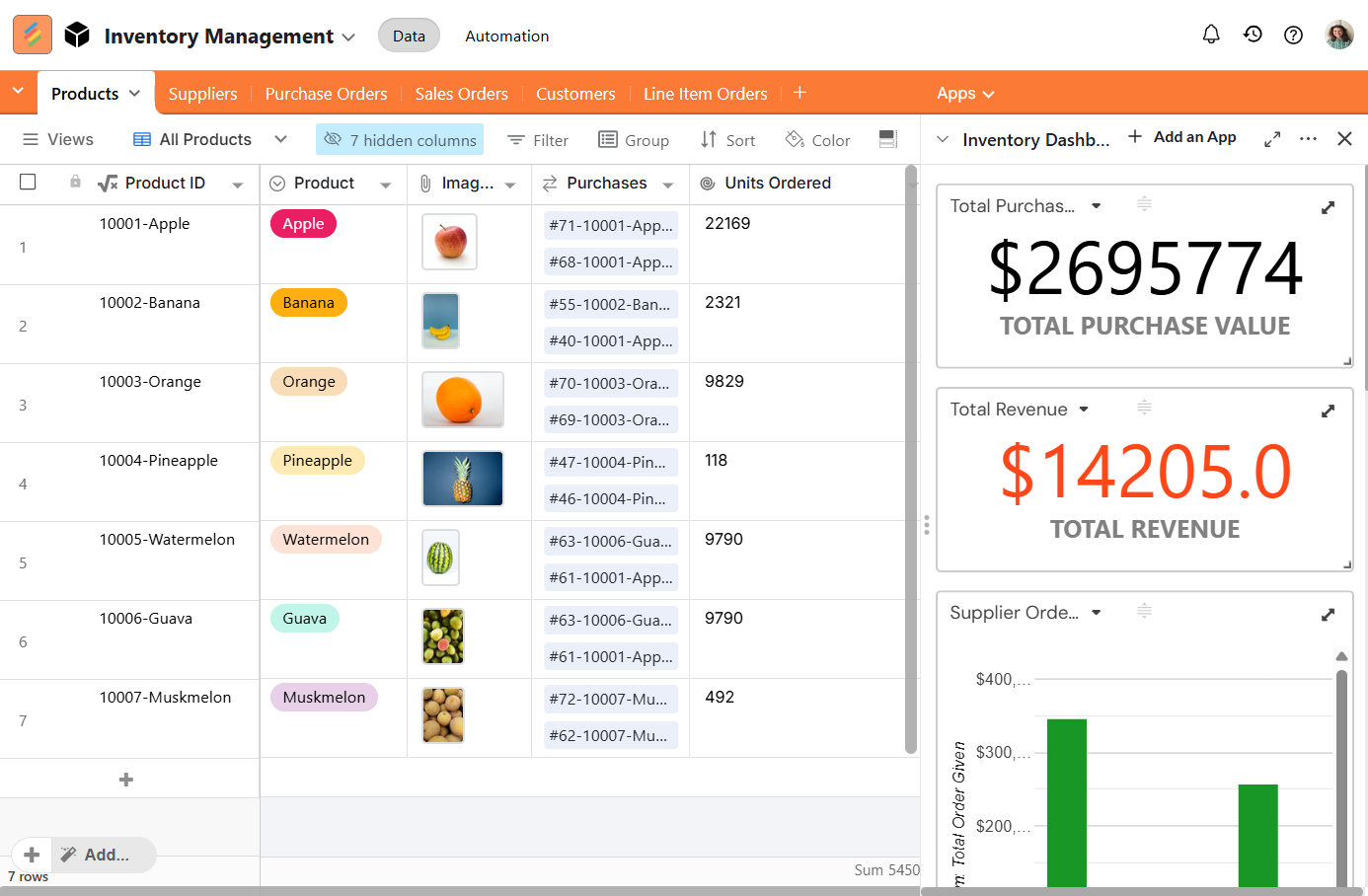
For product businesses, AI is increasingly showing up in demand forecasting, reorder automation, and supplier coordination. Shopify Magic handles basics for ecommerce. Cin7 goes deeper for multi-channel inventory. Not every tool here is ready for prime time, but the trajectory is clear.
Sales and Lead Management
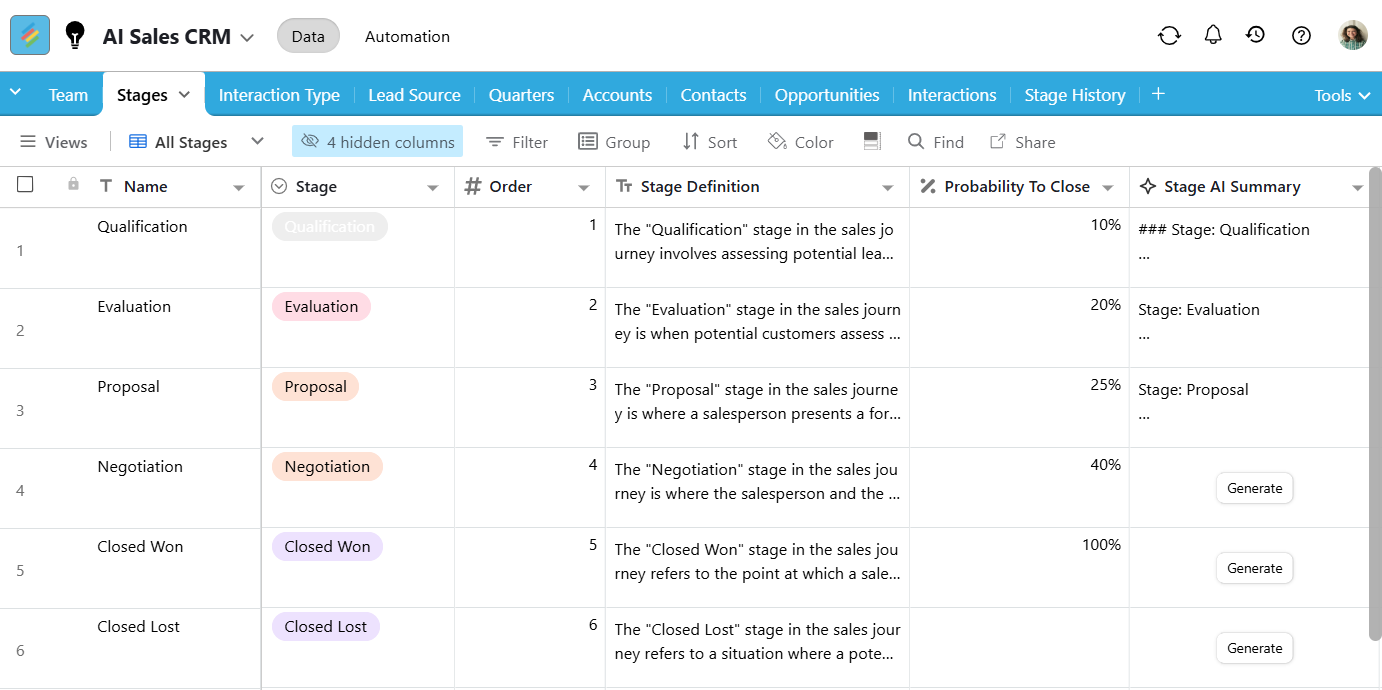
AI can qualify incoming leads, draft personalized outreach emails, summarize sales calls, and even update your CRM automatically after customer interactions. Instead of spending hours on administrative work, sales teams can focus on building relationships and closing deals.
Data and Workflow Management
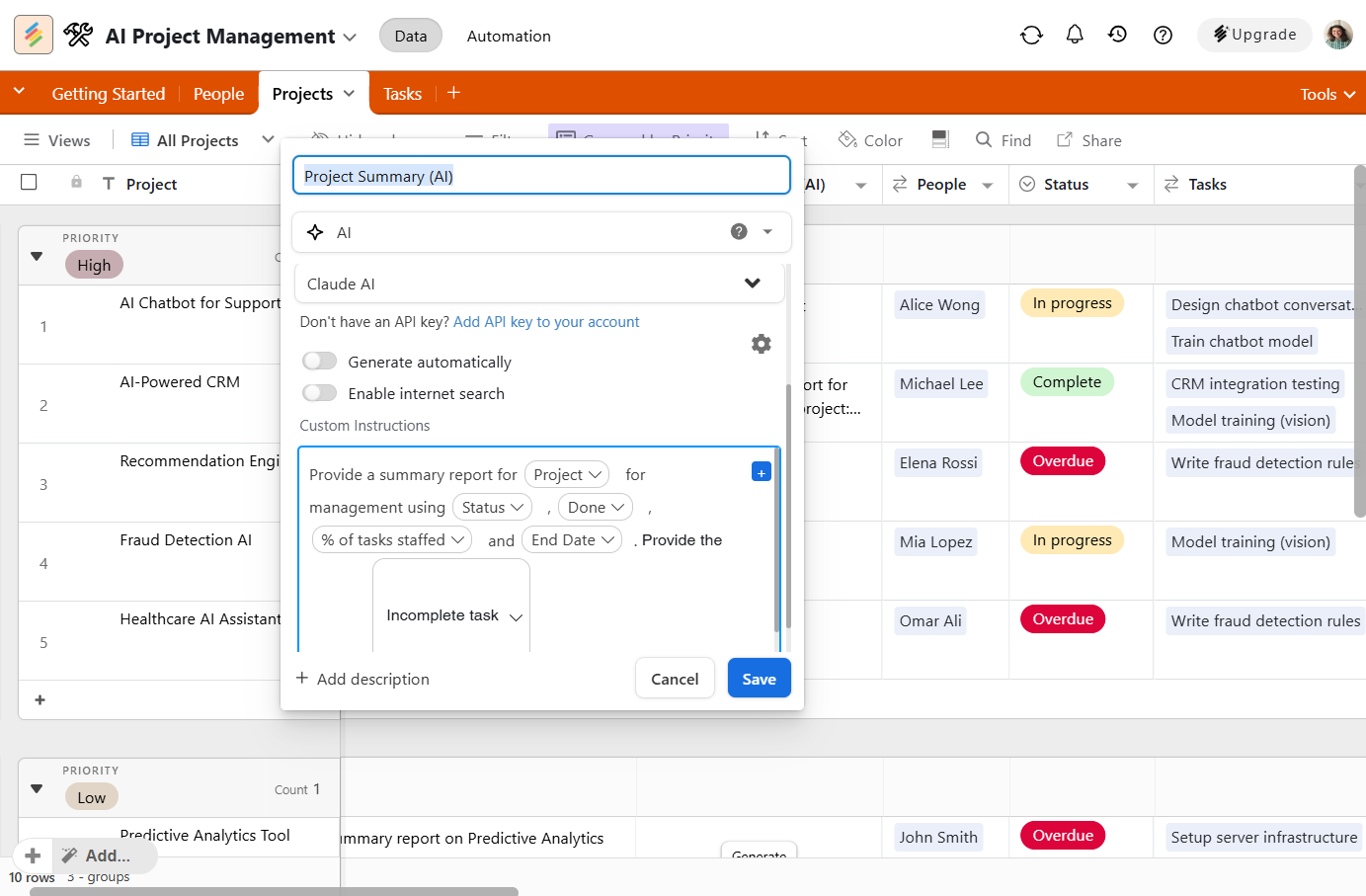
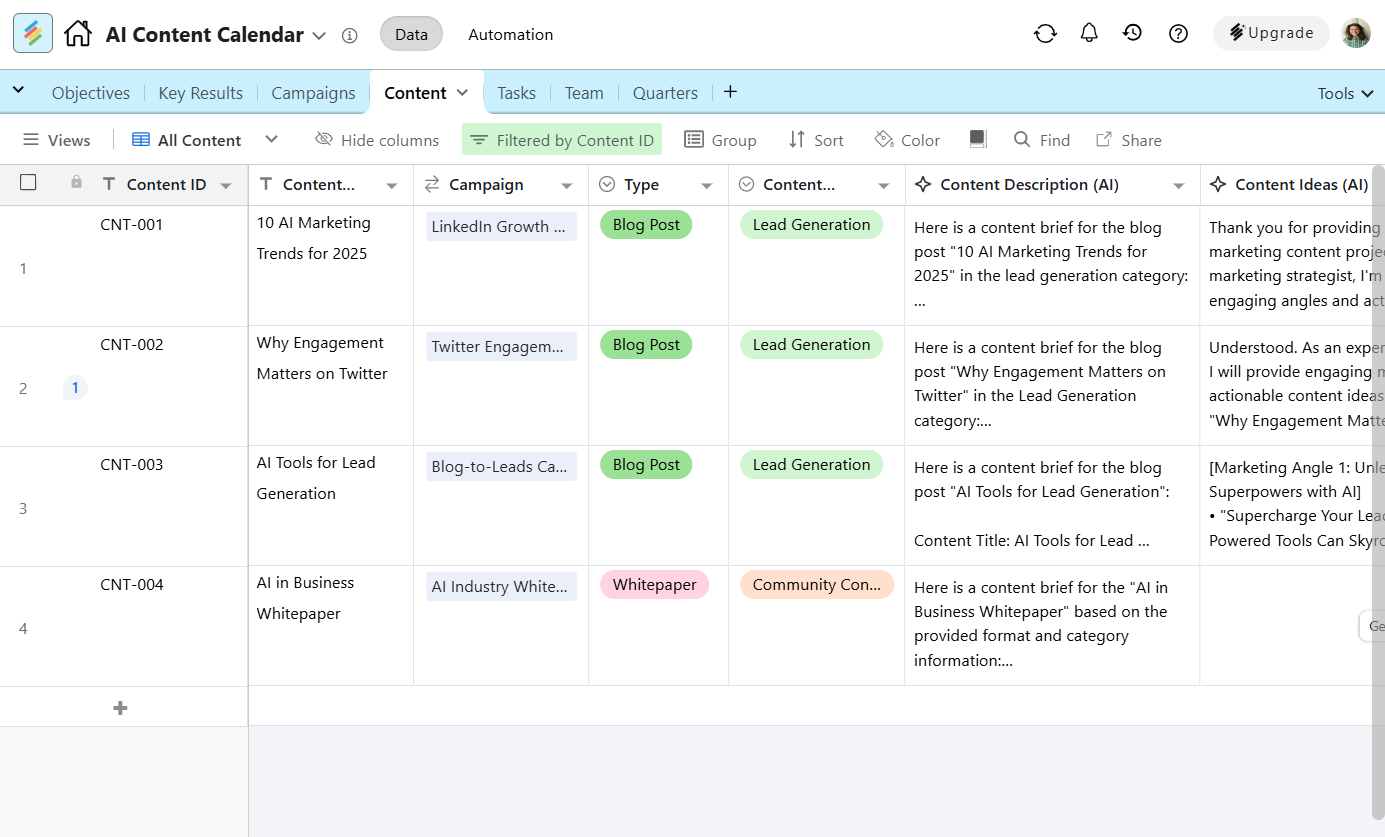
This is often where the biggest long-term gains happen. Instead of juggling disconnected spreadsheets and manual updates, businesses can centralize projects, customers, and operational data in AI-powered platforms like Stackby. Add automations, AI Fields, or AI Co-Builder where they make sense, and routine work starts happening with far less manual effort.
Best AI Tools for Small Business by Function
Real numbers. Not "contact for pricing."
A few things worth saying plainly. Most free tiers are too limited for real business use. A practical starter stack (content tool + support bot + scheduling AI) will run you $80-150/month. That's less than one hour of freelancer time weekly and the ROI math is pretty straightforward.
The smb ai guide principle that actually matters: if you can't measure the impact after 60 days, that tool isn't working for you yet. Track something. Time saved, tickets deflected, conversion rate on AI-generated copy. If there's no number to point to, you're probably not using it right.
How Stackby Helps With AI-Powered Small Business Operations
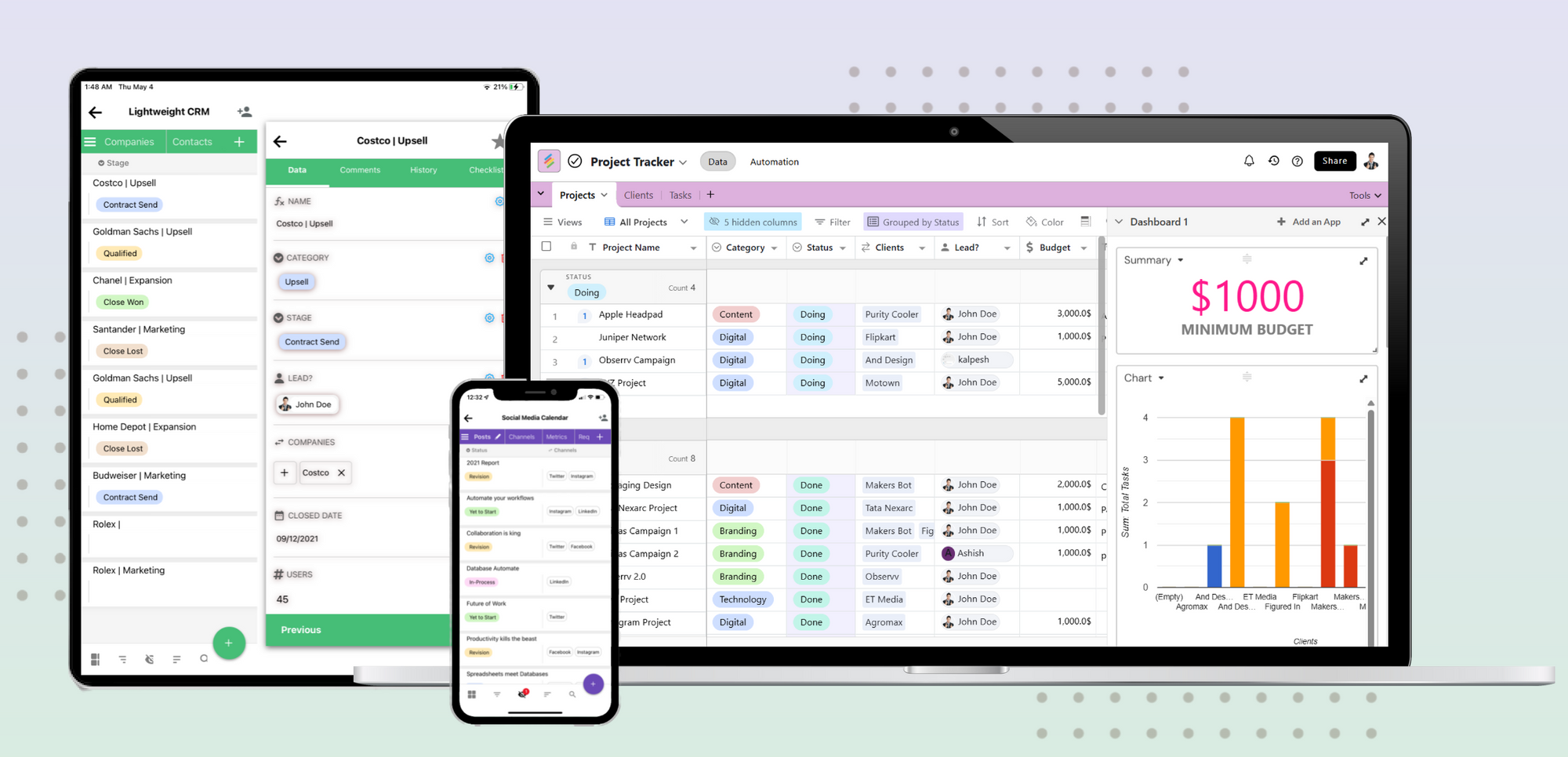
Most small businesses run their data across a patchwork of spreadsheets, shared folders, and that one project doc everyone stopped updating six months ago. Layering AI on top of that mess doesn't fix anything. It makes the chaos faster.
Stackby solves the foundational problem first: it's a no-code platform that combines spreadsheet flexibility with proper database structure and API connectivity. Think of it as a spreadsheet that actually knows how to talk to your other tools, without anyone needing to write code to make that happen.
Here's what makes it specifically relevant when you're building an AI-powered operation:
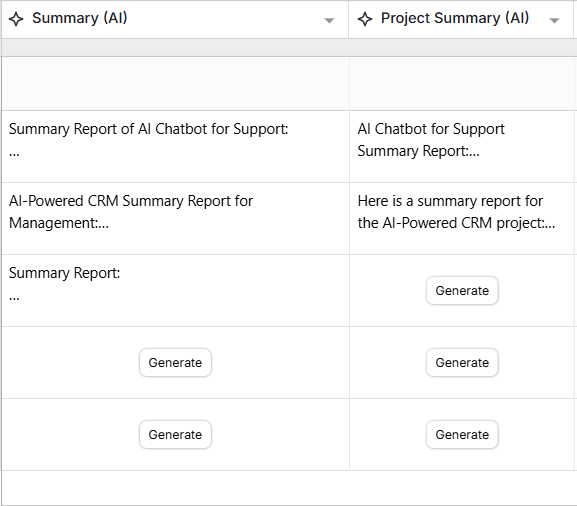
- AI column types - Add AI-generated fields directly inside your data tables. Summarize support tickets, classify incoming leads, generate product descriptions at scale, right inside your workspace.
- 30+ native integrations - Connect to your CRM, marketing tools, forms, and communication apps. Data flows where it needs to go without manual copying.
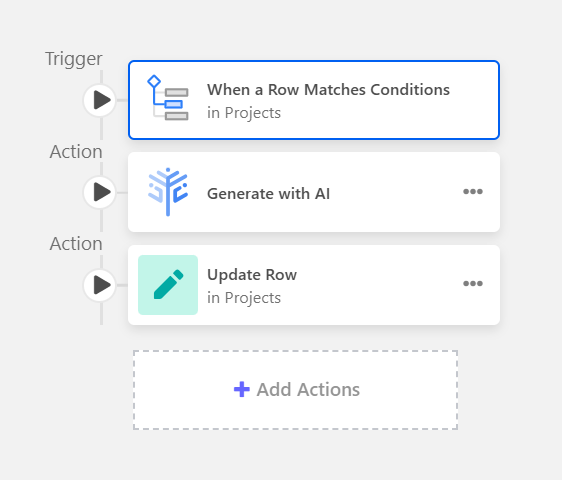
- Workflow automation - Set triggers across your database tables. When a lead hits a certain status, automatically generate a follow-up draft. When inventory drops below a threshold, flag it for your ops team.
- Prebuilt templates - Start with a template for client tracking, content calendars, product databases, or project management. Customize from there.
- Granular permissions - Your team sees what they need to. No accidental overwrites on the client database mid-campaign.
For a small team trying to bring AI operations together without hiring a technical person, this is one of the more practical options available right now. It's flexible enough to grow with you, and the starting point isn't intimidating.
Schedule Demo Now to see how it fits your specific workflow, or jump in directly with a Free Signup and start from one of the prebuilt templates.
Your AI Implementation Roadmap
This is the part that separates businesses that actually use AI from those who bought subscriptions and then quietly went back to their old processes.
Weeks 1-2: Audit your time drains. List everything your team does manually every week. Rank by hours lost, not by how annoying it feels.
Weeks 3-4: One tool, one use case. Based on your list, identify the highest-priority problem and pick one tool to address it. Just one. Resist the urge to buy five things at once.
Month 2: Measure honestly. Did it save time? Can you put a number on it? "Sort of maybe" means it's either misconfigured or wrong for your workflow. Diagnose before you give up on it.
Month 3 onward: Stack gradually. Add a second tool only after the first is delivering clear value. The most common failure pattern is doing too much too fast, getting overwhelmed, and abandoning everything.
And as you expand into multiple AI functions (content, support, data management), you'll want a central place where those outputs connect. Running AI in silos defeats the point. A tool like Stackby becomes less optional here - connecting your workflows to a shared data layer means you're building something coherent, not just collecting subscriptions.
Common Mistakes Small Businesses Make With AI
Let's name some things that go wrong regularly.
1. Buying tools seen in an ad. The AI tool market is flooded right now. Before spending $50/month on something, find someone who's used it in a comparable business and ask them directly. Demo videos are not evidence of real-world performance.
2. Ignoring data quality. AI is only as good as the information it works with. If your CRM has 2,000 duplicates and your inventory sheet hasn't been touched since Q2, AI won't save you. It'll just produce confident-sounding garbage at higher speed. Fix your data foundations first.
3. Expecting zero maintenance. AI chatbots drift. Content tools produce off-brand outputs when models update. Someone on your team needs to own this, even part-time. This ongoing maintenance cost is the most underestimated part of AI adoption. Budget time for it, not just money.
4. Not training the team. Buying an AI writing tool and hoping everyone figures it out isn't a strategy. Run a 30-minute session. Share your best prompt templates. Show examples of good outputs versus bad ones. That investment pays back in the first week.
Conclusion
The businesses getting real results from AI right now aren't the ones who bought the most tools. They're the ones who picked a problem, solved it properly, and built from there. That's a strategy any small team can execute.
If you're ready to bring your workflows, data, and AI integrations into one organized place, Stackby is worth a serious look. You can Schedule Demo Now to see how it fits your operation, or grab a Free Signup and start building your AI-powered operations stack today.
Frequently Asked Questions
What exactly is AI for small business and how do I start?
AI for small business means using artificial intelligence tools to automate repetitive tasks, improve decision-making, and save time across areas like marketing, support, finance, and operations. The best starting point is identifying one specific, high-friction task your team repeats every week, and solving that first before building anything broader.
A useful prompt to try in ChatGPT or Claude: "Best AI tools for small business marketing" - adjust for your specific function and you'll get surprisingly targeted recommendations.
How can AI improve customer service for small businesses?
Significantly. A well-configured AI chatbot can handle returns, shipping questions, FAQs, and appointment bookings 24/7 without human involvement. Tools like Tidio, Intercom, and Freshdesk all have AI tiers built for small business scale. The prerequisite is having a clean, organized knowledge base. Without that, the bot will make things up, and that's worse than no bot at all.
Try this prompt to research your options: "How can AI improve customer support for a small online store?"
What are the most affordable AI tools for content creation?
For most small budgets, ChatGPT Plus at $20/month and Canva AI at $15/month cover the majority of content creation needs. Writesonic's entry plan runs about $19/month and handles longer-form drafts well. If you're starting with zero budget, the free tiers of ChatGPT and Canva are more capable than most people realize.
A good starting prompt: "What are the most affordable AI tools for content creation for a small marketing team?"
Can AI actually help with small business accounting?
Yes, and it's mature enough to trust. QuickBooks Online, Xero, and FreshBooks all include AI-assisted features for transaction categorization, cash flow forecasting, and expense flagging. Try searching: "Affordable AI software for small business accounting" to compare current plans and features before committing.
How does AI help with lead generation for small sales teams?
For small teams, the biggest wins are AI-powered lead scoring and automated follow-up sequences. Tools like HubSpot's free CRM tier, Apollo.io, and Clay use AI to surface high-probability leads from your existing data and suggest timing for outreach. A practical prompt to explore this: "What are the benefits of using AI for lead generation in a small sales team?"
Where can I find AI solutions for small business inventory management?
Shopify Magic covers basics for ecommerce. For multi-location or more complex inventory, Cin7 and Fishbowl both have AI layers for demand forecasting and reorder automation. Useful prompts for research: "Where can I find AI solutions for managing small business inventory?" and "Top AI platforms for automating small business operations" both return solid current comparisons.