MCP Tools for Business Teams: What They Are and Why They Matter [2026]
MCP (Model Context Protocol) tools enable AI assistants to securely access business applications, data, and workflows. This guide explains what MCP tools are, how they work, their business benefits, real-world use cases, and why they're becoming essential for modern, AI-powered teams.
![MCP Tools for Business Teams: What They Are and Why They Matter [2026]](/blog/content/images/size/w1200/2026/06/MCP-Tools-for-Business-Teams.png)
Most business teams are drowning in disconnected tools. Your CRM is here. Your project tracker is over there. Your AI assistant is genuinely smart but completely blind to any of it. That gap is exactly what MCP tools for business are designed to close.
The Model Context Protocol, introduced by Anthropic in late 2024, is an open standard that lets AI systems plug into your actual business data - databases, spreadsheets, APIs, live project workflows - without custom dev work every single time. It's picked up serious momentum since launch, and in 2026, it's becoming a real factor in how teams evaluate AI tool integration.
If you're running a team and trying to figure out how AI fits into your actual day-to-day work (not just chatbot demos), this is worth understanding. We'll cover what MCP is, why non-developers should care, how it compares to traditional APIs, and how Stackby fits your AI stack to real business data. Let's get into it.
What MCP Is (And Why the Name Doesn't Help)
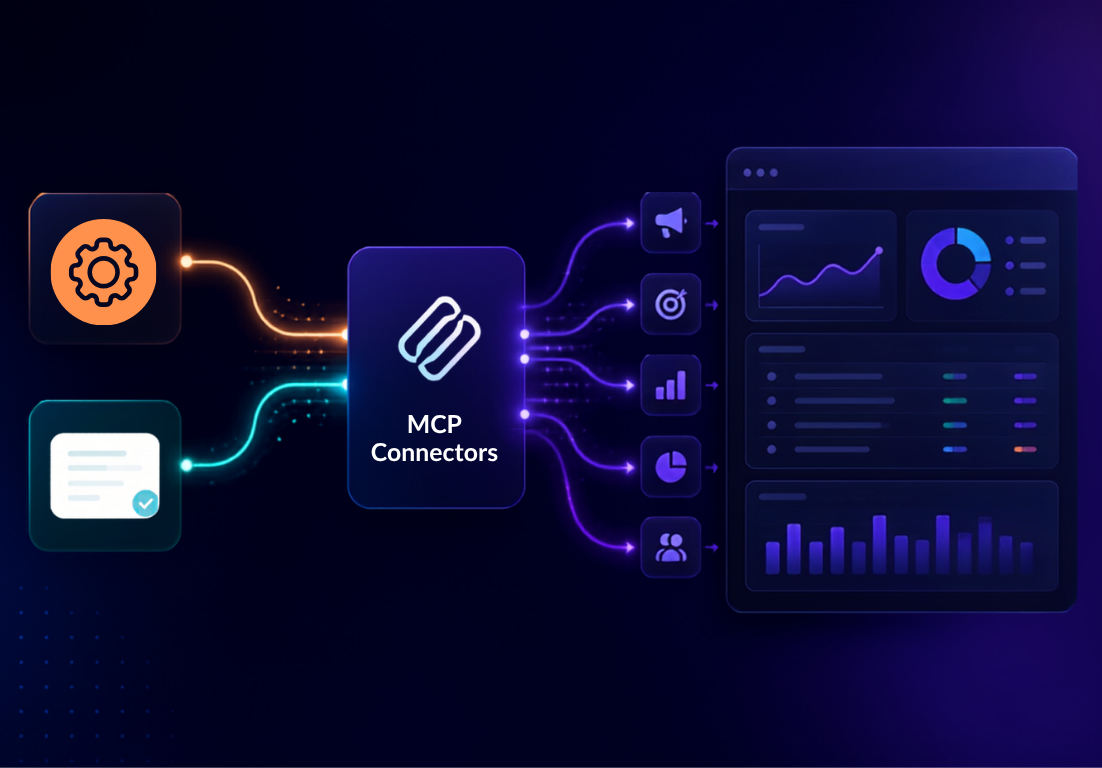
"Model Context Protocol" sounds like something a developer mutters before your eyes glaze over. So ignore the name for a second.
Here's what it actually does: it creates a universal bridge between AI models and your data sources. Think of it like the USB standard. Before USB, every device needed its own proprietary connector. After? One standard works everywhere. MCP is effectively the USB port for connected AI applications.
Without MCP, connecting an AI assistant to your business database requires custom code for every single connection. With it, any MCP-compatible AI tool can talk to any MCP-compatible data source - your spreadsheets, your CRM records, your project management data - right out of the box. That's the core idea. Simple, honestly. And the business implications are bigger than they first appear.
Why Non-Technical Teams Should Actually Care
Your ops manager shouldn't need to file a dev ticket every time they want an AI to pull from the project tracker. Your marketing team shouldn't be copying CRM data into a chat window just to get a summary. These are real, daily frustrations - and the right mcp tools for business solve them at the infrastructure level rather than with more duct tape.
A few things that genuinely shift when your AI has proper context:
- AI responses become relevant to your data, not just generic training knowledge
- Automations reflect live project statuses, not stale Monday-morning exports
- Your team stops switching between five tools just to answer one question
- Business process automation becomes something you can actually build without an engineer in the room
The thing is, most teams are still doing this manually in 2026. Copy the data. Paste it in. Ask the AI. Paste the answer back. It's tedious, it doesn't scale, and honestly it's a waste of people who should be doing more valuable work. Model Context Protocol changes the underlying plumbing so the AI meets your data where it already lives.
MCP vs APIs: What's Actually Different
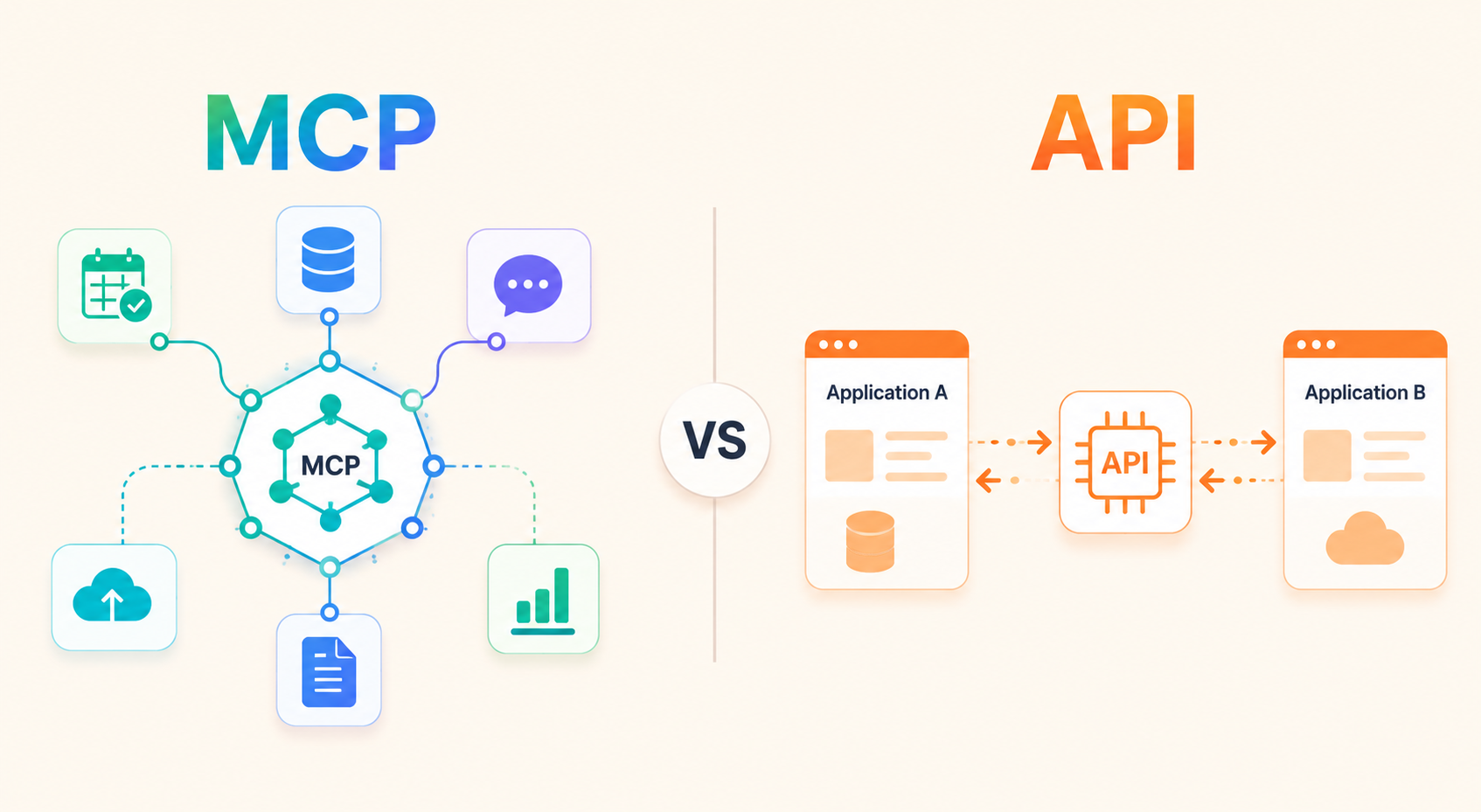
This is the question most people have, and it deserves a straight answer.
APIs are specific. You build one integration between Tool A and Tool B, it works - but only for that pair. Want Tool A to talk to Tool C? Build another integration. It's one-to-one, and maintaining a web of them is a genuine headache. (Ask any ops team that's inherited a Zapier account with 200 Zaps, half of which nobody knows the purpose of anymore.)
MCP is standardized. One protocol, multiple connections. An MCP-compatible AI tool can access any MCP server without bespoke code each time. It's closer to a one-to-many architecture, and that distinction matters at scale.
Does that mean APIs are obsolete? No. MCP often runs on top of existing APIs. But for AI workflow automation specifically, MCP is a much cleaner approach. The old way still works - it just doesn't age well.
Real Use Cases for Business Teams
Let's talk about where this actually shows up day-to-day.
1. Project management teams can connect an AI to live task data. Ask "what's overdue this sprint?" and get an answer based on actual current states - not a spreadsheet exported last Tuesday. If your team is using Stackby for project management, this kind of real-time AI access becomes useful fast.
2. Sales teams can query CRM records through an AI without leaving their current tool. "Summarize the last four touchpoints with this account" - and it pulls the actual data, not a generic template.
3. Marketing teams can link campaign performance data to their AI assistant, so recommendations are based on your numbers. Not hypothetical industry benchmarks.
4. Finance and ops get arguably the biggest win. Connecting budget trackers, vendor records, and project cost sheets to an AI model means faster analysis. Fewer "let me pull that report and get back to you" delays. Your Stackby 'CRM Template' or 'Content Calendar' becomes something an AI can actually reason about, not just a place to store rows.
The common thread across all of these: AI workflow automation stops being a demo and starts being infrastructure.
How Stackby Helps With MCP Tools for Business
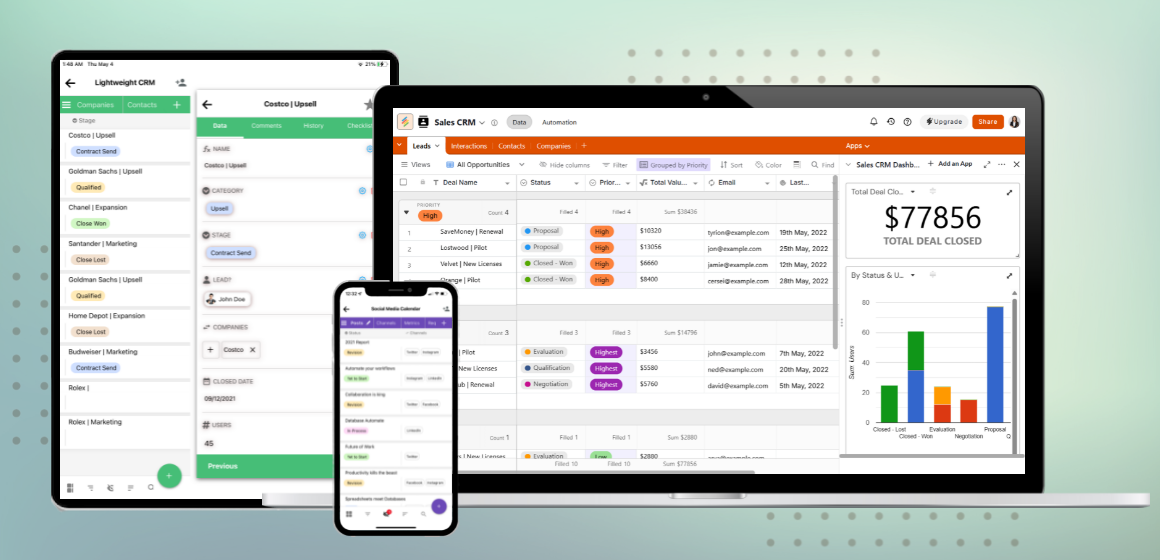
Stackby sits in an interesting position here. It's not a pure MCP server - it's a no-code database and project management platform that blends spreadsheet flexibility with relational database structure. And that combination is exactly what MCP-ready AI needs underneath it: clean, structured, accessible data.
When your business data lives in Stackby's tables - whether that's a resource planning tracker, a vendor database, or a workflow automation template - it's already organized in a way that AI tools can work with meaningfully. Pair that with Stackby's API connectivity and you've got a solid foundation for real model context protocol business workflows without involving a developer every time.
Specific features that matter here:
- API access: Connect Stackby bases to external AI tools and MCP-compatible systems. No backend code required.
- Formula and filter columns: Keep your data clean and queryable. Accurate AI context depends on this more than most people realize.
- Role-based permissions: Control exactly what AI tools can access. Critical once you're operating at any scale.
- Ready-made templates: Start from an existing structure rather than building from scratch. Check the Stackby guides for setup walkthroughs.
Check Stackby Pricing if you're evaluating plans - there's a free tier to start with, and paid plans unlock API access at a level where MCP integration becomes practical. For teams that want to talk through a specific setup, Contact to Sales and they can walk you through what a realistic configuration looks like for your current stack.
Get a Free Signup and connect your AI stack to Stackby data - your first base takes about 10 minutes to set up.
What to Look for When Evaluating MCP Tools
Not all implementations are equal. A few things actually worth checking before you commit:
- Data freshness. Does the connection pull live data or a cached snapshot? Real-time matters for operations teams - a 6-hour delay makes the "AI with context" pitch fall apart pretty quickly.
- Permission controls. Can you limit what the AI sees at a granular level? You don't want an AI assistant surfacing sensitive financial data to anyone who asks nicely.
- Non-developer access. If your team can't actually configure it themselves, it won't get configured. That's just reality. Look for no-code setup paths.
- Integration breadth. How many tools connect out of the box? A narrow MCP server that only handles one data source isn't worth much if your business runs on five.
Stackby's API integration guide walks through connecting your data to AI tools step by step - worth bookmarking if you're actively evaluating options.
Conclusion
MCP tools for business aren't a future-state concept. They're a practical layer that connects AI models to real operational data right now, and teams that get this right are building a meaningful workflow advantage.
The shift from "AI as chatbot" to "AI with actual business context" is underway. The teams pulling ahead are the ones with clean data, smart permissions, and the right tools underneath - the kind of structured, flexible setup that Stackby is built to provide.
Model Context Protocol is an open standard that lets AI models connect to live business data without custom dev work per integration
MCP tools work best when the underlying data is structured and accessible - exactly what Stackby is designed to support
Non-technical teams can get started without a developer, especially with platforms that offer no-code API access
Ready to connect your business data to AI? Get a Free Signup and see how your workflows look when your AI finally has the context it needs.
Frequently Asked Questions
What are MCP tools for business, exactly?
MCP tools are software systems built on the Model Context Protocol standard, which lets AI models access and reason about real business data - databases, spreadsheets, project trackers - in a standardized way. For business teams, they make AI assistants actually useful for operational work instead of just general Q&A.
Do I need a developer to use MCP tools?
It depends on the tool. Many MCP servers still require technical setup. But platforms like Stackby lower the bar significantly by providing structured data access through an API that non-technical users can configure. Always check whether the tool you're evaluating has a no-code path.
How is MCP different from automations like Zapier?
Zapier automates specific task sequences - trigger X, do Y. MCP is about giving AI models live context - access to your data so they can reason about it, not just move it around. They solve different problems. Plenty of teams will end up using both.
Is the Model Context Protocol widely adopted?
It's gaining fast. Anthropic introduced it as open-source, and a growing list of enterprise platforms have added MCP compatibility. By mid-2026, it's becoming a genuine factor in AI tool evaluation, especially at the enterprise level. Not universal yet, but the trajectory is clear.
Can Stackby connect to AI tools through MCP?
Yes. Stackby's API allows external AI and MCP-compatible tools to access your Stackby data directly. Setup documentation covers the configuration, and the sales team can demo specific workflow setups if you want to see it working before committing.
What's the most common mistake teams make when deploying AI context tools?
Not cleaning up their data first. Messy databases with inconsistent naming, empty columns, and mixed formats will produce messy AI outputs. Spend 20 minutes on data hygiene before connecting anything - it makes a disproportionate difference.