
Supplier Portal: What It Is and How to Build One Without Code
A supplier portal helps businesses manage vendor onboarding, purchase orders, invoices, compliance documents, and approvals in one centralized workspace.
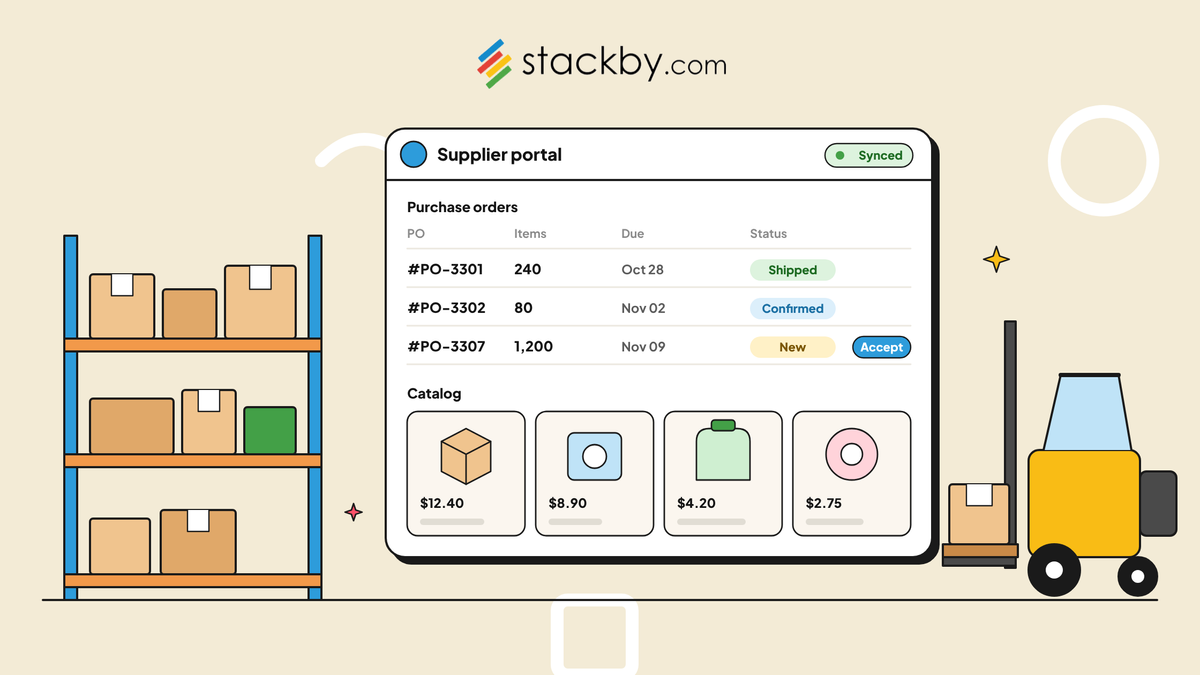
Procurement teams lose roughly a full day each week chasing suppliers for updates, invoices, or documents that should've been self-serve from day one. Ask anyone who's managed vendors and they'll tell you the same story. A supplier portal fixes this by handing vendors their own login so they can submit, track, and update information themselves, no email thread required.
You're probably reading this because spreadsheets stopped cutting it. Maybe you've got 40 suppliers and zero central place to see who submitted what. Maybe your team is exhausted from explaining the same onboarding steps to every new vendor for the tenth time this quarter.
This piece covers what a supplier portal actually does, who needs one, and how platforms like Stackby let you build one without writing a single line of code. No developers. No six-month rollout. Just a working portal by Sunday night, sometimes faster.
What Is a Supplier Portal, Exactly?
A supplier portal is a shared digital space where vendors and your internal team trade information, documents, and updates without touching email or picking up the phone. Picture a dedicated login for each supplier, one where they submit invoices, check payment status, update company details, or respond to purchase orders directly.
It's not a glorified file-sharing folder. A real supplier portal includes:
- Secure, role-based access: Suppliers see their own data only, never another vendor's pricing or orders.
- Document uploads: Compliance certificates, tax forms, insurance proof, and product catalogs.
- Order visibility: Suppliers track purchase order (PO) status without contacting your procurement desk.
- Communication history: Updates are logged in one place instead of buried across a dozen inboxes.
- Approval workflows: New supplier applications and document changes are routed to the right person automatically.
Here's where people get it wrong. Companies lump this in with an ERP module or a full procurement suite, when they need neither. A well-built supplier portal is a structured database with controlled access points. That's exactly why no-code tools fit this job so well.
Why Your Business Actually Needs a Supplier Portal
Say you're running a mid-size manufacturing company with 60 active suppliers spread across three countries. Every onboarding cycle means collecting tax documents, banking details, compliance certificates, and product specifications, usually through a tangle of email attachments and shared drives nobody can locate six months later.
A supplier portal collapses that mess into one system. And the payoff goes beyond saving time, though that part is real.
Fewer errors from manual data entry: When suppliers input their own information, nobody on your team needs to retype it into a spreadsheet and risk entering incorrect details.
Faster onboarding: A structured intake form with conditional logic can help new vendors complete onboarding more efficiently than a two-week email thread.
Better compliance tracking: Expired certifications are a quiet risk in many procurement operations. A portal with automated reminders can flag these before they become a problem, rather than after an audit catches them. A vendor assessment template can help procurement teams organize supplier evaluations, compliance checks, and approval criteria.
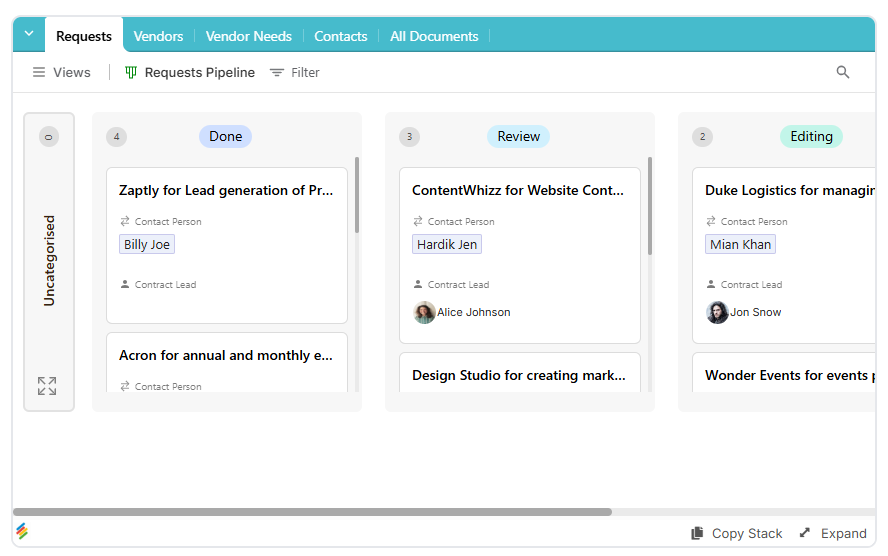
Stronger supplier relationships: Vendors want visibility too. Checking payment status or order history themselves, instead of waiting for a reply, builds trust.
This runs on the same logic as building a no-code client portal, just pointed the other direction. Instead of giving clients visibility into their projects, you're giving suppliers visibility into orders, payments, and documentation. The underlying structure is similar.
Core Features Every Supplier Portal Needs
Not every business needs identical capabilities, but a handful of features show up again and again, whether you're in retail, manufacturing, healthcare supply, or logistics.
1. Onboarding Forms and Document Collection
New suppliers need a structured way to submit business details, banking information, and compliance documents. A good supplier onboarding portal with forms and documents replaces the usual PDF attachment chaos with a guided form that routes submissions straight into your database.
2. Purchase Order Management
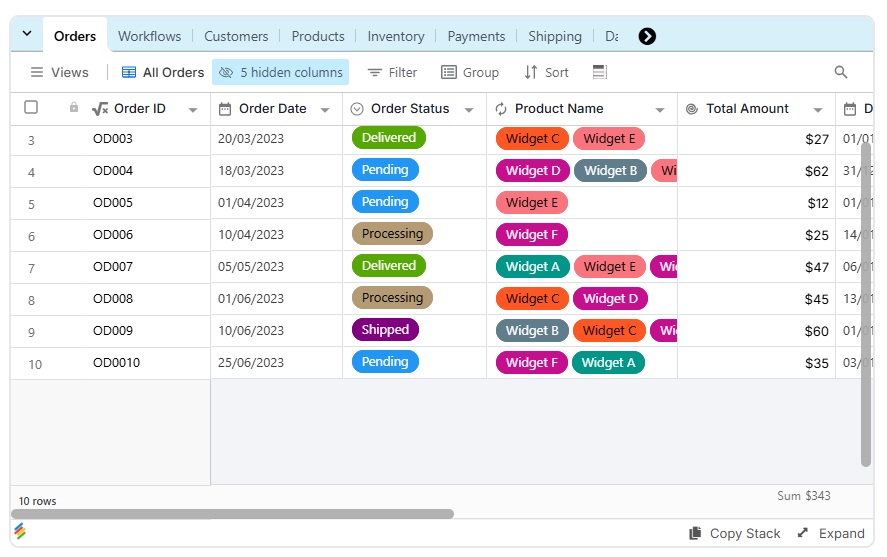
Suppliers should be able to see open purchase orders, confirm receipt, and update delivery status without making a phone call. A supplier portal for purchase order management turns manual follow-ups into a more organized process with clear order visibility. A order management can help teams organize procurement steps, responsibilities, and order-related records.
3. Document Management and Expiry Tracking
Certificates, contracts, insurance documents, and tax forms all need a central location. A supplier document management portal keeps these records organized and can flag documents nearing expiration, rather than relying on someone to remember a quarterly spreadsheet check.
4. Approval Workflows
New vendor applications, pricing changes, and document updates often need sign-off from someone on your team. Supplier approval workflow software routes requests to the right approver without manual follow-ups, helping prevent requests from sitting untouched in someone's inbox.
A order management portal can help teams collect purchasing requests and organize them for review.
Supplier approval processes can benefit from workflow automation, particularly when requests need to pass through several reviewers.
5. Performance Dashboards
Tracking on-time delivery rates, quality scores, and response times gives your team a clearer picture of supplier performance. Adding a custom database dashboard to your supplier management system helps identify which vendors consistently deliver and which may need attention.
How to Build a Supplier Portal Without Code
Building a supplier portal without code isn't about grabbing a template and hoping it fits your business. It's a structured process that depends on your supplier base, data requirements, and approval procedures.
Step 1: Map Your Supplier Data
List every field you need, including company name, contact information, payment terms, document types, and order history. This becomes the foundation of your database structure. Understanding what a database is and how it organizes information can help you plan the structure of your supplier records.
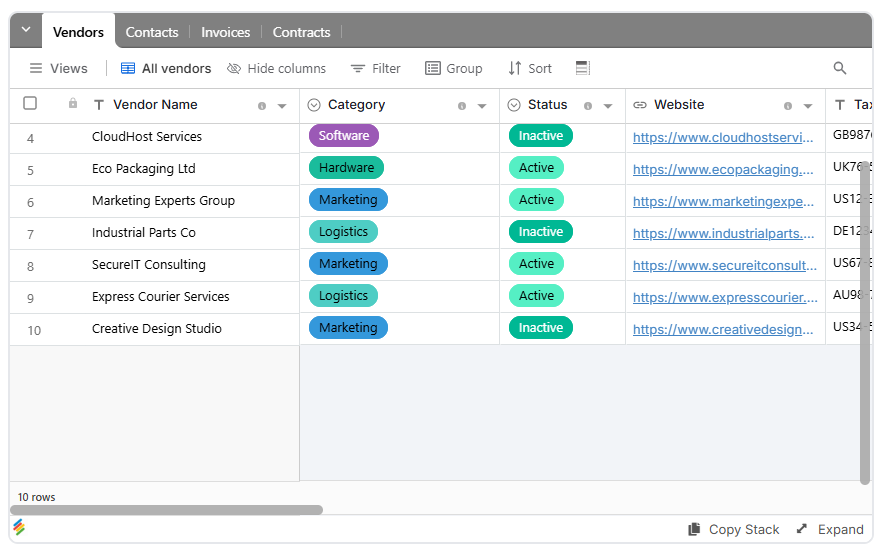
A vendor portal can help organize supplier details, contacts, and related management records in one place.
Step 2: Build the Database Tables
Create linked tables for suppliers, purchase orders, and documents so related records stay connected. A structured database makes it easier to track supplier details without maintaining duplicate information across multiple spreadsheets.
Teams evaluating database options can review free database software to understand the features available for organizing supplier records.
Step 3: Design the Intake Forms
Use forms in a database to let suppliers submit invoices, update contact details, and upload compliance paperwork directly. Conditional fields can display relevant questions based on supplier type or submission requirements.
Step 4: Configure Permissions
Decide exactly what each supplier can see and edit. Use selective data sharing to help protect confidential information, such as pricing, purchase orders, and supplier-specific records.
Before launch, test permissions with separate supplier accounts to verify that vendors cannot access information belonging to other suppliers.
Step 5: Invite Your Suppliers
Once the database, forms, and access rules are ready, invite the relevant users. Stackby's workspace invitation guide explains how workspace invitations work.
Start with a small group of suppliers, collect feedback, and refine the process before expanding access to your entire vendor network.
If you've already looked into how to create a client portal, many of the steps will feel familiar. Both systems rely on structured data and controlled external access, although supplier portals require additional attention to procurement records and vendor permissions.
Supplier Portal Software: Comparing Common Options
The tool you pick matters more than most people assume. Some platforms are built for enterprise procurement teams with substantial budgets, while others offer flexible databases and no-code tools for smaller operations.
The following table outlines general differences between common approaches. Setup times, pricing, permissions, and feature availability vary by provider, plan, and implementation requirements.
Cost versus flexibility is where the gap really shows. ERP modules offer extensive capabilities but can require significant implementation work. Smaller teams may not need that level of complexity when their immediate goal is to organize supplier records, documents, and approvals.
No-code database platforms can offer a more flexible starting point. Smaller procurement teams can also review database software for small businesses when choosing a platform that fits their operational needs. However, the right choice depends on the level of access control, integration, automation, and compliance your supplier operations require.
How Stackby Helps With Supplier Portal Management
Stackby combines structured databases with no-code tools that can support supplier management workflows. For teams managing vendors through spreadsheets and email, these capabilities can help bring related information into one organized workspace.
Stackby's database and workflow tools bring structured records, views, and automation capabilities together in one workspace.
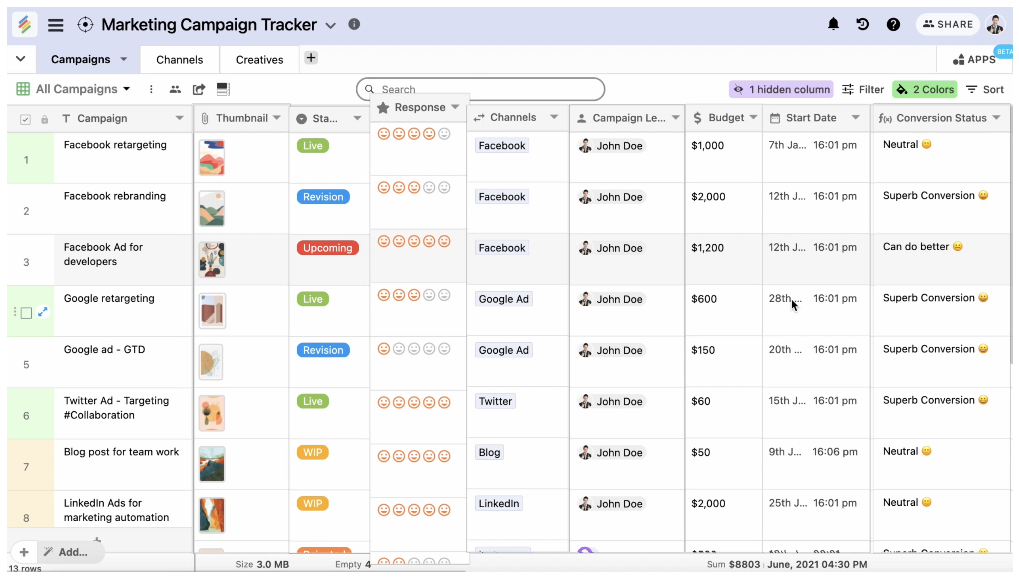
- Linked tables: Connect suppliers, purchase orders, and documents so related records remain organized and easier to track.
- Forms with conditional logic: Create supplier intake forms that adapt to different requirements, such as separate document checklists for domestic and international vendors.
- AI Field Agents and Document AI: Depending on the available features and plan, AI-powered document processing can help extract information from uploaded files and reduce manual data entry.
- Permissions: Configure available access controls to limit who can view or edit specific information. Test supplier-level data isolation before sharing sensitive records externally.
- Automations: Set up supported workflows for reminders, status updates, and approval notifications. Stackby automations can help manage repetitive supplier tasks, including workflow triggers and status updates, depending on the configured setup.
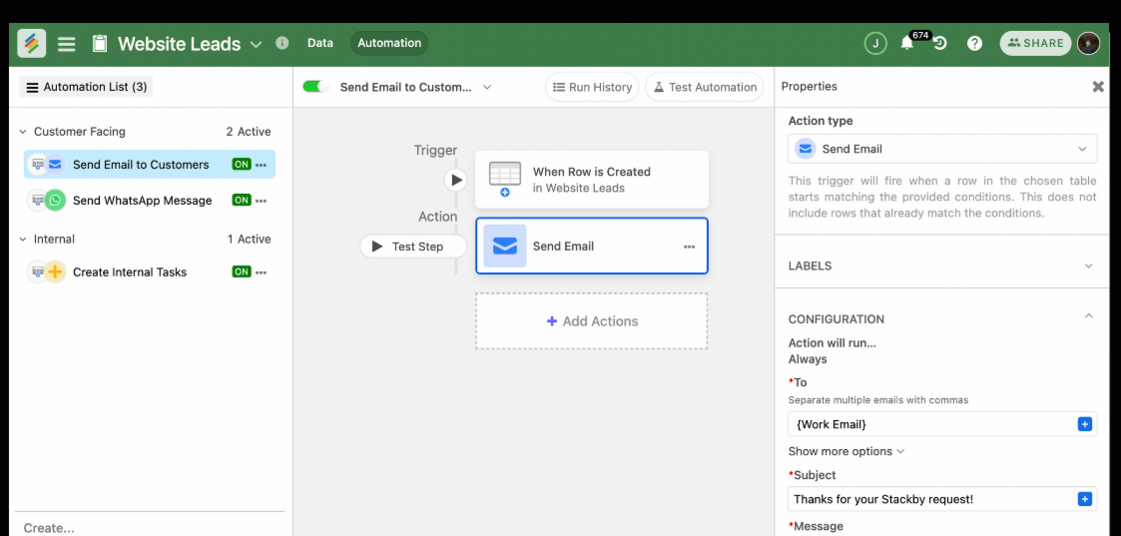
- Timeline and Kanban views: Track purchase orders, onboarding stages, and outstanding tasks in a visual format.
The same relational approach used to build a custom CRM without code can also support supplier management. Instead of organizing customer interactions, the database focuses on vendors, compliance documents, purchase orders, and approvals.
Teams interested in the broader approach can also read about no-code databases and apps.
Visit Stackby to review its database, forms, automation, and collaboration capabilities for supplier management.
Supplier Portals Across Industries
Supplier portals aren't limited to manufacturing or retail. Businesses across industries use supplier management systems to organize vendor information, documentation, and purchasing workflows.
Healthcare
Healthcare organizations work with suppliers of medical equipment, consumables, and other essential products. A supplier portal can help centralize compliance certificates, vendor documentation, and delivery information. Automated expiry reminders can also help teams identify documents that need renewal.
Construction
Construction firms often coordinate material suppliers across multiple active job sites. Each project may have different lead times, pricing arrangements, and delivery schedules. A centralized supplier management portal helps teams organize vendor records and monitor purchasing activity across projects.
E-commerce and Retail
Small e-commerce businesses sourcing from multiple suppliers can benefit from a central place to manage product catalogs, supplier contacts, invoices, and delivery updates. Supplier portal software for small businesses doesn't necessarily need enterprise-level complexity; it needs to support the workflows and data volume the business actually handles.
Manufacturing and Logistics
Manufacturers and logistics companies depend on timely deliveries, accurate product specifications, and current compliance documents. A supplier portal can provide a shared structure for tracking these details and coordinating updates between procurement teams and vendors.
Common Mistakes When Building a Supplier Portal
Even a well-planned supplier portal can fall short if the setup ignores the needs of suppliers and internal users.
Overcomplicating the First Version
Teams sometimes try to implement every feature on day one, including approval workflows, AI document extraction, and advanced dashboards, before any supplier has used the system.
Start with onboarding forms, supplier records, and document uploads. Add more complex workflows once the basic process is working well.
Ignoring the Supplier Experience
A confusing portal can push vendors straight back to email. Keep forms concise, explain required documents clearly, and make the submission process easy to follow.
Overlooking Permission Settings
Giving every supplier the same access level can expose confidential business information. Configure access according to each user's role and verify that suppliers can only access the records intended for them.
Skipping Integration With Existing Systems
A supplier portal that doesn't connect with existing tools may become another disconnected system for employees to maintain.
Consider how it will work alongside your inventory management system and order management system. Check which integrations are available and whether additional configuration is required before committing to a setup.
Failing to Define Ownership
Every portal needs someone responsible for maintaining supplier records, reviewing submissions, handling access requests, and updating workflows. Without clear ownership, outdated records and unresolved approvals can accumulate over time.
Frequently Asked Questions
What is a supplier portal used for?
A supplier portal is used to manage vendor interactions, including onboarding, document submission, purchase order tracking, and compliance monitoring. It brings these activities into a shared, access-controlled system instead of spreading communication across emails and spreadsheets.
Can I build a supplier portal without hiring a developer?
Yes. No-code platforms provide database, form, and automation capabilities that can support supplier management without custom programming. The setup time depends on the complexity of your workflows, integrations, permissions, and data requirements.
What's the difference between a supplier portal and a client portal?
Both portals provide controlled access to information through a shared system. A supplier portal focuses on vendor-facing workflows such as onboarding, purchase orders, and compliance documents. A client portal typically shares project updates, files, and deliverables with customers.
How much does supplier portal software cost?
Pricing varies by platform, plan, user count, and implementation requirements. No-code tools may offer free tiers and paid subscriptions, while enterprise procurement and ERP systems can involve additional implementation, integration, and support costs. Check current vendor pricing before selecting a solution.
Is a supplier portal the same as an ERP system?
No. An enterprise resource planning (ERP) system manages multiple business functions, such as finance, inventory, and operations. A supplier portal focuses on vendor-facing processes and may operate alongside or integrate with an existing ERP system.
What features should a small business prioritize first?
Start with supplier records, onboarding forms, document uploads, and appropriate access controls. Add purchase order tracking, automated reminders, approval workflows, and performance dashboards as the business's needs grow.
How do supplier portals protect confidential information?
Supplier portals can use authentication, role-based access, and record-level permissions to restrict information visibility. The exact safeguards depend on the platform and configuration. Businesses should verify access restrictions, data handling practices, and security requirements before sharing sensitive supplier information.
Conclusion
Managing suppliers through email threads and scattered spreadsheets isn't a scaling problem you can simply outgrow. It's a structural one. The solution is to give suppliers a self-service system for submitting, tracking, and updating their information, so your team can spend less time on administrative follow-ups and more time managing vendor relationships.
Building that system doesn't always require a software development team or a large ERP implementation. No-code platforms with relational databases and form builders can help procurement leads, operations managers, and small business owners organize supplier workflows without writing code.
The principles behind choosing the best client portal software also apply to supplier portals: the right platform should support your actual workflows, data access requirements, and business processes rather than forcing everything into a rigid template.
Stackby provides database, form, and automation capabilities that can support a structured supplier management workflow. The right configuration depends on your supplier volume, integrations, and security requirements.
Key Takeaways
- Centralized supplier management: A supplier portal organizes onboarding, documents, and order tracking in one structured workspace.
- No-code development: No-code tools can help businesses build supplier workflows without custom programming.
- Automated processes: Forms, reminders, and approval workflows can reduce repetitive administrative work.
- Secure access: Supplier-specific permissions and careful testing help protect confidential business information.
- Scalable workflows: Start with essential supplier records and documentation, then add automation and reporting as requirements evolve.-