
Partner Portal for Resellers: Leads, Deals and Resources
A partner portal helps businesses manage reseller leads, deal registration, sales resources, onboarding, and partner communication in one place. This guide covers essential features, lead and deal tracking, resource management, setup steps, and how Stackby can support no-code partner workflows.
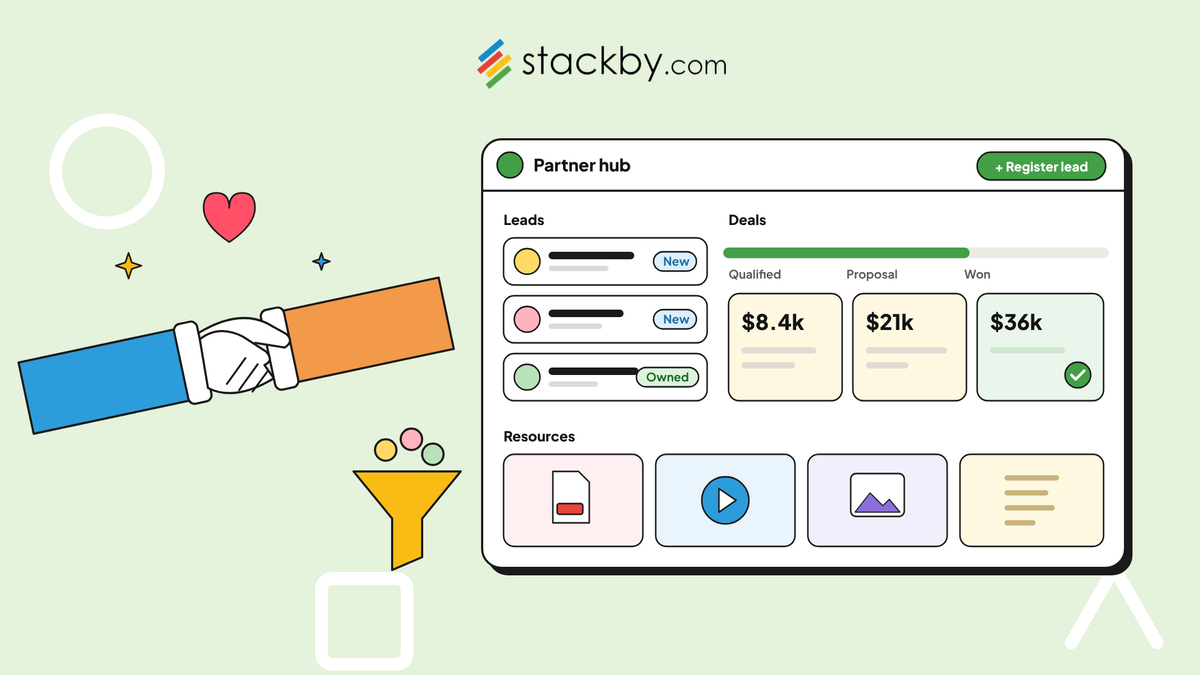
Managed a reseller network through a shared spreadsheet and a Slack channel? Then you already know the drill. Deal information goes stale within days. Leads sit unassigned while partners wait. Someone asks for the current pricing sheet, and three emails later, you're still not sure which version is correct.
A partner portal solves many of these problems by giving resellers one place to register deals, access leads, and find sales resources without contacting your team every time they need something.
This isn't just an enterprise problem with an enterprise solution. Small and mid-sized companies running reseller programs face the same challenges, just on a smaller scale.
This guide explains what a partner portal does, which features matter most for lead and deal management, and how a flexible, no-code platform like Stackby can help you build one without a lengthy IT project. By the end, you'll understand what to include in your portal and how to make it useful for your reseller network.
What Is a Partner Portal, and Why Do Resellers Use One?
A partner portal is a shared, usually web-based workspace where resellers can log in to register deals, check lead status, download sales materials, and complete training. It connects your internal sales operations with your external partner network.
Resellers don't use a portal simply because a company has built one. They use it because it makes their work easier than emailing the vendor for every update.
A good reseller portal typically supports three core activities:
- Lead distribution: Routes qualified leads to the right partner based on territory, product line, or deal size.
- Deal registration and tracking: Allows partners to register opportunities, track their progress, and understand the status of deal approvals.
- Resource access: Provides pricing sheets, sales presentations, case studies, co-branded marketing assets, and training materials in one place.
When these functions are disconnected, partners often return to emails, spreadsheets, and informal messages. A well-designed portal brings them together in a single, organized workspace.
The same approach applies to external partner workflows; this guide on building a client portal without code explains how structured data, forms, permissions, and automation can work together.
The Core Problems a Reseller Portal Solves: Leads, Deals, and Resources
A partner portal delivers the most value when it addresses the operational problems that slow down reseller sales.
1. Lead Distribution and Tracking
Without a shared system, leads may arrive in your CRM and then be forwarded manually to partners, often through email. Delays can leave qualified prospects waiting, while multiple resellers may unknowingly contact the same account.
A partner portal for lead and deal management can help standardize this handoff. Incoming leads can be categorized by region, product, or partner tier and assigned according to predefined rules.
Partners can then view their assigned leads, track follow-up activities, and update lead status without repeatedly contacting your internal team.
2. Deal Registration Disputes
Deal registration becomes particularly important when multiple resellers operate in the same territory or target similar customers.
Two partners might pursue the same account and disagree about who registered the opportunity first. Without reliable records, your sales team has to investigate the dispute manually.
A reseller deal registration and tracking portal can record submission dates, approval decisions, and deal status. Partners can see whether an opportunity is submitted, under review, approved, or rejected.
Clear records make deal protection easier to administer and reduce confusion about opportunity ownership.
3. Scattered Sales Resources
Sales presentations may live in Google Drive, pricing updates may arrive as PDF attachments, and training videos may be distributed through separate links.
This makes it difficult for resellers to identify the latest approved material.
A partner portal with document and resource management provides a central location for sales collateral, pricing documents, product information, and training resources. Version control and clear ownership can help prevent partners from using outdated material.
Keeping resources current is especially important when pricing, product specifications, and promotional offers change frequently.
Must-Have Features in a Partner Portal for Resellers
Not every partner portal needs every available feature. However, several capabilities are especially important for reseller programs.
1. Role-Based Access
Partners should only see the leads, deals, and resources they're authorized to access. Internal sales teams may need visibility across the entire partner network, while individual resellers generally need access to their own records.
Stackby Integrations can connect supported third-party services and APIs to partner workflows, helping teams bring relevant external data into their workspace.
2. Deal Pipeline Visibility
A clear pipeline helps partners understand where each opportunity stands.
Common stages include:
- Submitted
- Under review
- Approved
- In progress
- Won
- Lost
The stages should reflect your actual deal registration and sales process rather than adding unnecessary complexity.
3. Automated Lead Routing
Lead routing rules can assign opportunities according to territory, product specialization, partner tier, or other business requirements.
Automation can reduce manual forwarding and help ensure that leads reach the appropriate reseller promptly.
4. Searchable Resource Library
Resellers need quick access to current pricing sheets, product documentation, case studies, sales presentations, and marketing materials.
A Sales Asset Management template can help organize sales decks, demos, brochures, product materials, and other resources that resellers need to access.
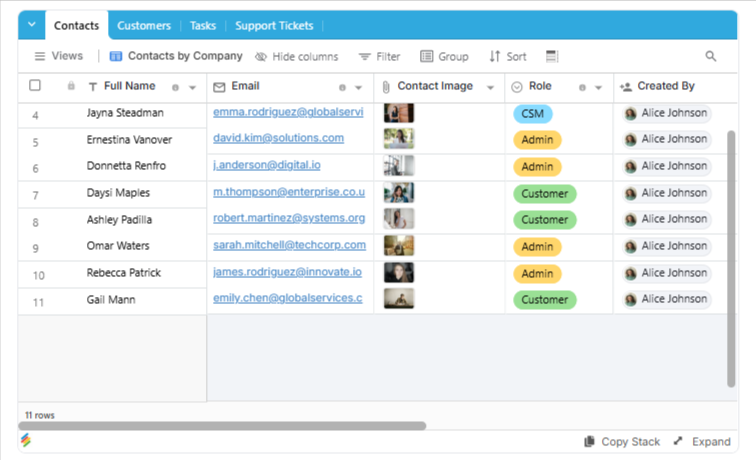
A searchable resource library makes these materials easier to locate and maintain than scattered folders and email attachments.
5. Partner Onboarding Checklists
A partner onboarding portal for channel partners should help new resellers complete the steps required to start selling.
An onboarding checklist may include:
- Completing partner registration
- Signing relevant agreements
- Reviewing product information
- Completing required training
- Accessing sales and marketing resources
- Learning the deal registration process
A straightforward onboarding experience helps new partners understand how to work with your business from the beginning.
6. Partner Reporting and Activity Tracking
Reporting helps your team understand which partners are registering deals, following up on leads, accessing resources, and generating sales.
A custom sales CRM guide explains how to organize leads, contacts, sales opportunities, and follow-ups in a structured workflow
These insights can support partner reviews and help identify resellers who may need additional training or assistance.
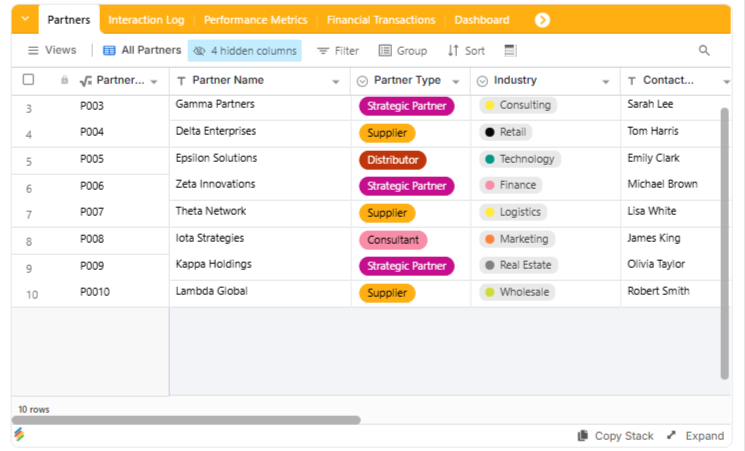
To keep reseller relationships organized from day one, teams can pair their portal with a partnership CRM template that tracks partner contacts, relationships, and deal stages in a structured workspace.
Partner Portal vs. Spreadsheets vs. Generic CRM: A Quick Comparison
Businesses often begin managing resellers with spreadsheets or shared CRM access. Both approaches may work for a small network, but their limitations can become more noticeable as the number of partners and opportunities increases.
Spreadsheets can be sufficient for a small number of partners. As the network grows, however, maintaining accurate records and coordinating updates becomes more difficult.
Providing external partners with CRM access can also become expensive or complicated when the system wasn't designed for partner-specific permissions.
The best approach depends on the number of resellers, the complexity of your sales process, and the level of control required over external access.
For additional context when assessing portal tools, the best client portal software guide covers platform capabilities and selection considerations that can also inform a reseller portal evaluation.
How Stackby Helps With Partner Portal Management for Resellers
Stackby is a flexible, no-code workspace that businesses can configure around their reseller programs. Rather than relying entirely on a fixed partner management structure, teams can organize partner records, leads, deals, and resources according to their own workflows.
Here's how its capabilities can support partner portal management.
Relational Tables for Leads, Deals, and Partners
Create separate tables for partners, leads, and deals, then link related records so information stays connected.
For smaller reseller programs, a Lightweight CRM template offers a simpler structure for managing contacts, deals, and follow-ups.
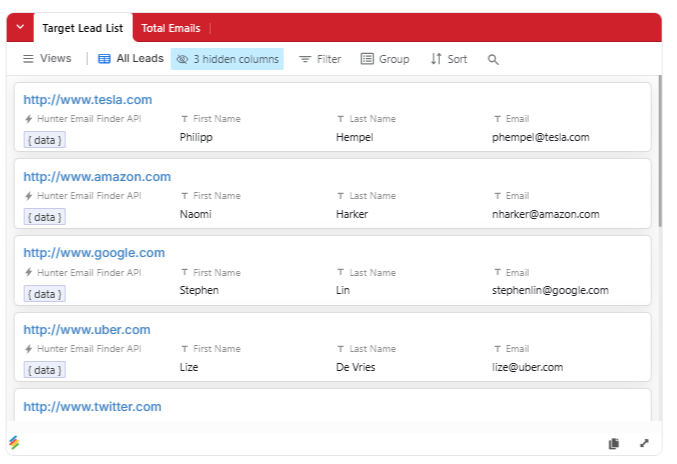
For example, a deal record can link to the reseller responsible for the opportunity and the lead associated with it. This helps your internal team track relationships without maintaining separate, disconnected spreadsheets.
A Client Database template can help centralize contact details, interaction history, and relationship records for partner-facing teams.
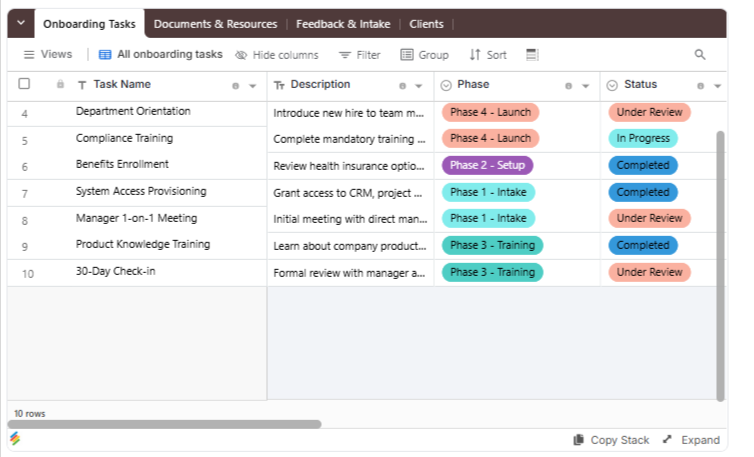
Kanban and Timeline Views for Deal Tracking
Different views can help teams monitor opportunities throughout the sales process.
A Kanban view can organize deals by stage, while other views can help teams review timelines, records, and upcoming activities. This makes it easier to understand pipeline progress without building a separate tracking tool from scratch.
Forms for Lead Submission and Deal Registration
Structured forms let partners submit leads and register deals directly into the system rather than emailing information to your sales team.
For reseller programs that also need sales and stock visibility, an Inventory and Sales Tracker template can help organize product quantities, customer orders, and sales activity.
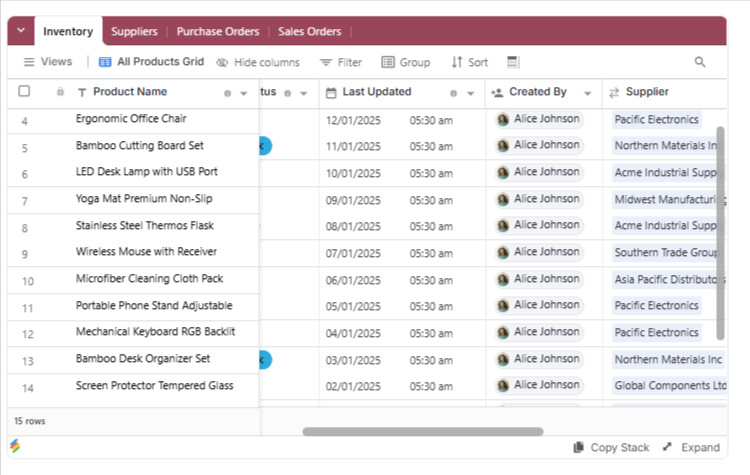
Forms can collect details such as customer information, product interest, estimated deal value, and supporting notes.
AI Field Agents for Data Organization
AI Field Agents can support tasks such as categorizing incoming leads or summarizing deal notes, depending on the configuration and available features.
An AI CRM template can support lead research, deal tracking, record enrichment, and follow-up drafting, subject to the selected AI configuration.
These capabilities may reduce repetitive data handling, but important sales information should still be reviewed for accuracy.
Permissions for Partner-Specific Information
Access controls help determine which records partners can view or modify and which information remains available to internal teams.
A client portal for agencies provides another example of organizing external access, shared information, and approval workflows in one workspace.
For a reseller program, the permission model should be tested carefully to ensure that partners cannot access other resellers' leads, deal information, or confidential commercial data. Confirm that the selected plan supports your exact requirements before launch.
Document and Attachment Management
Document and attachment fields can associate pricing sheets, case studies, training materials, and other files with relevant records.
This helps teams keep supporting resources organized and connected to the products or opportunities they relate to.
Automations for Lead Routing and Notifications
Automations can help route new leads, notify the appropriate team when a deal is registered, and alert users when a status changes.
Stackby Automations can help trigger notifications, create or update records, and run routine actions when configured workflow conditions are met.
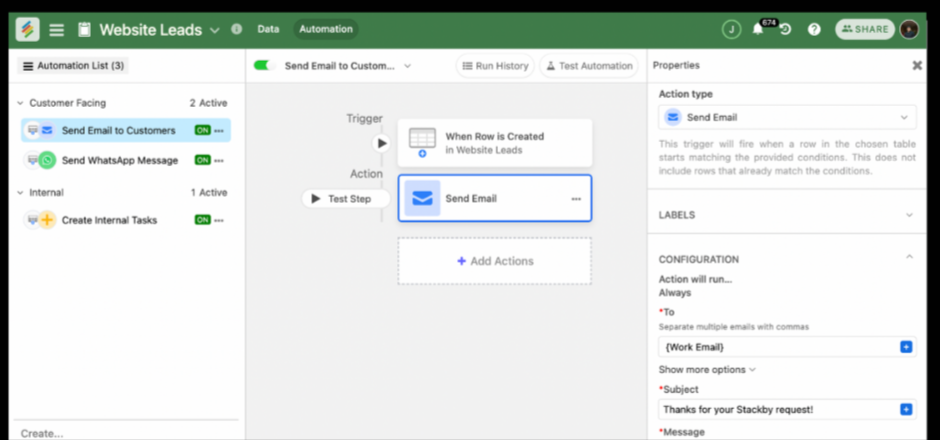
For example, a new lead may trigger an internal notification based on its assigned territory or product category.
Resellers can also track opportunities through a deal flow tracking template, adapted to suit channel sales rather than only internal startup pipelines.
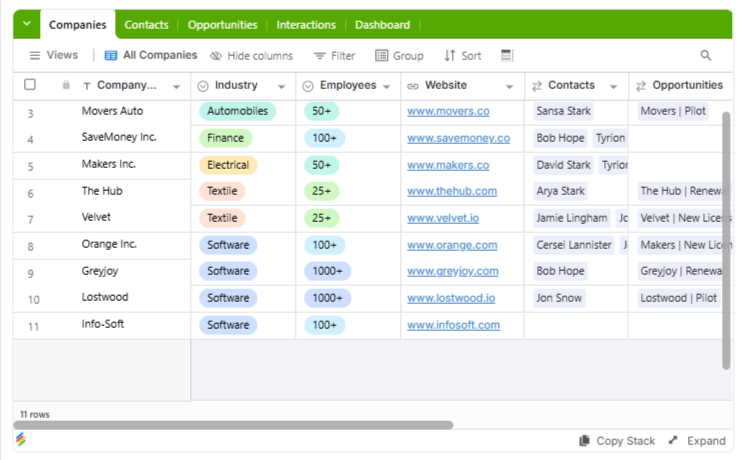
Once the workspace is configured, inviting users to a Stackby workspace can help bring the relevant team members into the system. You can also investigate embedding a view when you need to display selected information on another page.
The exact setup depends on the access model you need. A workspace with linked records and forms is not automatically a complete external-facing partner portal, so verify the available sharing, branding, and permission capabilities before deciding how partners will access the system.
How to Set Up a Partner Portal Without a Development Team
Building a partner portal doesn't always require a custom application or a large implementation budget. A no-code platform can be a practical starting point for businesses that need structured data, forms, permissions, and basic workflows.
The principles in this no-code client portal guide also help teams plan external-facing workspaces with organized information and appropriate access controls.
The principles in this no-code client portal guide also apply to reseller portals because both involve providing external users with organized, permission-controlled access to information.
Here's a practical setup sequence.
Step 1: Create the Core Tables
Start with four main tables:
- Partners: Company name, contacts, territory, partner tier, and status.
- Leads: Prospect details, source, assigned partner, and follow-up status.
- Deals: Deal value, registration date, stage, associated partner, and related lead.
- Resources: File links, resource type, product category, version, and publication status.
Add more tables only when your program requires them.
Step 2: Link Related Records
Connect each lead to its assigned partner and link deals to the relevant leads and partner records.
This creates a structured system in which updates can be tracked without repeatedly copying the same information across multiple sheets.
Step 3: Create Views and Forms
Set up views that support everyday activities.
For example, use a Kanban view to track deal stages, a Grid view to organize resources, and a form for submitting new deal registrations.
Keep forms short and ask only for information that your team needs to review or process each submission.
Step 4: Configure Permissions
Define which information each user group can access.
Internal sales teams may require broader visibility, while resellers should see only the data they're authorized to access. Test these permissions using representative accounts before sharing the system with external partners.
Step 5: Add Automations
Automate repetitive activities such as internal notifications, lead assignment, and deal-status updates where supported.
Start with workflows that occur frequently and have clear rules. This makes it easier to test whether the automation is working correctly.
Step 6: Invite a Small Group of Partners
Begin with a limited pilot group. Ask partners to register deals, find resources, and check opportunity status.
Use their feedback to improve the workflow before expanding access across the full reseller network.
The same fundamentals apply when learning how to create a client portal. For teams that also need to manage internal sales activity, a custom sales CRM can help keep leads, opportunities, and account history organized alongside the partner workflow.
Resources, Training, and Keeping Partners Engaged
Lead management and deal registration often receive the most attention during implementation. However, resource management is equally important to a successful partner program.
Resellers need current pricing information, approved marketing assets, product documentation, and training materials. If they have to email your team for every file, the portal isn't delivering the full value of self-service.
A reseller portal for sales resources and training should make it easy to:
- Access the latest approved pricing sheets
- Locate product specifications and sales presentations
- Download relevant case studies and marketing assets
- Complete training and review product information
- Identify current versions of important documents
A structured resource library helps partners work independently and reduces repeated requests to internal teams.
Businesses can also use tools to build automatic lead lists to support prospecting workflows. This can be useful for partners who need a more organized way to prepare outreach lists, provided the data sources and intended use are appropriate.
Resellers without dedicated operations teams may also benefit from the ability to build a custom CRM without code to organize their own lead and customer information.
Why Strong Partner Ecosystems Matter Beyond the Portal
A partner portal provides the infrastructure for a reseller program, but it doesn't replace the relationship itself.
Companies that treat channel partnerships as a growth strategy invest in both the tools and the ongoing partner experience. This includes regular communication, fair deal registration rules, useful training, and resources that help resellers sell effectively.
Stackby's own growth through initiatives such as the Stackby StartupIndia partnership illustrates the role partnerships can play in business development. The same broader principle applies to reseller networks: technology can make collaboration easier, but the relationship still requires attention.
Businesses interested in a vendor-side partnership can review how to partner with Stackby to understand its partnership process.
For broader context on portal capabilities and evaluation criteria, the best client portal software guide provides additional background. Many of the same considerations apply when selecting a reseller-facing system, particularly around access, usability, and resource sharing.
Frequently Asked Questions
What is a partner portal used for?
A partner portal gives resellers a self-service workspace to register deals, access assigned leads, and find sales resources such as pricing sheets, product information, and training materials. It reduces dependence on scattered emails and spreadsheets.
How much does a partner portal typically cost?
Costs vary depending on the platform, number of users, external access requirements, integrations, and complexity. Dedicated channel management products may involve substantial subscription costs, while no-code solutions may offer a more flexible starting point. Compare total costs, including configuration and ongoing maintenance, before making a decision.
What features matter most in a partner portal?
The most important features usually include lead routing, deal registration and tracking, a searchable resource library, and role-based access. Partner onboarding and reporting can provide additional value as the program grows.
An Client Onboarding Portal Template can help organize lead intake, follow-ups, and notifications using defined workflow rules.
Can I build a partner portal without a developer?
Yes, no-code platforms can support structured tables, forms, views, and automations without requiring custom application development. However, external access, branding, integrations, and detailed permission requirements should be checked before choosing a platform.
Do small businesses need a partner portal?
A partner portal can be useful for small businesses managing several resellers, especially when lead handoffs, deal registration, and resource requests become difficult to track manually. The decision depends on how frequently these issues occur and how much time a shared system could save.
How is a reseller portal different from a regular CRM?
A regular CRM primarily supports internal sales teams in managing leads, contacts, and opportunities. A reseller portal focuses on providing external partners with access to the specific leads, deals, and resources they're authorized to use.
Some CRM platforms support partner portals directly, while others require additional configuration or tools.
Conclusion
Reseller programs can struggle because of operational friction rather than poor partnerships. Leads get lost in email threads, deals become disputed when registration records are unclear, and resources become outdated when there's no central source of truth.
A partner portal addresses these issues by giving resellers organized access to their leads, deals, and sales materials while helping your internal team manage the program more consistently.
The right solution may be a dedicated channel management platform or a flexible no-code workspace configured around your needs. What matters most is that partners can use it easily, access only the information they're authorized to see, and complete routine tasks without unnecessary back-and-forth.
Stackby provides relational tables, views, forms, and automation capabilities that can support this kind of workflow, subject to your access and configuration requirements.
Key Takeaways
- Centralize lead and deal management: Give resellers a clear way to register opportunities, track status, and access assigned leads.
- Prevent deal registration confusion: Maintain clear submission records, approval stages, and ownership rules.
- Keep resources current: Organize pricing sheets, sales collateral, and training materials in one accessible location.
- Use no-code tools where appropriate: Flexible platforms can help teams configure partner workflows without building a custom application.
- Make partner adoption a priority: Pilot the portal, collect feedback, and simplify confusing processes before rolling it out widely.
A successful partner portal makes it easier for resellers to work with your business. By combining clear workflows, reliable records, useful resources, and appropriate access controls, you can build a more organized foundation for your partner program.