Softr vs Stackby: Which No-Code Tool Is Right for Your Team?
Softr vs Stackby: Compare these no-code app builder tools to find the best fit for your team's needs, features, and budget.
No-code tools aren’t a niche anymore. They’re how modern teams build and run operations.
In the last few years, no-code platforms have predominantly replaced a plethora of spreadsheets, in-house tools and small applications across startups and growing businesses. According to reports by platforms such as Gartner and Statista, by 2026, no-code and low-code technologies are projected to power more than 50% of all new business applications. That shift is already visible.
Many teams now do not just want to be able to store their data, but also want to organise it, automate it, visualize it and and turn it into something usable without waiting for the support of a developer.
This is where tools like Softr and Stackby are helpful for teams. This article will provide an overview of how each tool works, how they compare to one another, and who they are best suited for.
Introduction to Softr and Stackby
Softr and Stackby are both part of the growing no-code ecosystem, but they approach problems differently.
At a basic level, both tools help turn data into something more useful. That could mean building a customer portal, managing internal workflows, or organizing projects in a more structured way. The starting point is often the same: data sitting in spreadsheets or databases, but what you do next is where the tools diverge.
This difference matters as one leans more toward presentation and user-facing apps, while the other focuses on managing, structuring, and operationalizing data.
“The no-code space has grown quickly, and tools like these are making it easier to move from raw data to working systems without relying on developers. But choosing between them depends less on features and more on how you plan to use them day to day.”
What is Softr?
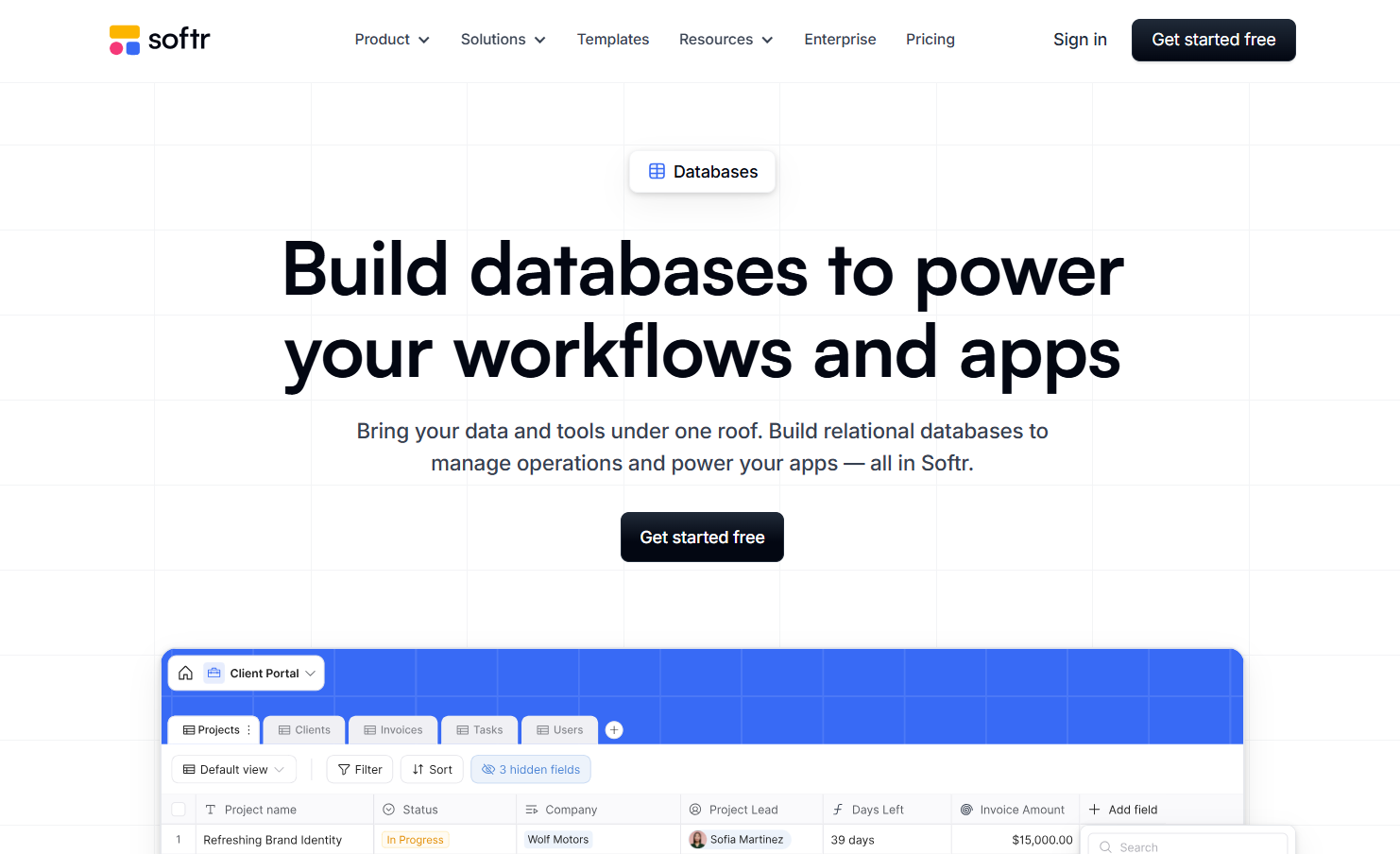
Softr is a no-code platform designed to turn existing data into user-facing applications. Instead of managing data itself, it focuses on building interfaces on top of sources like Airtable or Google Sheets.
In practical terms, it’s used to create things like client portals, internal tools, or simple web apps without writing code. You’re essentially taking structured data and giving it a clean, usable front end.
Key Features of Softr
Softr stands out for how quickly it lets teams build and launch applications on top of their data. It’s less about deep data management and more about how that data is presented and accessed.
- Drag-and-drop builder to create portals and web apps
- Connects with data sources like Notion, Airtable and Google Sheets
- Customizable views with filters, visibility controls, and layouts
- Workflow automation based on user actions and data changes
- Role-based access and permissions for controlled data access
- Built-in templates to speed up setup
Softr keeps things focused. Instead of trying to do everything, it helps teams take existing data and turn it into something usable for clients or internal users.
Use Cases for Softr
Softr is best understood as a front-end layer for your data. It takes structured data from tools like Airtable or Google Sheets and turns it into something people can actually interact with. That opens up far more use cases than basic dashboards.
Here’s where Softr really fits:
- Client portals with login-based access for sharing reports, deliverables, or updates
- Internal tools like HR dashboards, employee directories, or approval workflows
- Vendor or partner portals where external users can update records without touching the database
- Membership platforms with gated content, courses, or communities
- Marketplace or directory websites (job boards, listings, resource hubs)
- AI-powered tools where users input data and get structured outputs
- SaaS MVPs built on top of Airtable or Google Sheets
- Customer support portals with ticket tracking and status visibility
- Event platforms with registrations, attendee dashboards, and schedules
- Content libraries or knowledge bases with searchable access
Softr stands out in how it handles external interaction. It creates structured environments where users can log in, interact, and take action without exposing the backend.
What is Stackby?
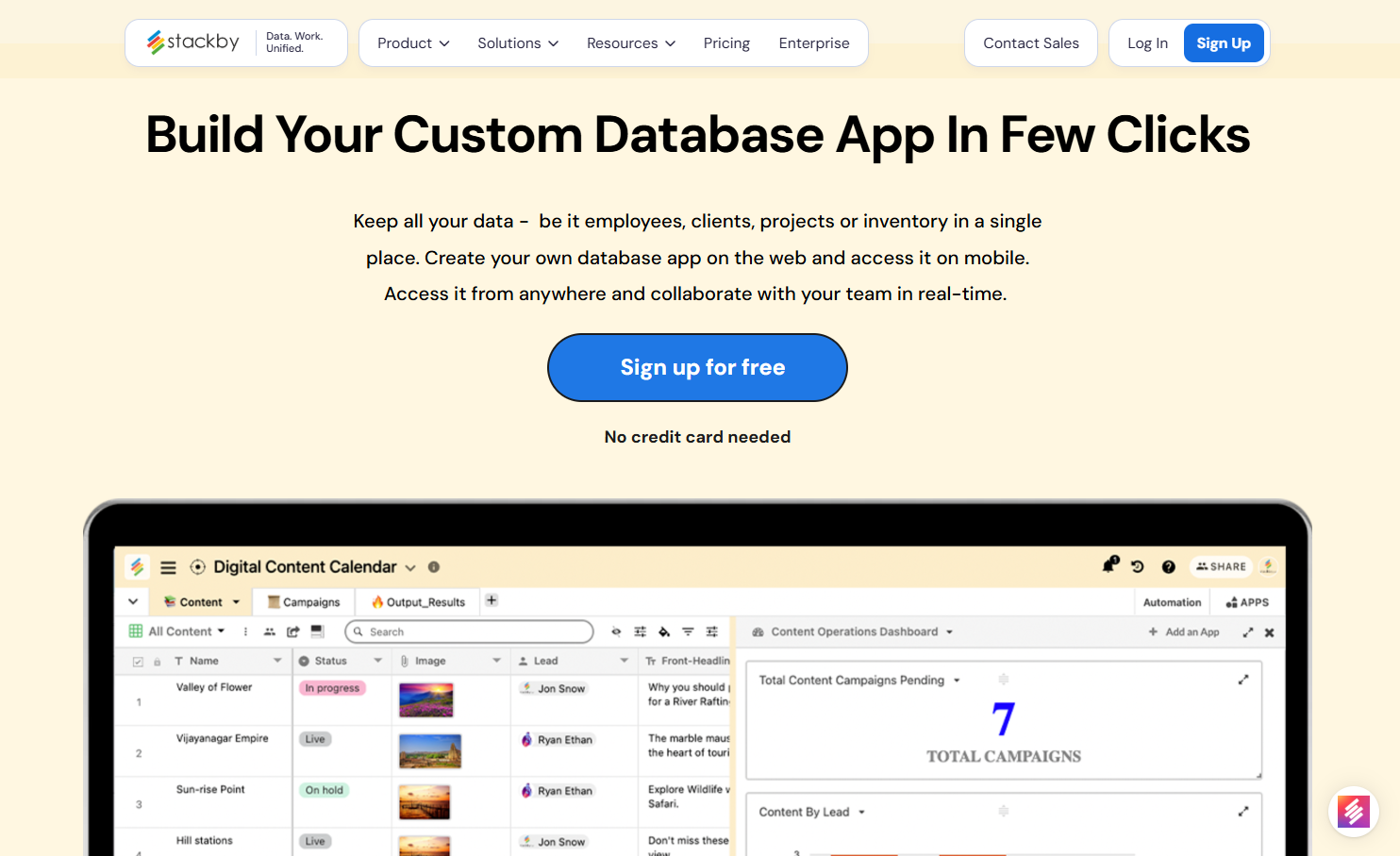
Stackby takes a different approach. Instead of sitting on top of data, it acts as the system where data lives, evolves, and gets used.
It combines the familiarity of spreadsheets with the structure of a database, along with built-in automation, integrations, and AI capabilities. The focus is on managing workflows, not just displaying them.
Key Features of Stackby
Stackby is built for teams that want to centralize data, automate processes, and connect different tools without switching platforms.
- Relational database with linked records, formulas, and multiple data types
- Native API connector columns to pull live data from tools like Google Analytics, YouTube, and more
- AI fields and AI co-builder to generate, enrich, and structure data
- Built-in automations with triggers and actions for workflow management
- Updatable forms for collecting and editing data in real time
- Apps Marketplace for dashboards, charts, and data visualization
- Power-ups to extend functionality within databases
- Flexible External Access with unlimited read-only guests and shareable links
Stackby's approach to data management is quite practical. It focuses on making it easy to connect different data sources and manage information efficiently, especially for teams that are already comfortable with spreadsheet-like interfaces but need more robust capabilities.
Use Cases for Stackby
Stackby works at the data and workflow layer. It’s where data gets structured, connected, automated, and enriched. Once you combine relational databases, API connectors, automations, and AI Fields, the use cases expand quickly.
Here’s where Stackby goes beyond the basics:
- Marketing dashboards pulling live data from Google Ads, Meta Ads, YouTube, and SEO tools
- Project management with task organization, deadlines, and team progress tracking
- Content pipelines managing ideas, approvals, publishing, and performance
- Influencer or affiliate tracking systems with outreach and ROI tracking
- Programmatic SEO databases managing large-scale content and keywords
- Lead enrichment systems using AI Fields to clean and enhance incoming data
- Custom CRM systems with pipelines, activity tracking, and automation
- Operations dashboards combining multiple tools into one source of truth
- Inventory and supply chain tracking with real-time updates
- Financial trackers for budgets, expenses, and revenue
- Workflow automation systems using built-in triggers and actions
- Client collaboration via shareable views, comments, and updatable forms
- Data pipelines using API columns to pull and refresh external data
- Internal tools like hiring trackers, OKRs, or resource planning
- AI-powered workflows for summarizing, generating, or classifying data
What makes Stackby different is how these use cases connect into one system. Instead of stacking multiple tools, teams can manage data, automation, and reporting in one place, with Apps Marketplace handling dashboards and visualization.
Softr vs. Stackby: A Direct Comparison
When you're looking at no-code tools, the differences between Softr and Stackby can seem subtle at first, but they really matter depending on what you need to do. This softr stackby comparison will break down how they stack up.
Ease of Use and Learning Curve
Softr generally feels more straightforward if your main goal is to build user-facing applications or portals. It's designed with a clear path from data source to a functional app. You connect your data, design your interface, and set up user access. It’s pretty intuitive, especially if you’re coming from a design background or just want to get something functional quickly.
Stackby, on the other hand, leans more towards being a powerful database and workflow tool. While it has a lot of flexibility, getting a handle on all its database features and automation capabilities might take a bit more time. It’s less about building a polished front-end app from the get-go and more about structuring and managing your data effectively. Think of it as a super-powered spreadsheet with a lot of backend muscle.
Features and Functionality
This is where the softr review vs stackby really heats up. Softr shines when it comes to creating external-facing applications. It allows unlimited non-logged-in visitors and offers granular controls for guests, making it ideal for client portals, internal tools, or public-facing dashboards. You can build apps on top of data you already have, like Airtable or Google Sheets, without needing to move it all. Softr also offers unlimited workflows that can connect to various tools in your tech stack, and its AI agents let you pick your own model for tasks like data enrichment and cleanup.
Stackby is a robust relational database with strong automation features within its own ecosystem. It’s a great alternative if you need something like Airtable but want to save on costs. Stackby offers many ways to view your data, like Kanban and calendar views, and has over 50 API connectors. However, it's not primarily built for external-facing apps in the same way Softr is. While it has AI capabilities, they might not be as flexible as Softr's in terms of model choice, and its automations are more contained within the Stackby platform unless you use third-party tools.
Here’s a quick look at some key differences:
- External User Access: Softr excels with unlimited guest access and structured login experiences. Stackby can be more challenging and costly for external collaborators.
- App Building: Softr is built for creating user-facing applications. Stackby is more focused on data management and internal workflows.
- AI Model Choice: Softr allows you to select your AI model, offering more flexibility. Stackby's AI features are more integrated into its platform.
- Workflow Automation: Softr's workflows connect broadly across your tech stack. Stackby's automations are more focused within its environment.
Building external-facing apps is a significant differentiator. If your primary need is to give clients or partners a structured, branded way to interact with your data, Softr has a clear advantage. Stackby is more about managing that data internally.
Pricing and Value
Pricing is a big point of discussion in any softr compared to stackby analysis. Stackby, like many database tools, often charges on a per-user basis. This can scale quickly as your team grows, especially if you need to give access to external collaborators. They do offer significant savings for annual plans and larger teams and have flexible guest access policies that can help reduce costs.
Softr takes a different approach. Instead of charging per user, you pay for features and capabilities. Their plans include a set number of users, with higher tiers offering significantly more users for a fixed price. For example, a mid-tier plan might include 100 users, and you can have an unlimited number of non-logged-in visitors interacting with your apps. This model can be much more cost-effective if you have a larger team or need to provide access to many external users without paying per head. It’s worth checking out Stackby's pricing plans to see what fits your budget.
Ultimately, the value you get from each tool depends heavily on your specific use case and team structure. If you're building apps for external users or have a large internal team, Softr's pricing model might offer better value. If your focus is purely on internal data management and you have a smaller, tightly controlled user base, Stackby could be more economical, especially if you're looking for an alternative to tools like Airtable as a superior alternative.
Who Should Choose Softr?
So, who exactly is Softr best suited for? If you're looking to build something that interacts with the outside world, like a client portal or an internal tool where external partners need access, Softr really shines. It's designed to let you create these kinds of applications on top of your existing data without a huge hassle.
Think about it this way:
- You have data in another tool like Airtable or Google Sheets and want to build an app or portal on top of it without moving everything. Softr connects to these sources easily, often with two-way sync, so your data stays updated everywhere.
- You need to give external users a structured way to interact with your data. This could be clients submitting requests, vendors updating information, or partners viewing specific project details. Softr allows you to set up logins for these users, controlling exactly what they can see and do, and importantly, you don't have to pay for each external user.
- You want to build full-stack applications where the database and the front-end are in the same place. Softr lets you manage your data and build the user interface for it all within one platform. This simplifies the whole process, cutting down on the need to connect multiple different tools.
- Predictable pricing is a big deal for you. Softr's pricing is generally based on features and capabilities, not on the number of users. This can be a huge cost saver compared to tools that charge per seat, especially as your team or user base grows.
If your main goal is to create user-facing applications or portals that connect to your data, and you want to avoid per-user pricing headaches, Softr is definitely worth a close look. It's built for making that kind of connection straightforward.
Who Should Choose Stackby?
So, you're looking at Stackby. Who is this tool really for? Well, if your team works a lot with external folks like clients or agencies, Stackby really shines. They've got this super flexible policy for external collaborators. You can have unlimited read-only guests, share public links to your databases, and even let people comment on specific databases without hitting your user count. This is a big deal if you're constantly getting feedback or updates from people outside your core team, and you don't want to pay extra for every single one.
Stackby is also a fantastic choice if you need your data to be super up-to-date without a lot of manual work. Their native API connector columns are pretty neat. Imagine pulling live data from YouTube Analytics, Google Analytics, or even Ahrefs directly into your database. This means your reports or dashboards can stay current automatically. It's a huge time-saver, especially for marketing teams or anyone managing online performance.
Stackby also has some neat AI features built-in. You can use AI to help generate database structures from simple descriptions or even automate tasks like data cleanup and enrichment directly within your database fields. This can save a lot of time on repetitive work.
Here's a quick rundown of who benefits most:
- Teams that wants to build custom workflows: Think spreadsheets, databases, collaboration and automations combined in a single workspace.
- Teams needing flexible external access: Think agencies, freelancers, or businesses with many client touchpoints.
- Data-driven marketers and analysts: Those who want live data feeds from various online platforms.
- Budget-conscious small to medium businesses: Stackby's pricing is generally more affordable than some competitors, especially when you factor in the unlimited guests.
- Users who appreciate a spreadsheet-like interface: If you're comfortable with spreadsheets, Stackby's layout will feel familiar.
While Stackby is constantly adding new features, it's important to note that it might not have all the bells and whistles of larger platforms, especially when it comes to advanced app-building interfaces. However, for its core strengths in data integration and flexible collaboration, it's a really solid pick.
Conclusion: Making the Right Choice for Your Team
So, you've looked at Softr and Stackby, and now it's time to figure out which one actually fits your team's needs. It's not always a clear-cut decision, right? Both tools are pretty good at what they do, but they shine in different areas.
Think about what you're trying to build. If you've got existing data, maybe in spreadsheets or another database, and you need to quickly put a user-friendly interface on top of it – like a client portal or an internal dashboard – Softr is probably your go-to. It's really good at taking your data and making it look presentable and functional without a lot of fuss. It’s a good choice for turning data into something people can interact with easily.
On the other hand, if your main goal is to organize and manage structured data itself, with a need for things like database and workflow creation, custom reporting, campaign tracking, or just a more robust way to handle your team's information than a basic spreadsheet, Stackby might be the better fit. Its spreadsheet-like interface makes it familiar, but the added features like API connectors and column-level automations give it real power for data management. It’s a bit more of a workhorse for the data itself, and you can even connect it to tools like Google Analytics for live updates.
Here’s a quick way to think about it:
- Choose Softr if: You need to build front-end applications (portals, dashboards) quickly using existing data.
- Choose Stackby if: You need a powerful, structured database with automation capabilities for managing complex data sets.
- Consider both if: You have complex data needs and want to build custom interfaces on top of it. You might even use them together, with Stackby as your data backend and Softr as your interface builder. But Stackby is also launching their interface builder soon.
Ultimately, the best tool is the one that helps your team get work done without getting in the way. Don't be afraid to test out the free versions of both platforms. Build a small, real project – not just a demo – to see which one feels more natural and productive for your specific workflow. That hands-on experience is usually the best way to make the final call.
Deciding on the best tool for your team is a big step. Think about what your team needs most. Do you want something easy to use, or do you need lots of fancy features? Explore your options carefully. Ready to find the perfect fit? Sign up on Stackby today to see how we can help your team succeed!
So, Which One Should You Pick?
Alright, so we've looked at Softr and Stackby, and it's clear neither is a one-size-fits-all solution. If you're all about building external-facing apps, like client portals or customer dashboards, and want a smooth experience for users outside your company, Softr really shines. It handles external access like a champ and has some neat AI features. On the other hand, Stackby is a solid contender if you're coming from a spreadsheet background and need a more budget-friendly way to organize data or track content or campaigns, especially if you're working with a lot of external collaborators. Think about what you need most: building outward-facing tools or structuring internal data efficiently. Both have free plans, so honestly, the best move is to try them out yourself and see which one just feels right for your team's workflow.
Frequently Asked Questions
Q1. What's the main difference between Softr and Stackby?
Think of it this way: Stackby is like a super-powered spreadsheet that helps you organize lots of information. Softr can do that too, but it also lets you build cool apps and websites on top of your data, like client portals or, making it easier for people to use your information.
Q2. Which tool is easier to start with?
Both tools are designed to be user-friendly. Stackby feels very familiar if you're used to spreadsheets. Softr is also quite simple to pick up, especially with its templates, and it lets you build apps quickly once your data is set up.
Q3. Can I build apps that people outside my company can use?
Yes! Softr is great for this. You can build websites or portals where clients or partners can log in and interact with your data. Stackby is more focused on managing data internally, and sharing externally can be more complicated or costly.
Q4. What about pricing? Which one is cheaper?
Stackby often has lower prices, especially if you have a lot of team members. Softr has a different pricing style; you pay for features, not just for each person using it, which can be more predictable and sometimes cheaper if you have many users.
Q5. Can I connect my existing data, like from Google Sheets or Airtable?
Absolutely! Softr connects easily with many other tools like Google Sheets and Airtable, often without you needing to move your data. Stackby also connects to various tools, but Softr is known for its smooth integration with existing data sources.
Q6. Which tool is better for automating tasks?
Both Softr and Stackby offer ways to automate tasks. Softr's automation features are designed to connect with many different apps you might use, and they are unlimited. Stackby's automations are powerful but tend to work best within its own system.
![13 Best Business Management Software for your Work [2026]](/blog/content/images/size/w960/2024/03/stackby-business-blog-image-1.jpg)
![Google Sheets Vs Excel: Which is better for you? [2026]](/blog/content/images/size/w960/2023/05/Google-sheets-vs-Excel.png)