Client Portal for Law Firms: Secure Documents and Case Updates
A client portal for law firms centralizes legal documents, case updates, deadlines, and client communication. Learn how secure access controls, document management, automated notifications, and no-code tools help legal teams organize workflows and improve the client experience.
You've dug through an email thread for twenty minutes looking for a retainer agreement a client sent three months ago. Every firm has lived this moment at least once. A client portal for law firms fixes a problem that's existed for decades: clients want to know what's happening with their case, and they want it without calling your paralegal five times a week.
Email wasn't built for this. Shared drives don't lock down tight enough. Phone tag burns everyone's time, yours included.
A proper client portal changes the equation. Clients log into a dedicated, secure space, check case status, download documents, upload files you've requested, and message your team directly. The “Did you get my email?” follow-ups disappear. So does the confusion over which contract draft is actually the final one.
This article covers the essential features of a secure client portal for law firms, common setup mistakes, and how a flexible tool like Stackby can be configured to support a firm's workflow without hiring a developer.
What a Client Portal for Law Firms Actually Does
A client portal for law firms is a private login space that sits between your internal case management system and your client's inbox. Think of it as a controlled window into your firm's work—not a full view of everything, but access to the information each client needs to see.
A well-structured database can make it easier to organize client records, case details, and related documents. Stackby’s guide to free database software covers database options for managing information in one place.
A good portal typically handles:
- Document sharing: Contracts, filings, discovery materials, and signed agreements stored in one searchable place instead of scattered across email attachments.
- Case status updates: Information about current progress, pending tasks, and upcoming steps, available without a phone call.
- Secure messaging: A way to keep client communication within a protected system rather than relying entirely on email.
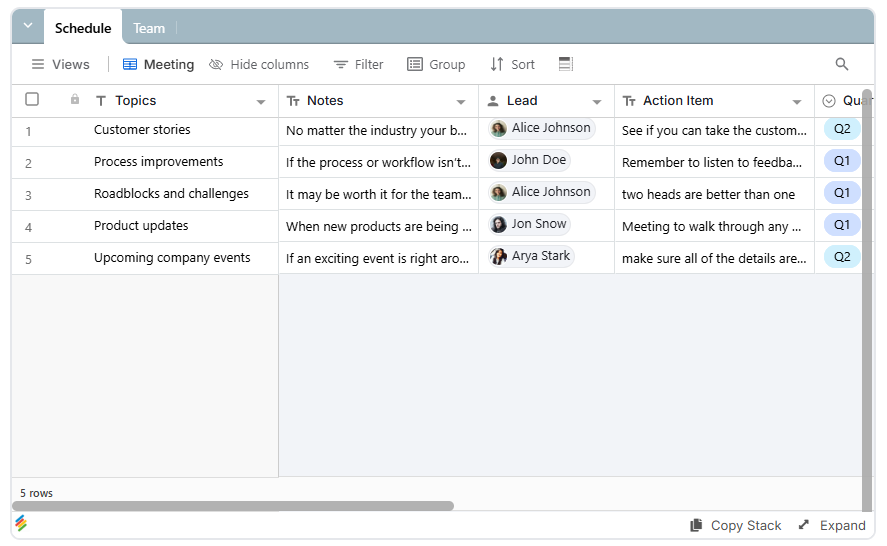
- Deadline visibility: Upcoming hearings, filing dates, and document submission deadlines that clients need to track. For internal scheduling needs, a meeting agenda template can help organize meeting times and room availability.
- Two-way uploads: A way for clients to submit identification documents, signed forms, or evidence directly.
A client portal isn't just a convenience feature. For firms handling family law, immigration, or personal injury cases, clients may need frequent updates and reassurance. A portal can reduce routine status-check calls and give staff more time to focus on casework.
Why Law Firms Are Moving Away From Email and Shared Drives
Email was never designed specifically for legal document exchange. Managing access, revoking permissions, and maintaining clear audit trails can be difficult when communication happens across inboxes and attachments. Yet many small and midsize firms still manage much of their client communication through Outlook or Gmail.
The problems can pile up quickly:
- Attachments get buried in long email threads.
- Clients may accidentally forward sensitive documents to the wrong recipient.
- Shared drive folders may remain accessible to people who no longer need access.
- Staff spend time searching for documents and confirming whether clients received them.
- Multiple drafts make it difficult to identify the latest version of a contract or agreement.
A secure client portal for law firms can address many of these issues by centralizing documents and using access controls. With properly configured permissions, each client can be limited to their own case information. Document histories can make changes easier to track, and access can be revoked when a client relationship ends.
Client expectations also matter. People increasingly expect digital access to important information, similar to what they receive from banks and insurance providers. A structured portal can make a law firm's client experience more organized and transparent.
Must-Have Features in a Secure Client Portal for Law Firms
Not every portal needs to be complicated. However, missing essential safeguards can create serious confidentiality and operational risks.
1. Granular Permissions
Each client should be able to access only their own case information. This is essential for legal work, where confidentiality obligations are strict.
Tools that let firms share a specific view with clients can help separate client-facing information from internal case records. Permissions should be tested carefully before the portal goes live.
2. Document Version Control
Contracts and legal documents can go through multiple rounds of revisions. Clients and staff need a clear way to identify the current version and distinguish it from earlier drafts.
A document workflow with clear version labels, timestamps, and review status can reduce confusion about which document was approved or signed.
3. Audit Logs
Audit logs help firms understand who accessed information and when. Depending on the platform, they may also record changes or other activity.
These records can support internal oversight and help resolve questions about document access or communication history. Firms should confirm exactly which activities the chosen platform records.
4. Deadline and Case Status Tracking
A law firm portal for case updates and deadlines should make important dates and case progress easy to see.
Useful information may include:
- Upcoming hearings and filing dates
- Documents awaiting client submission
- Pending approvals or signatures
- Current case status and next steps
- Reminders for approaching deadlines
Automated notifications can reduce the need for staff to send repetitive manual reminders. For workflows that involve recurring reminders, status changes, and follow-ups, workflow automation can help reduce repetitive administrative tasks.
5. Mobile Access
Clients may need to check case updates or upload documents while away from their computers. A mobile-friendly portal makes these tasks more convenient and reduces barriers to participation.
6. Secure Attachments and File Management
Legal document workflows can involve contracts, filings, correspondence, and large discovery files. File handling should support appropriate security controls and practical storage limits.
Stackby's attachments and file management feature lets firms attach files to individual records, keeping documents alongside related case information rather than in a separate storage system.
Before using any platform for sensitive legal documents, verify its encryption, authentication, access controls, retention policies, and suitability for your firm's confidentiality obligations.
Client Portal Software Comparison: How the Options Stack Up
Client portal software varies in pricing, flexibility, and built-in legal features. Dedicated legal platforms offer purpose-built case management, while no-code platforms let firms customize their own workflows.
The following comparison reflects the figures and feature descriptions in the original draft. Pricing, storage limits, and plan features should be verified against current vendor documentation before publication.
Legal-specific suites can be a good fit for firms that want a ready-made system and integrated legal workflows. For smaller firms or teams that need greater control over their client-facing information, a flexible no-code platform may offer a more customizable alternative.
The right choice depends on your firm's workflow, security requirements, budget, and need for integrated legal tools. For smaller firms evaluating database-based workflows, this guide to the best small business database software provides additional context on available options.
How Stackby Helps With Client Portals for Law Firms
Stackby isn't a legal-specific product out of the box. Its flexibility allows firms to configure tables, views, and workflows around their existing processes instead of adapting every process to a predefined system.
Here are some ways Stackby can support a client portal workflow.
Relational Case Tables
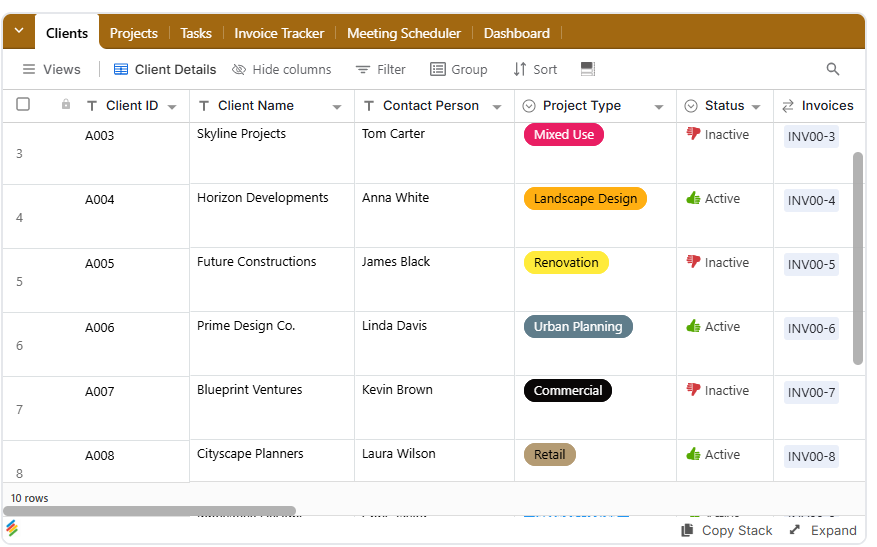
Link a Clients table to a Cases table, then connect cases to a Documents table. This structure helps organize client information, case details, and related files in one place. Firms that need to manage client relationships alongside case information can also consider building a custom CRM without code to organize records around their own processes.
Client-facing access must be configured and tested carefully so clients see only the records and information intended for them.
Permission-Based Sharing
Stackby's view-level controls can help firms share a specific view with clients. A properly configured view can display relevant case status and documents without exposing the entire case database.
Stackby’s database views also help teams organize records into different layouts for internal work and other supported use cases.

Document Storage Within Records
Files can be stored alongside the case information they relate to using Stackby's attachments and file management feature. This helps teams keep contracts, filings, and correspondence organized with their associated records.
AI-Assisted Document Review
Firms that handle large volumes of paperwork may benefit from AI document analysis workflows to extract information such as dates, names, and amounts from uploaded documents, subject to the capabilities and configuration of the workflow.
Automated Case Updates
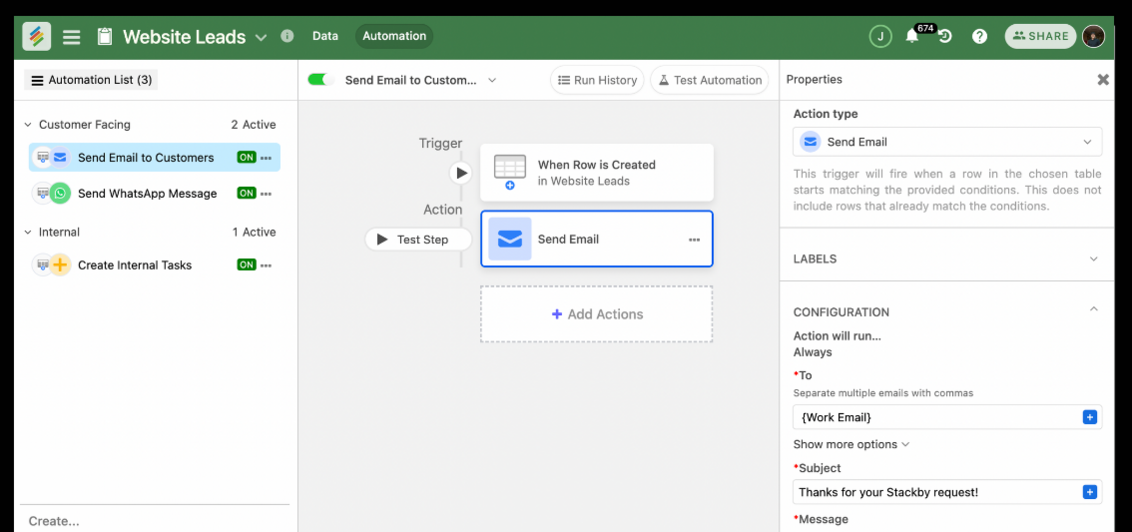
When a case status changes, an automation can trigger a notification to the appropriate person. This can reduce repetitive manual updates and help clients stay informed about relevant progress.
Stackby’s automation features can help connect record changes with follow-up actions and notifications, depending on the workflow configuration.
Form-Based Client Intake
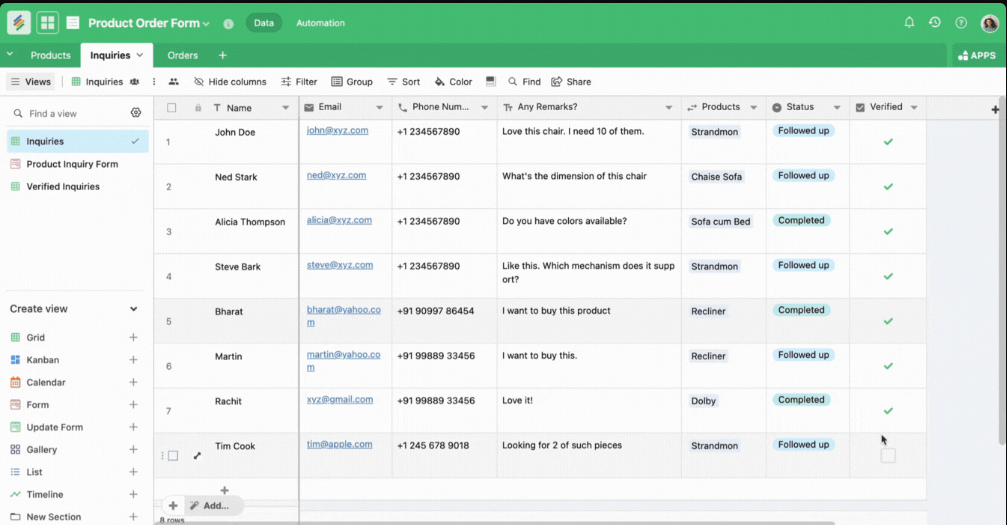
New clients can submit information through forms that populate records in a case table. Pairing this process with a client onboarding checklist helps firms organize required information and track outstanding items.
Stackby’s online form builder can support structured information collection by sending form submissions into a connected workflow.
For a ready-made starting point, Stackby's client portal template provides a configurable foundation for organizing client information and views. The guide on how to create a client portal explains the setup process.
Important: A configurable client portal is not automatically a secure legal client portal. Before storing confidential case information, verify the platform's security capabilities and ensure the specific sharing configuration meets your firm's requirements.
Common Mistakes Law Firms Make When Setting Up a Client Portal
Even with the right platform, firms can run into problems if they overlook access controls, onboarding, or ongoing maintenance.
1. Giving Clients Too Much Visibility
A portal that exposes internal notes, billing discussions, or legal strategy documents can create serious confidentiality risks.
Test the client-facing experience before launch, using a separate test account with the same permissions as a client. Confirm that internal records, other clients' data, and restricted documents remain inaccessible. Firms also managing internal technology and support processes can use the IT management template as a starting point for organizing related operational information.
For internal team administration, an employee database management template provides a starting point for organizing staff attendance records.
2. Skipping Client Onboarding
Clients who don't know how to log in, locate documents, or upload files may continue using email instead.
A short walkthrough or one-page instruction document can explain how to:
- Access the portal
- View case updates
- Upload requested documents
- Review deadlines
- Contact the legal team through the appropriate channel
3. Forgetting to Review Permissions After a Case Closes
Access should be reviewed when a case ends or a client's relationship with the firm changes. Old permissions can create unnecessary exposure if they remain active indefinitely.
Establish a process for revoking or adjusting access, while preserving documents according to applicable retention requirements and the firm's policies.
4. Overcomplicating the Setup
Some firms invest in an extensive legal case management suite when their immediate needs are limited to document sharing, case updates, and basic client communication.
Start with the essential workflow and add functionality as the firm's needs become clearer. The goal is to solve real problems without creating unnecessary complexity.
For a broader view of available options, see Stackby's roundup of best client portal software, which covers trade-offs between legal-specific and general-purpose platforms.
Client Portals and the Bigger Case Management Picture
A client portal rarely operates in isolation. It becomes more useful when it connects with the systems a firm uses to manage cases, deadlines, documents, and billing.
Firms that coordinate with external specialists or service providers can also adapt a architecture firm CRM Template to keep relevant contact and engagement details organized.
Pairing a client-facing portal with legal case management systems can help reduce duplicate data entry and keep information consistent across workflows. For a closer look at the management tools themselves, see this guide to case management software for lawyers.
For firms without dedicated IT resources, a no-code client portal guide can provide a starting point for building a structured portal without custom development.
There are also templates for law firms covering workflows such as client intake and document tracking. Once the portal is in place, broader client management tools can help organize client relationships beyond an individual case, including referrals and repeat business.
Frequently Asked Questions
What is a client portal for law firms?
A client portal for law firms is a secure, login-based platform where clients can access shared documents, view case updates, and communicate with their legal team. It brings client-facing information into one organized space rather than relying entirely on email.
Is a client portal for lawyers and their clients secure?
Security depends on the platform and how it is configured. Look for encryption, authentication controls, role-based permissions, and appropriate activity logs. Each client should have access only to the information they are authorized to see.
How much does law firm client portal software typically cost?
Costs vary depending on the provider, plan, and included features. Dedicated legal software may bundle a portal with case management, billing, and calendaring, while no-code platforms may offer more flexible pricing. Check current vendor pricing and plan limits before choosing a solution.
Can a client portal handle large legal documents, such as discovery materials?
Some platforms support large document uploads, but file size limits and storage allowances vary by plan. Check the limits before choosing a portal, especially if your firm handles video evidence, large scans, or extensive discovery files.
Do I need a developer to build a client portal?
Not necessarily. No-code platforms let firms configure forms, tables, views, and automations without writing code. The time required depends on the workflow's complexity, permission requirements, and integrations.
What's the difference between a client portal and a legal case management client portal?
A standalone client portal focuses on the client-facing experience, such as sharing documents and providing updates. A legal case management client portal typically combines those functions with internal tools for billing, calendaring, tasks, and case administration.
Conclusion
A secure client portal for law firms is becoming an important part of a modern client experience. Firms that rely entirely on email threads and shared drives can face avoidable document-management problems, communication delays, and access-control risks.
The essentials are straightforward: carefully configured permissions, organized document storage, and clear case updates. These features help clients access the information they need while allowing legal teams to spend less time managing routine requests.
Whether a firm chooses a dedicated legal suite or a configurable no-code platform, the decision should be based on its workflows, confidentiality requirements, and integration needs—not just the number of features available.
Stackby can provide a configurable foundation for organizing case records, documents, forms, and notifications. Before using it for confidential legal work, firms should confirm that the platform and their chosen configuration satisfy their security and professional obligations.
Key Takeaways
- Centralize case documents: Keep contracts, filings, evidence, and signed agreements organized in a structured client portal.
- Improve client communication: Case updates and secure messaging can reduce repetitive status-check calls and emails.
- Prioritize confidentiality: Granular permissions should prevent clients from accessing other clients' records or restricted internal information.
- Track deadlines and approvals: Clear status fields, reminders, and notifications help teams manage pending documents and upcoming milestones.
- Review access regularly: Test permissions before launch and update access when cases close or client relationships change.
- Choose software based on your needs: Legal-specific suites offer prebuilt workflows, while no-code platforms provide flexibility for customized processes.
- Verify security before adoption: Check current security features, storage limits, access controls, and retention policies before handling confidential legal documents.