
7 best no-code simple database app builders in 2026
Looking to create a database without writing code? These no-code app builders make it easy to build dynamic, scalable solutions for any project.
Handling data can feel like an endless battle. Data requires structure whether you're managing a project, keeping track of tasks, or operating a business. Online database app builders can help with that. With a no-code app builder, it's easier than ever to create and manage the data your team depends on.
These technologies turn the disorganized data from emails, spreadsheets, and sticky notes into something organized, useful, and actionable. These platforms offer an easy-to-build solution for anyone who needs to build organized systems without technical barriers.
For a practical example, you can also read how to build forms in a database and organize collected information in a structured workflow.
In 2025, we have a very different approach towards data. No-code database systems have revolutionized the industry by enabling anyone to create unique solutions without requiring technical know-how. They are simple, approachable, and adaptable.
Today, we’re delving into what database app builders are, as well as the top tools and features that set them apart. Whether you’re looking to create a dynamic workflow or build your own database, today’s tools make it remarkably accessible.
Curious how a builder can simplify your workflows ? Start your free Stackby trial today and explore pre-built templates.
For a broader selection of templates for different workflows, check out Stackby’s templates page.
What is a No-code Database App Builder?
A database builder is a tool that allows you to create custom database software for storing, managing, and interacting with structured data without writing code. A no-code platform provides a development environment where you can create a database solution tailored to your unique needs.
For a deeper look at turning connected data into business reporting, see this guide to custom Google Analytics dashboards and reporting.
Unlike traditional spreadsheets, online database software provides structured data management, connected tables, multiple views, automation, and collaboration in one workspace.
These no-code database apps provide visual interfaces for building connected data systems without SQL queries or backend development. They provide you with visual interfaces that include drag-and-drop functionality, multiple views, pre-built templates, forms, and automation possibilities. With an app builder to create smart data systems, you can easily build, link, and automate everything in one place.
You can link data across tables, create dashboards, set up workflows, and collaborate in real-time and turn raw data into action. These development platforms are designed to help you start building without writing a single line of code.
Whether you need a lightweight CRM, project tracker, inventory system, or internal tool, simple database software can provide the flexibility to build workflows around your team's needs.
If you're building a CRM workflow, read how to build a personal CRM for a practical example of using a database-based system.
Why Use a No-Code Database App Builder?
One can wonder why they should shift to a database application builder when they already have spreadsheets? That's because spreadsheets weren’t built to handle today’s demands.
Here’s how best database app builders stand out:
Ease of use
With simple drag-and-drop interfaces, pre-built templates, and little setup required, even non-technical people can get started right away.
Multiple views
To improve your data visualization, switch between views like Grid, Kanban, Calendar, Gallery, or Gantt.
You can create fully functional internal tools, CRMs, or inventory trackers in addition to storing data.
For contact-focused workflows, an Event Contacts Management template provides a structured way to organize contact information.
For teams managing broader workflows, work management software can bring projects, tasks, and business data into one system.
Efficiency at Scale
As your data grows, these platforms can handle tens of thousands of records without a drop in performance.
Customized Workflows
Link data between tables, define your own data types (such as dropdowns, checkboxes, and attachments), and manage the flow of your information Link data between tables, define your own data types (such as dropdowns, checkboxes, and attachments), and manage the flow of your information. Stackby's database app builder provides these capabilities for creating connected no-code workflows.
Collaborate better
Share live views, tag teammates, track changes, add comments, and avoid any version chaos.
Automation First
Avoid repetitive processes and save time by utilizing API connectors and built-in workflow triggers. Database automation can also support broader workflows, as explained in this guide to no-code app builders.
Integrated Ecosystem
Connect your database to the tools you already use, like email platforms, CRMs, or analytics apps.
AI-powered enhancements (2026 update)
Utilize built-in AI to create formulas, auto-fill fields, rewrite entries, create summaries, and classify vast amounts of data with a single click.
Easily assign roles, set permission levels, and restrict access to ensure your data always stays protected.
7 Best Simple Database Software and No-Code Database Builders
|
Tool |
Strength |
Unique Feature |
AI Capabilities (2025) |
|
Stackby |
Workflow automation & APIs |
Built-in API connectors + AI blocks |
Yes – Native GPT actions |
|
AppSheet |
Mobile apps from spreadsheets |
Google Workspace native |
Yes – ML + Gemini support |
|
Knack |
Database powered web apps |
Conditional display & user roles |
Limited |
|
Smartsheet |
Enterprise project management |
Dashboarding + reporting |
Yes – Smart Assistants |
|
Jotform Tables |
Data collection via forms |
Form-first database approach |
Yes – Smart forms & logic |
|
Podio |
Database capabilities with communication tools. |
In-built chat + task manager |
Minimal |
|
Zapier |
Automation between apps |
AI Agents & Visual Builder |
Yes – AI-powered agents |
1. Stackby - Build Your Custom Database App In Few Clicks
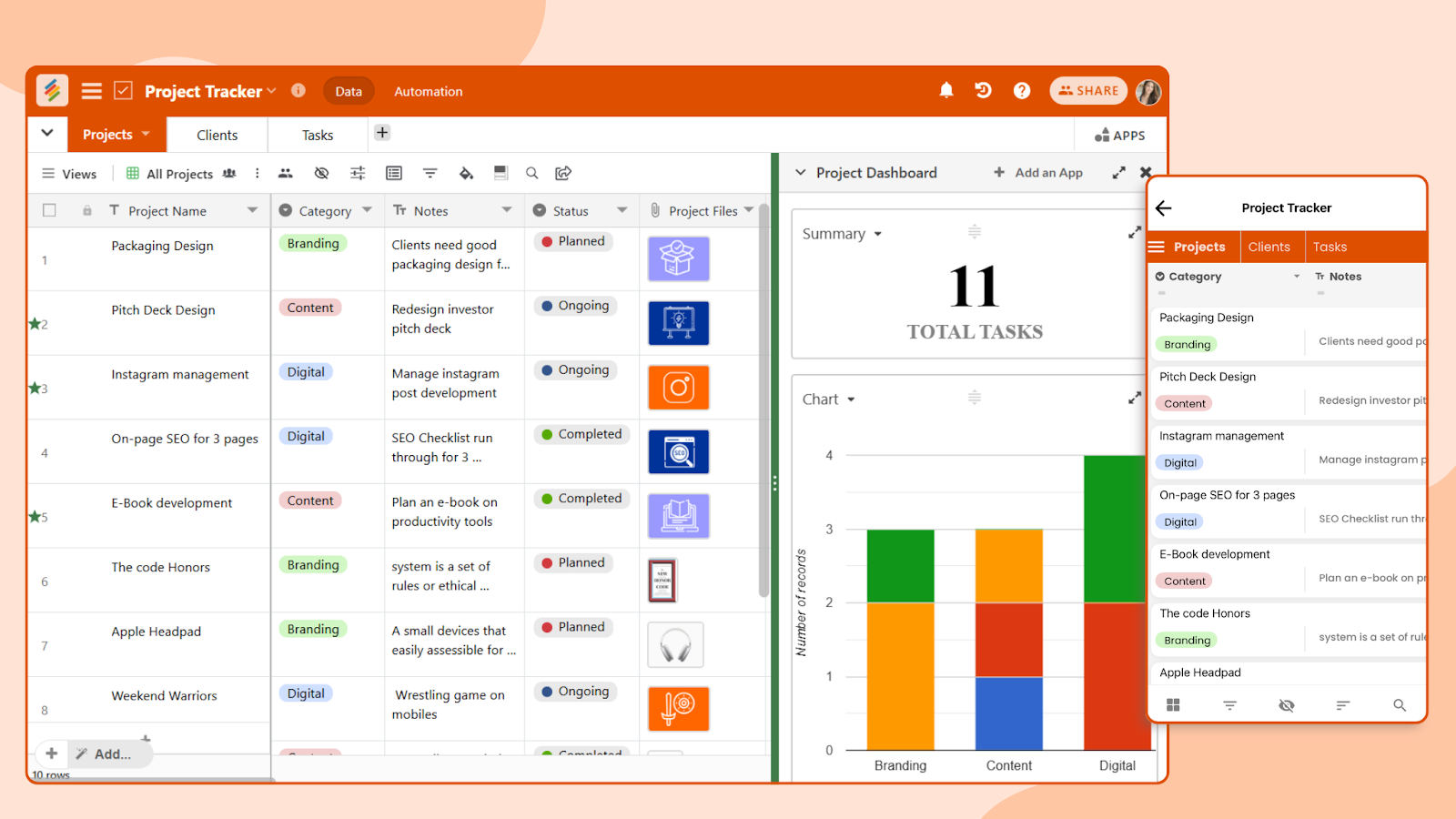
Stackby is a custom database software and no-code database builder that combines the simplicity of spreadsheets with the power of relational databases. It helps teams create online database apps for projects, CRM, operations, marketing, and other workflows without coding. Designed for individuals, teams, or large businesses, Stackby helps you build custom workflows for tasks, projects, or operations. It provides a customized solution for all of your needs, from maintaining client data, to creating a content schedule, or putting together a marketing campaign.
The intuitiveness of Stackby is what truly makes it unique. You don't have to spend hours trying to understand how things operate. Everything is easy to use, including setting up automations and connecting rows across tables. You begin by modifying one of their pre-built templates, tweak it to meet your needs, and you're ready to go.
Key Features:
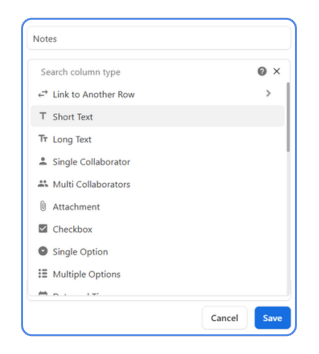
Advanced Customizable Columns: Over 30 field types, including attachments, buttons, collaborators, progress bars, QR code, checkboxes, and formulas.
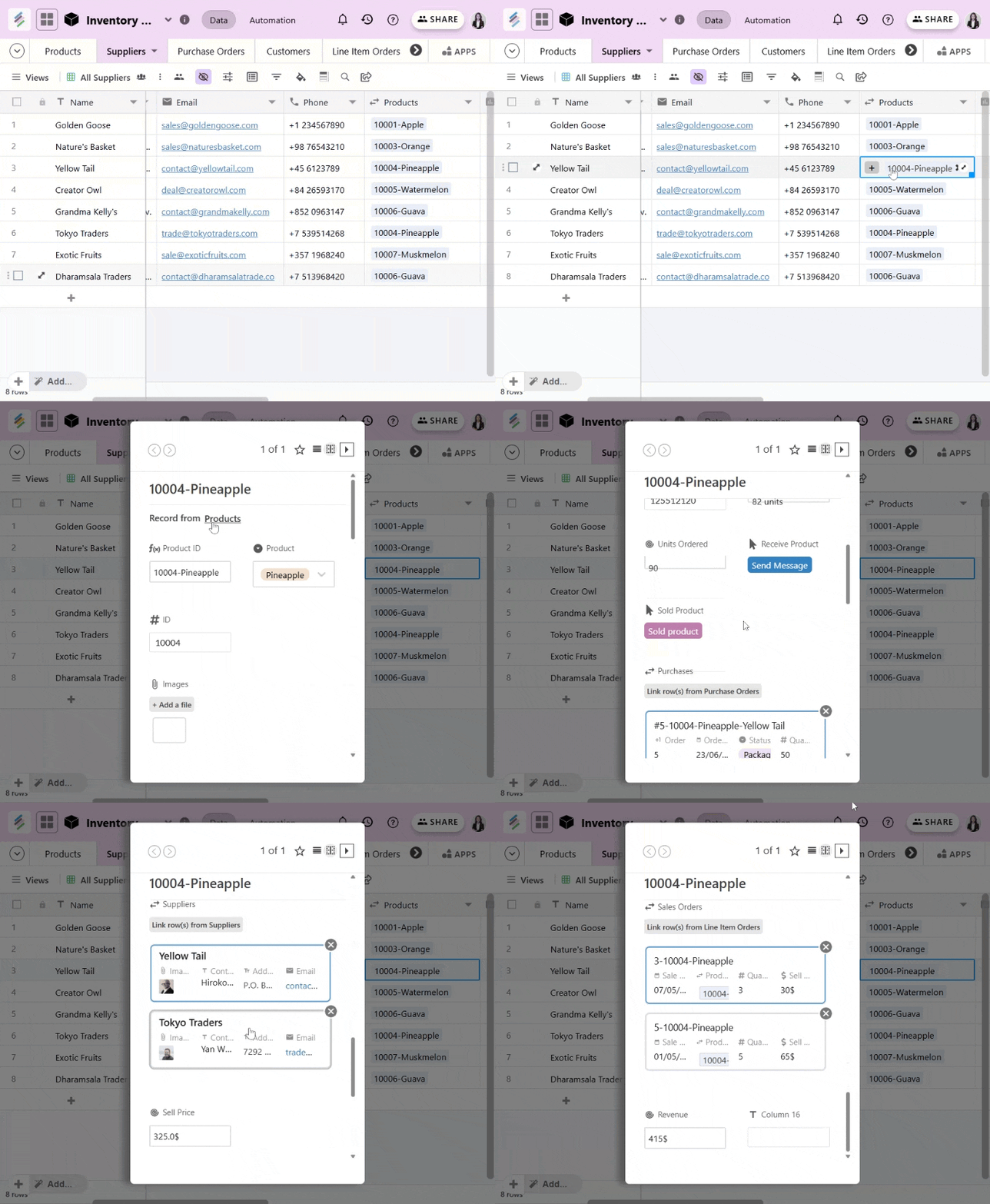
Relational Databases: Link rows across multiple tables to build dynamic, interconnected workflows.
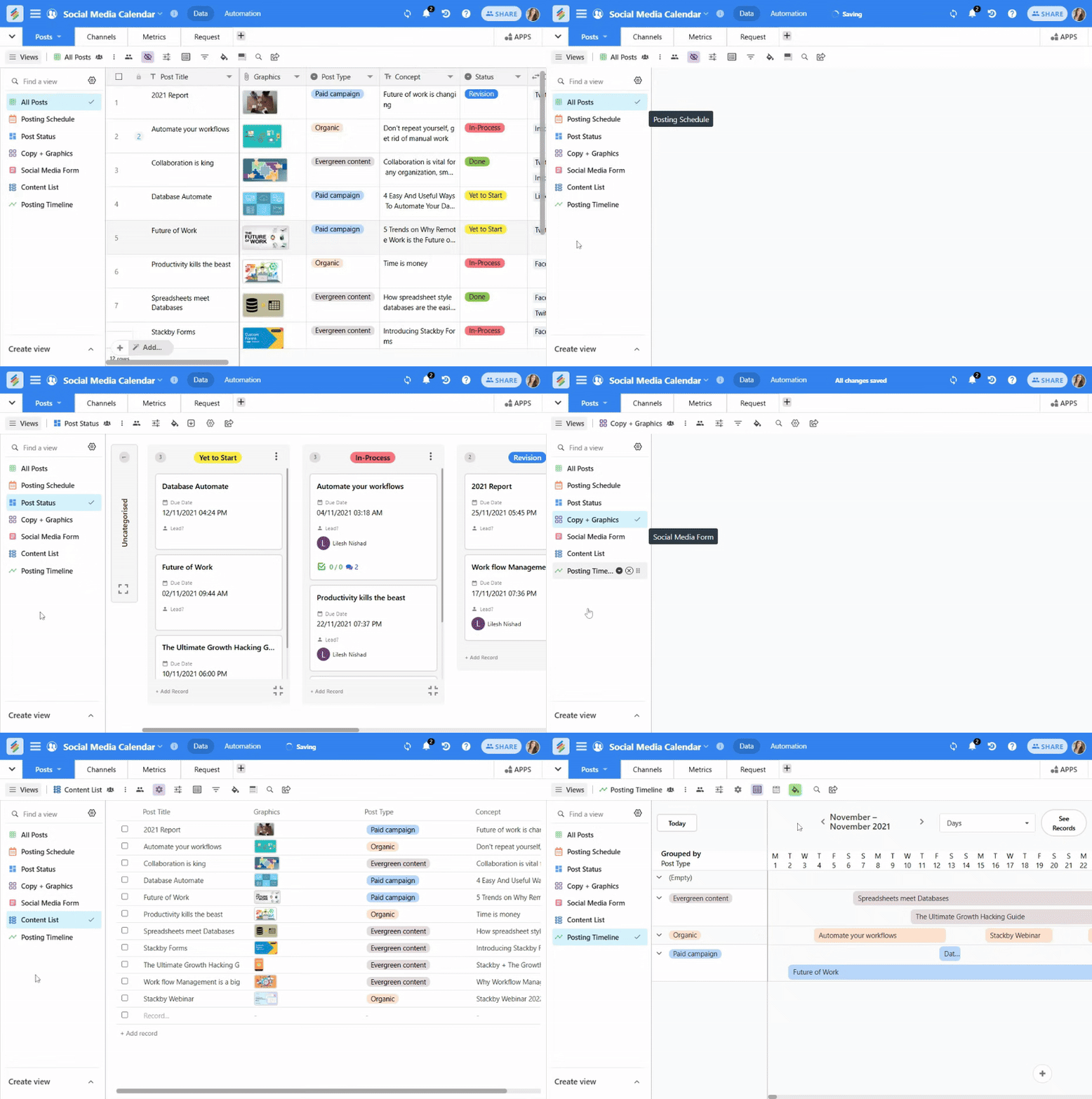
Multiple Views: Switch between Grid, Kanban, Calendar, and Gallery views to visualize data along with newly launched List and Timeline views to organize long projects or editorial calendars.
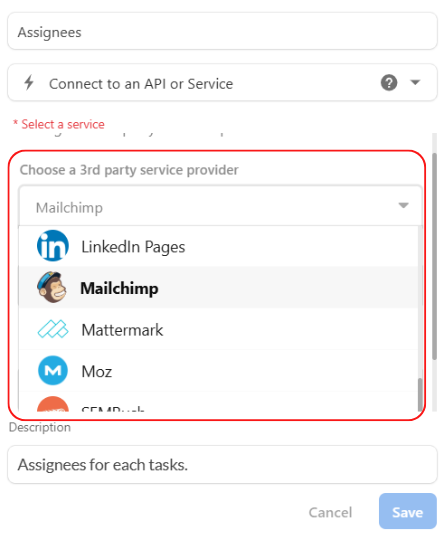
API Connection: 50+ native API integrations with 5000+ apps via Zapier, Pabbly, Integrate.
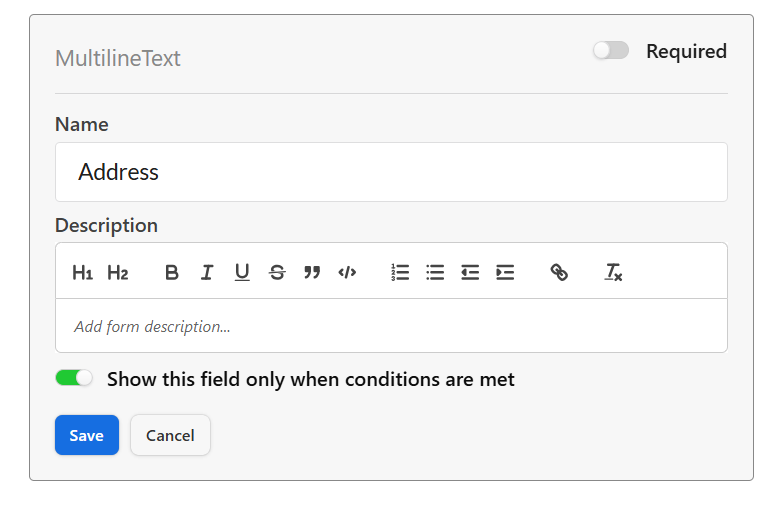
Power-ups: Like deduplication, conditional logic on forms, column permissions etc.
Apps Marketplace: Add mini-apps like charts, summary bars, and pivot tables inside your databases.

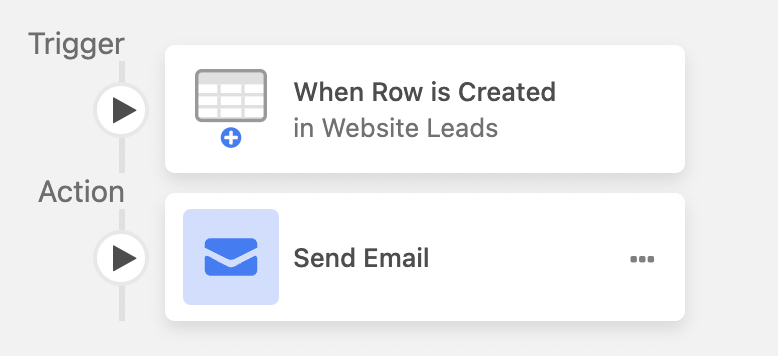
Internal Automations: Automate repetitive tasks with Trigger–action workflows (e.g., auto-change status when deadline passes).
Collaboration Tools: Enable real-time edits, comments, activity bar and checklist templates for better task-level collaboration: Enable real-time edits, comments, activity bar and checklist templates for better task-level collaboration.
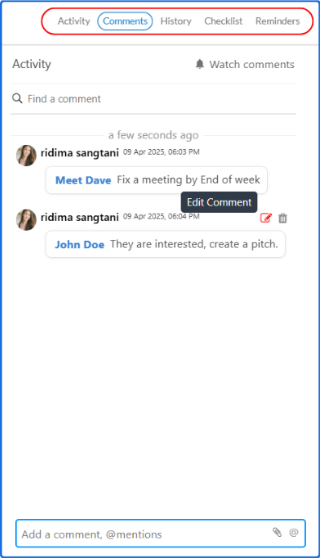
Best for: Teams and individuals looking for a no-code solution to manage and organize data.
Stackby Pricing :
- Free Plan – For individuals or testing use
- 14-day free trial available
- Paid Plans start at $5/user/month, with advanced features like API access, automation limits, and integrations.
- Custom plans available for enterprises or large teams
2. Google AppSheet
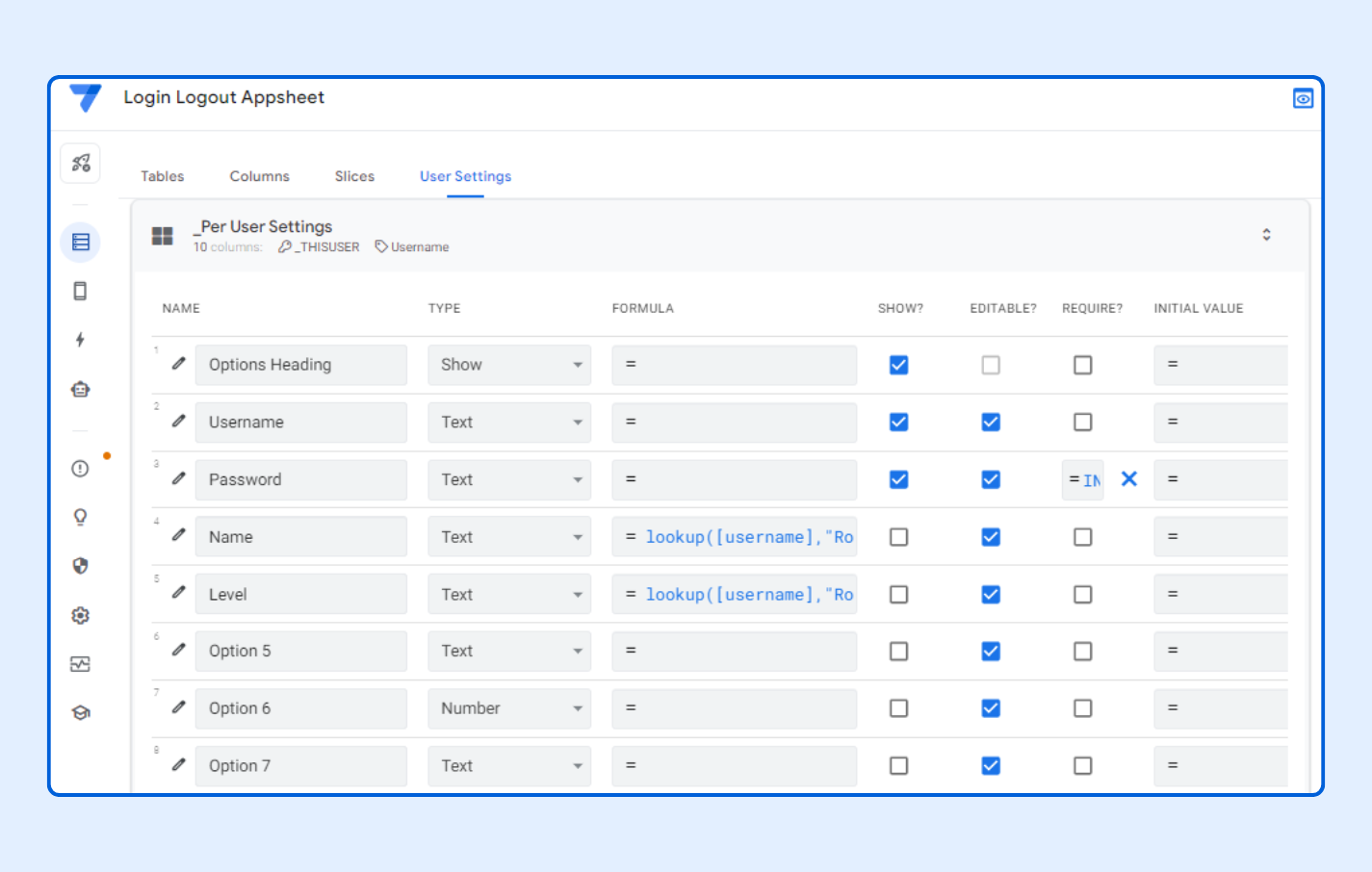
Google AppSheet takes your existing spreadsheets and transforms them into robust mobile or web apps. If you’re already comfortable with Google Workspace tools like Sheets and Drive, AppSheet will feel like a natural extension. It is intended for people who wish to automate tedious chores and manage their data while on the go.
The strength of AppSheet lies in how well it integrates with the Google ecosystem. You can easily set up workflows by pulling data directly from Google Sheets or other sources, and create apps that work seamlessly across devices. Its mobile-first design is perfect for teams that need real-time data access.
Key Features:
App building by pulling data from Google Sheets, Excel, or other compatible sources.
- Built-in machine learning and prediction models.
- Smart assistants and chatbot interfaces.
- Access control via Google Admin.
- AI-powered suggestions via Gemini
Best for: Google Workspace users and enterprises looking to build mobile apps tied directly to their data.
3. Podio

Podio is more than a database builder, it’s a collaborative workspace that combines data organizing, task tracking, and project management. Because of its modular app builder and chat-style interface, it is still widely used in legacy systems even though it hasn't seen many significant updates recently.
This tool shines in environments where collaboration is key. From managing projects to streamlining internal communication, Podio simplifies workflows by bringing everything tasks, data, and discussions into one place.
Key Features:
- Custom workflows with fields, categories, and relationships.
- Built-in chat and activity streams to collaborate with your team in real-time.
- Track progress, assign responsibilities, and monitor deadlines directly within your database.
Best for: Teams that prioritize collaboration and need an all-in-one solution for managing data and communication.
4. Knack

Knack is a powerful database builder designed for developers and companies who are looking to create database-powered web apps. It is a developer-friendly tool that provides deeper customization and logic options with its drag-and-drop interface.
Knack gives you the freedom to organize your data in the way you require it, whether you're developing a sales dashboard, inventory management system, or customer portal.
Key Features:
- Drag-and-drop interface with conditional logic
- Front-end customization (forms, filters, dashboards)
- Role-based permissions
- External data imports and API access
Best for: Small businesses or developers who want database-driven web apps without code.
5. Smartsheet

Smartsheet blends the familiar grid-based layout of spreadsheets with advanced database and project management tools. It is popular amongst enterprises and teams managing large-scale projects because of its robust reporting and workflow automation capabilities.
Smartsheet excels in scenarios where multiple teams need to collaborate while maintaining control over data.Its enterprise-level dashboards, automations, and reporting tools offer a comprehensive approach to process management at scale.
Key Features:
- Automated processes like approvals, notifications, and updates with custom triggers.
- Dashboards and reports for tracking performance and outcomes.
- Role-based permissions, version history and enterprise-grade compliance.
- Resource management and time tracking.
Best for: Large teams and organizations managing high-stakes projects across departments.
Want to explore more? Check out our detailed Smartsheet pricing guide, in-depth Smartsheet review, and top Smartsheet alternatives to make the best choice for your team.
6. Jotform Tables
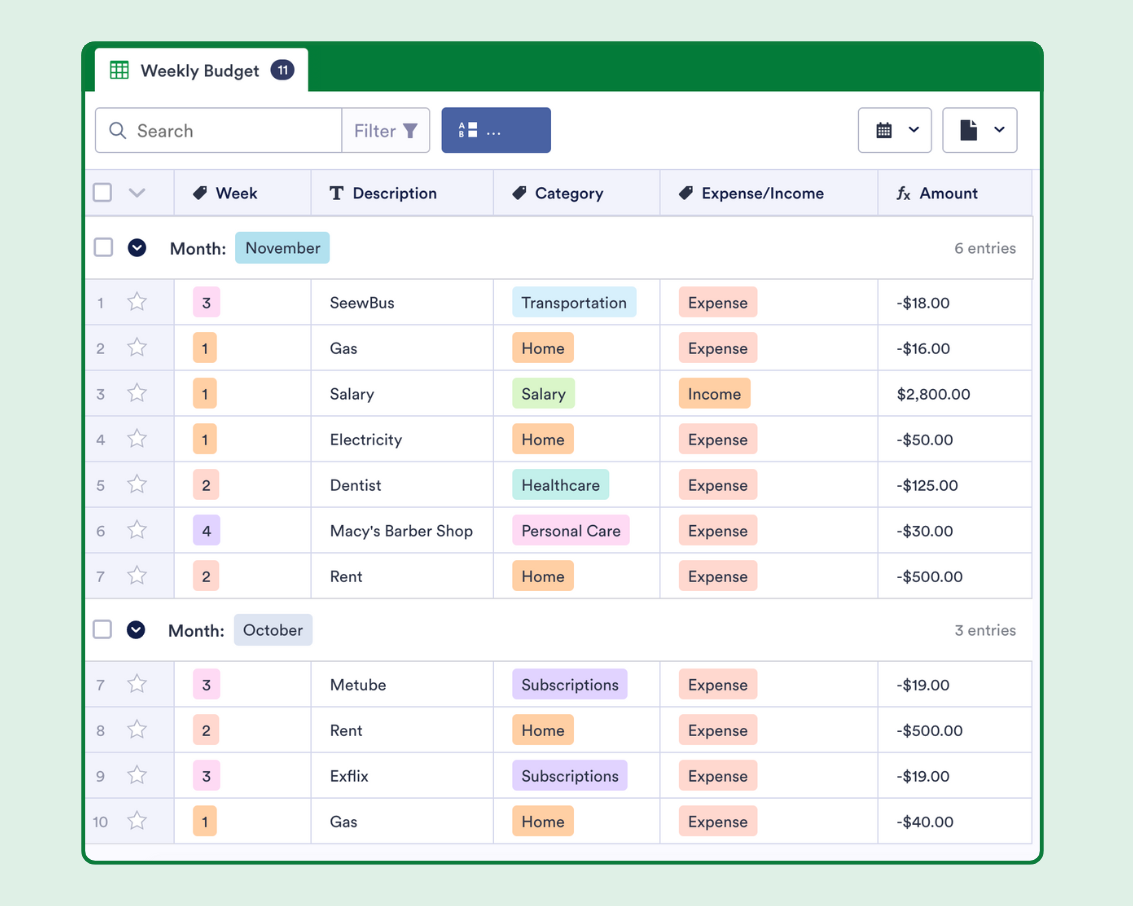
Jotform Tables offers a unique, form-first approach to database management. Unlike other traditional tools, it’s designed for seamless data collection that automatically populates customizable tables. From managing survey responses to tracking leads, or organizing event registrations, Jotform Tables simplifies the whole process by tying your database directly to form submissions.
What makes Jotform Tables stand out is its easy transition from data collection to organization. Once responses are stored, you can sort, filter, and customize your database with ease, creating a system that’s perfectly tailored to your workflow.
Key Features:
- AI-enhanced field detection and suggestions
- Dynamic logic and branching based on form responses
- Built-in e-signature and approval workflows
Third-party integrations with tools like Google Sheets, CRMs, or email platforms. A Business Development CRM template is one example of how a database can be structured around a specific business workflow.
Best for: Teams that rely heavily on data collection via forms and want simple backend management.
7. Zapier
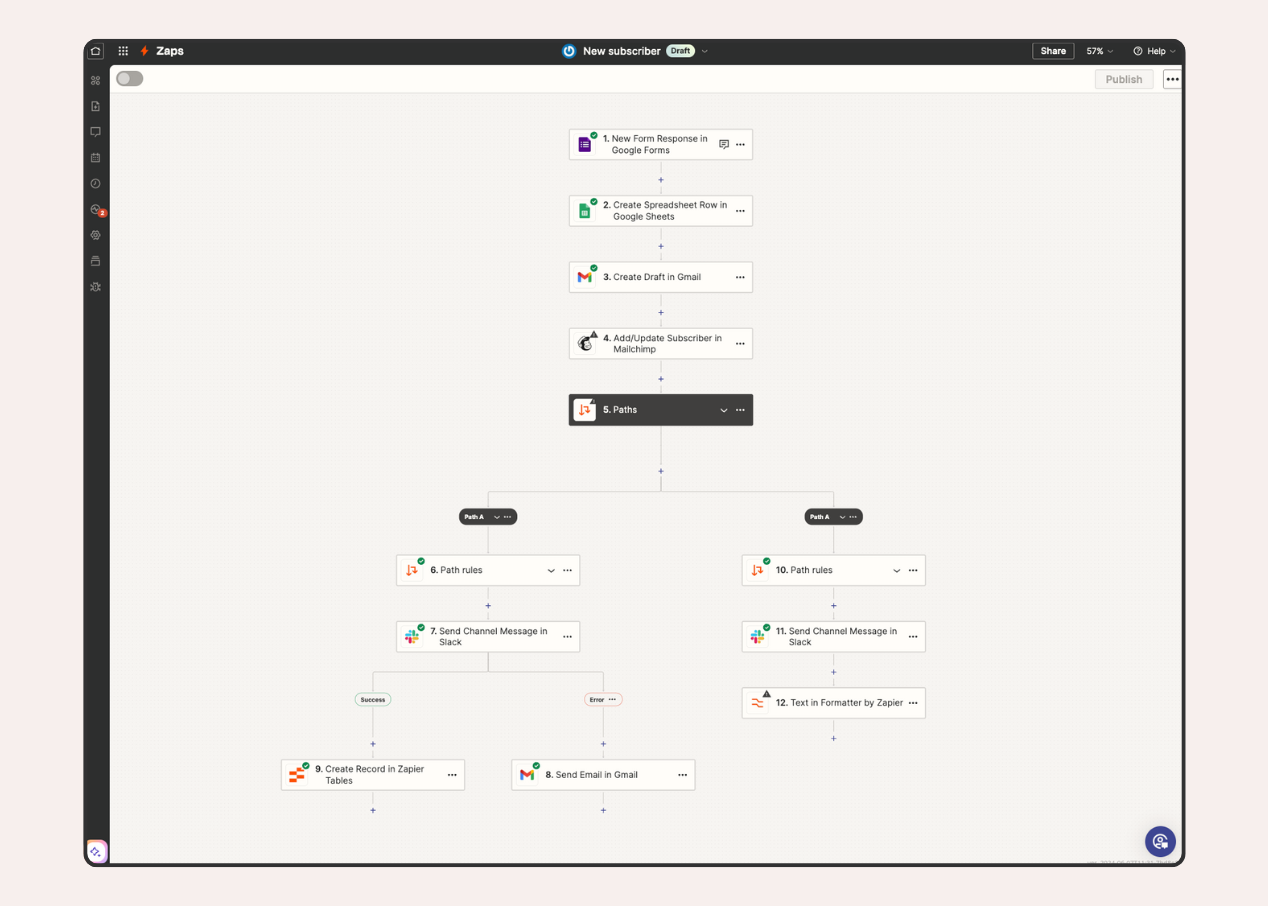
Zapier is an automation-first platform that connects your favorite apps, enabling them to work together seamlessly. While it’s not a database app builder, Zapier acts as a powerful glue for your tech stack, automating workflows that involve multiple tools.
If you’re managing data across different platforms and need them to communicate efficiently, Zapier is the solution. It’s not about storing data but ensuring it flows smoothly between apps, turning disconnected tools into a cohesive system.
Key Features:
- Automated workflows (called Zaps) that trigger actions across 5,000+ apps.
- Add filters and conditions to your workflows for precise automation.
- Zapier Central: Unified view of all your automated workflows.
- Zapier Canvas: Visual workflow builder.
- AI agents: Multistep, autonomous decision-makers that operate across tools.
Best for: Users who prioritize automating workflows across multiple tools rather than building standalone databases.
What Can You Build With Custom Database Software?
Custom database software can be used for much more than storing records. No-code database builders allow teams to create systems around the way they already work, including:
- Customer relationship management databases
- Project and task management systems
- Inventory tracking databases
- Employee and HR databases
- Content calendars
- Sales pipelines
- Marketing campaign trackers
- Business operations databases
- Internal tools and dashboards
This section gives the article broader topical coverage around custom database software, database apps, and online database software without keyword stuffing.
AI in Database Builders: The 2026 Outlook
Many tools are now embedding AI directly into the data workflow, making databases smarter, not just bigger.
Here’s what AI is powering inside database builders in 2025:
- Data summarization: Use AI to summarize customer feedback or long form entries.
- Formula generation: Explain what you want, and the tool creates the formula for you.
- Auto-tagging and classification: AI organizes incoming form data or support tickets.
- AI column types (in tools like Stackby): Pull insights, rewrite fields, or run GPT-based summaries natively.
How to Choose the Right Database App Builder
- Define Your Goals: Understand what you need from your database.
- Evaluate Scalability: Choose a platform that grows with your data.
- Look for Integrations: Ensure the tool connects to your existing apps.
Try Before You Commit: Test free trials to find the best fit.
Evaluate automation needs: Do you need built-in triggers or external tools like Zapier?
Frequently Asked Questions
What is custom database software?
Custom database software is a database system that can be configured around a team's specific data, workflows, fields, relationships, and reporting requirements. No-code database builders make it possible to create these systems without traditional programming.
What is a database builder?
A database builder is a platform that allows users to create, organize, connect, and manage structured data through a visual interface. Many modern database builders also include forms, automations, dashboards, and collaboration features.
What is the simplest database software for beginners?
Simple database software typically combines an intuitive interface with structured data management, templates, and visual views. No-code platforms can be suitable for beginners because they reduce the need for SQL or traditional development.
What can online database software be used for?
Online database software can support CRM, project management, inventory tracking, marketing operations, content management, customer data, internal tools, and other business workflows.
What is the difference between a database app and a database?
A database stores and organizes structured information, while a database app provides an interface and workflow for people to interact with that information. Modern no-code platforms can combine both capabilities.
Can I build a database app without coding?
Yes. No-code database builders provide visual tools, templates, forms, views, automations, and integrations that allow users to create functional database apps without traditional programming.
Conclusion
No-code database builders have made it easier for teams to create structured systems without relying on traditional development. From custom database software and CRM systems to project trackers and internal tools, modern database apps can adapt to a wide range of business workflows.
Teams can also start with a Sales Pipeline template when their primary need is organizing deals and pipeline data.
The right solution depends on your data structure, integrations, automation requirements, scalability, and ease of use. For teams looking for flexible online database software that combines databases, workflows, views, automation, and collaboration, Stackby provides a practical no-code approach.
Sign up for free with Stackby to start building a database around your team's workflow.
With tools that let you create applications quickly and efficiently, no-code platforms are making software development more accessible than ever.
![13 Best Business Management Software for your Work [2026]](/blog/content/images/size/w960/2024/03/stackby-business-blog-image-1.jpg)